Security Controls
10 minute read
When organizations deploy AI teammates, security teams tend to ask variations of the same questions: What data can these agents see? Who controls what they can do? How do we know what happened after the fact? These are reasonable concerns, and the answers shape whether AI teammates become trusted members of the security operation or remain perpetually quarantined in pilot programs.
This page explains how Edge Delta addresses these concerns. The short version: the same pipeline controls that protect data flowing to your SIEM also protect data flowing to AI teammates. The same permission model that governs human access governs AI access. And every action an AI teammate takes gets logged in the same audit infrastructure you already use for compliance.
Data never bypasses your pipelines
The first concern most security teams raise is data exposure. AI agents query and combine data from multiple sources, and that data ends up in context windows and model responses. Without proper controls, sensitive information could leak into places it does not belong.
Edge Delta handles this by routing all AI teammate queries through your existing pipelines. The Mask processor, Filter processor, and EDXEncrypt all run before data reaches any teammate. If you have already configured these processors to redact PII, exclude sensitive log sources, or encrypt specific fields for your SIEM, those same protections apply to AI queries automatically.
This design choice matters because it means you configure data protection once. You do not maintain separate policies for human analysts, SIEM destinations, data lakes, and AI teammates. The pipeline is the enforcement point, and everything downstream inherits its rules.
See Mask Processor, Filter Processor, and EDXEncrypt and EDXDecrypt for configuration details.
Where AI processing occurs
All AI Team inference occurs in Edge Delta’s cloud infrastructure, not in the customer’s production environment. Telemetry flows through customer-deployed pipelines (where masking, filtering, and encryption apply), then to the Edge Delta backend, where AI teammates query it for analysis.
AI inference requests route through Edge Delta’s cloud infrastructure rather than being sent directly to model vendor APIs. Edge Delta acts as an intermediary, and all external model providers undergo vendor security and compliance review. See AI Team Fundamentals for the full data access model and tenant isolation details.
Note: The legacy AI-powered pattern interpretation feature (visible on the logs Anomalies page) uses a different path. This feature sends pattern data items directly to the LLM API for analysis, outside the standard cloud infrastructure routing described above.
What data reaches the model
AI teammates query telemetry data that has already passed through your pipeline processors. The same protections that apply to your SIEM destinations apply to AI queries.
The following types of data can be included in model context:
| Data type | Source |
|---|---|
| Telemetry query results | Queried from the Edge Delta backend after pipeline processing |
| External system data | Retrieved through MCP connectors (PagerDuty, GitHub, Jira, etc.) |
| Conversation context | Thread history within the current investigation |
| Stored memories | Organization-wide and personal memories from prior investigations |
For large datasets, the Sandbox offloads data to an isolated file system rather than loading it into the model context window.
Edge Delta does not use customer telemetry data to train AI models. Customer data is used only for inference and analysis within tenant-isolated pipelines. See the AI section in the Edge Delta Trust Center for details.
AI output storage and retention
AI teammate outputs (analysis findings, recommendations, and actions taken) are stored as thread history within the Edge Delta platform. You can review them on the Activity page and the Events page.
AI teammates store two kinds of memories from investigations:
- Learnings are automatically removed after 30 days of inactivity.
- Preferences are retained indefinitely.
Both can be managed in Settings. Memories are distinct from model training. Edge Delta does not use stored memories or conversation history to train AI models.
Teammates can forward findings to external systems through connectors (Slack, PagerDuty, Jira, and others). AI output sent to external systems follows the same connector permission model described in the Permissions section below. Sandbox instances are deprovisioned when the investigation completes, and sandbox data does not persist.
Permissions work at the tool level
The second concern is permission creep. Agents designed to help can accumulate access beyond what they actually need, especially when teams are eager to get value from a new capability and skip the principle of least privilege.
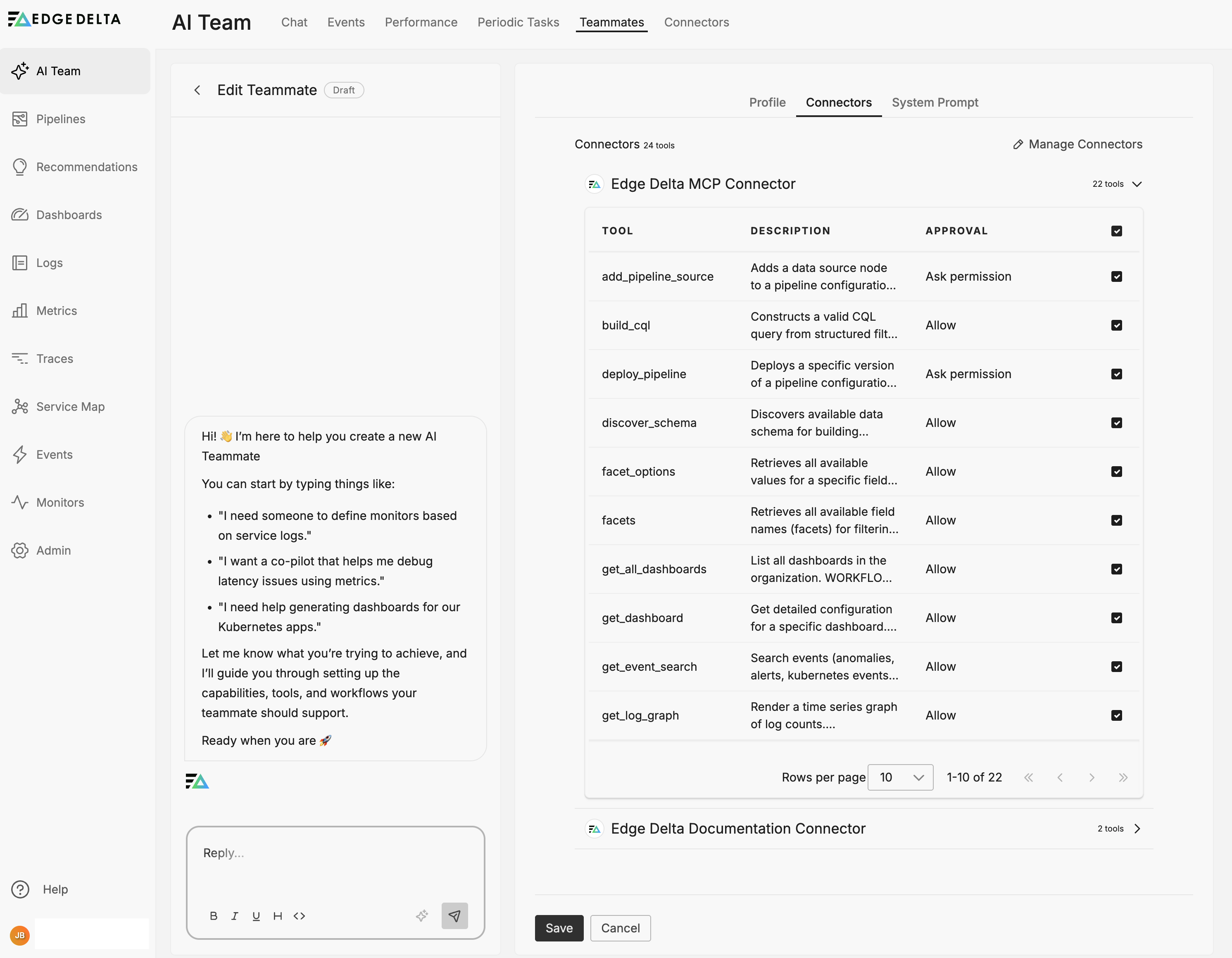
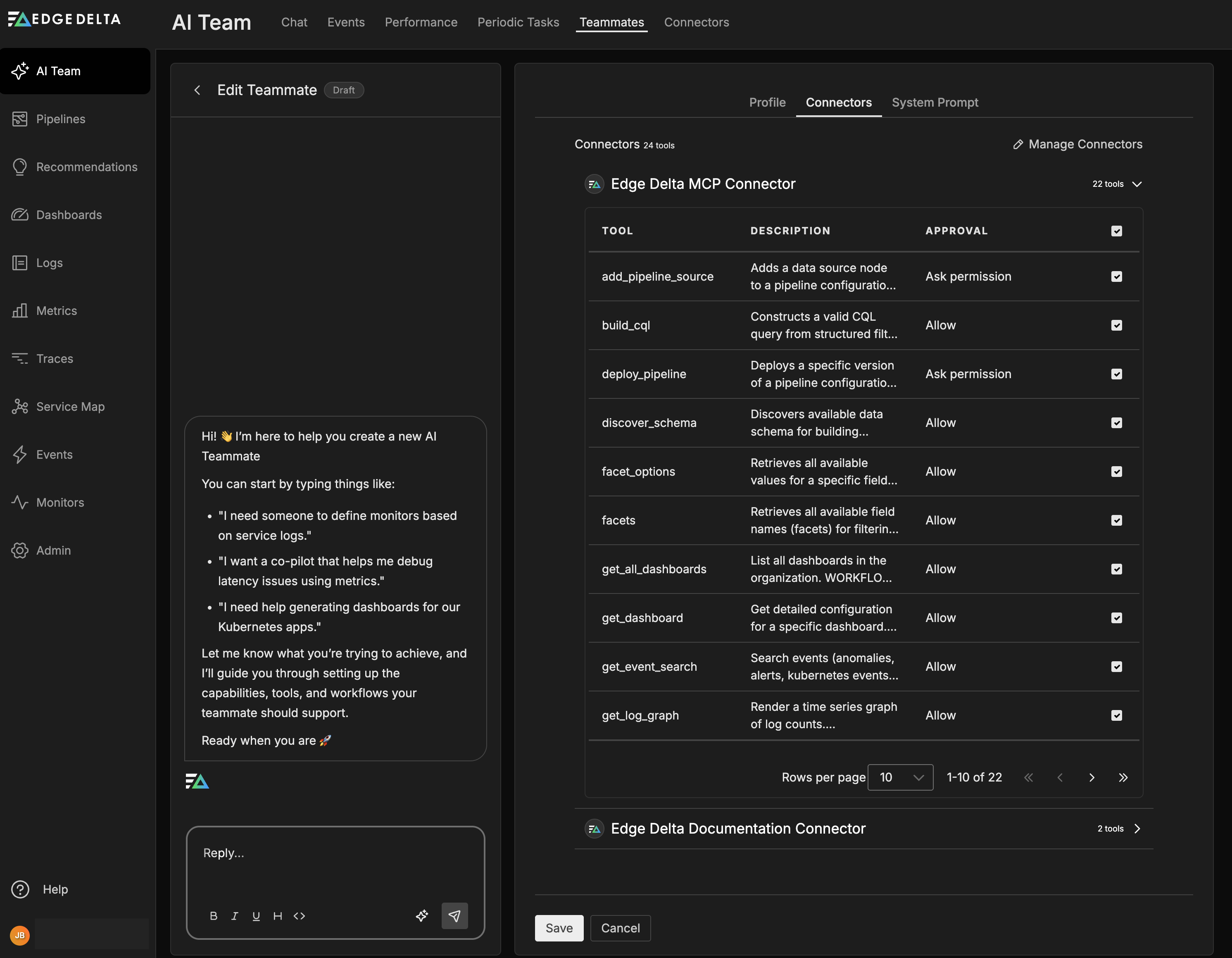
Edge Delta addresses this by making permissions explicit at the tool level. Each connector exposes specific tools, and each tool has its own permission setting: either Allow (executes without approval) or Ask Permission (requires a human to approve before execution). Read operations typically default to Allow, while write and modify operations default to Ask Permission. You can adjust these defaults per tool.
Teammates only access connectors that you explicitly assign to them. Specialized teammates like Security Engineer or DevOps Engineer come pre-configured with scoped access appropriate to their role. If you create a custom teammate, you assign connectors manually, which forces you to think through exactly what that teammate should be able to do.
You can restrict access further by enabling or disabling individual tools when you assign a connector to a specific teammate. Navigate to AI Team, then Teammates, then Edit, then Connectors to configure this.
See Connectors Overview for configuration details.
Humans stay in the loop
The third concern is autonomy. Fully autonomous agents can take actions without appropriate review, and even well-intentioned automation can cause problems when it runs without oversight.
Edge Delta keeps humans in the loop through approval workflows. When a tool requires permission, the teammate packages the triggering event, its analysis, and the proposed action into an approval request. These requests appear in the Activity page with a Waiting for approval status, giving you full visibility into what the teammate wants to do and why.
Infrastructure changes (deployments, configuration updates) route through channels rather than direct messages. This ensures that approval context is visible to the team, audit trails capture who approved what, and decisions remain discoverable for compliance reviews. Direct messages are intentionally read-only for state changes, so meaningful actions flow through channels where they receive appropriate oversight.
If something goes wrong, you can disable a connector or the teammate itself through the UI to halt all activity immediately.
See Activity and Channels for more on monitoring and managing teammate actions.
Everything gets logged
The fourth concern is auditability. When an incident occurs, you need to trace what the AI accessed, what decisions it made, and what actions it took. Vague summaries do not satisfy auditors or help with root cause analysis.
Edge Delta captures comprehensive audit data across multiple surfaces:
| Location | What it captures |
|---|---|
| Activity page | All threads with priority, status, token consumption |
| AI Team Events | Queryable history by monitor, thread state, channel, connector |
| Thread details | Full conversation context, tools invoked, results returned |
| MCP layer | Request/response with timestamps and teammate identity |
Per-message metrics include tokens used, response time, and quality score. Thread history preserves the full conversation context, so you can reconstruct exactly what happened during any investigation. The Events page supports filtering by time range, connector name, teammate, or thread state, which helps with both real-time monitoring and retrospective compliance reviews.
See AI Team Events and Activity for query and filtering options.
Compliance aligns with your existing controls
When AI agents process regulated data (PII, PHI, cardholder data), compliance teams have questions about data handling and auditability. The good news is that the pipeline-level controls described above already address most of these concerns.
| Regulation | How Edge Delta addresses it |
|---|---|
| GDPR | Mask processor redacts PII before AI context |
| HIPAA | Pipeline filtering excludes PHI sources or masks specific fields |
| SOC 2 | Activity page and Events provide configuration change tracking and approval audit trails |
| PCI DSS | Mask processor tokenizes card patterns at ingestion |
RBAC restricts which teams can configure teammates and connectors. Audit trails satisfy SOC 2 configuration change tracking requirements. Data residency controls apply uniformly across pipelines, including data that AI teammates access.
See Strengthening Security and Compliance for broader platform compliance capabilities. For AI-specific security documentation, training data policies, and compliance certifications, see the AI section in the Edge Delta Trust Center.
Investigating what went wrong
When something goes wrong, you need to trace what happened quickly. Start with the Activity page to locate the relevant thread. Each thread shows the full conversation history with all messages and tool invocations, which connectors and tools were used, results returned from each tool call, and approval history including who approved what and when.
The Events page supports filtering by time, connector, teammate, and status, so you can narrow down to specific incidents quickly. If you need to halt a teammate’s activity immediately, disable the relevant connector or the teammate itself through the UI. This stops all further tool invocations while you investigate.
Dividing work between humans and AI
Without clear boundaries, AI teammates may attempt tasks better suited for human judgment, and humans may underutilize AI capabilities. Getting this division right matters for both effectiveness and trust.
AI teammates function as force multipliers for security operations. They excel at volume, consistency, and recall across large datasets. Humans provide strategic context and make decisions that require organizational knowledge. This division allows analysts to focus on high-value work rather than mechanical data processing.
| AI teammate responsibilities | Human responsibilities |
|---|---|
| Pattern recognition across high-volume logs | Strategic decisions requiring organizational context |
| Timeline construction from multi-system events | Stakeholder communication and escalation |
| Indicator enrichment and correlation | Policy decisions and exception handling |
| Uniform rule application regardless of workload | Final remediation approval |
| Repetitive analysis without fatigue | Investigation direction and prioritization |
The value of this separation comes from playing to each side’s strengths. Teammates can process months of logs in minutes while maintaining perfect recall. Humans can apply the contextual judgment that distinguishes legitimate anomalies from actual threats.
Rolling out AI teammates gradually
Deploying AI teammates without a measured rollout can create trust issues or unintended automation. Organizations that succeed typically progress through four phases, building confidence and validating teammate behavior at each stage.
| Phase | AI teammate role | Human role |
|---|---|---|
| Read-only analysis | Report findings and surface patterns | Validate logic and assess accuracy |
| Supervised recommendations | Suggest specific actions with supporting evidence | Review recommendations and execute approved actions |
| Approved automation | Execute pre-approved scenarios; escalate exceptions | Define approval criteria; handle escalated cases |
| Full automation | Handle routine work end-to-end | Manage exceptions and refine policies |
Every action an AI teammate takes is auditable, and every decision shows its reasoning. This transparency supports compliance reviews and builds operational trust over time.
Most organizations require 6 to 12 months to progress through all phases, depending on their security maturity and the complexity of their environment. Rushing through the phases tends to create setbacks that slow overall adoption.
Measuring whether it works
Track outcome-based metrics rather than activity metrics to measure AI teammate effectiveness. The Activity page and Events page provide the data you need to calculate these values.
| Metric | Target | How to measure |
|---|---|---|
| Mean time to detection | Under 1 hour | Time from event occurrence to teammate alert |
| Investigation resolution time | 4-hour reduction from baseline | Compare pre- and post-deployment resolution times |
| False positive rate | Under 20% | Ratio of dismissed alerts to total alerts |
| Continuous control validation | 90%+ coverage | Percentage of controls validated without manual intervention |
| Strategic vs mechanical work | 60% strategic, 40% mechanical | Analyst time allocation surveys |
The goal is not to reduce headcount. It is to reallocate analyst time toward threat hunting, architecture improvement, and proactive security work. The metrics should reflect whether that reallocation is actually happening.
See AI Team Performance for additional metrics on teammate token usage and response quality.
See also
- Connectors Overview - Permission configuration for connector tools
- Activity - Monitoring and managing AI Team threads
- AI Team Events - Querying and filtering event history
- Strengthening Security and Compliance - Platform-wide compliance controls
- Mask Processor - PII redaction at ingestion
- AI Team Fundamentals - Data access model and tenant isolation
- Sandbox - Isolated code execution during AI investigations
- Settings - Memory retention and model configuration