Edge Delta Cumulative to Delta Processor
4 minute read
Overview
The Cumulative to Delta processor converts cumulative sum metrics to delta sum metrics. This transformation is useful when your metrics source emits cumulative counters but your destination or analysis requires delta values representing the change between measurement intervals.
Cumulative vs Delta Metrics
- Cumulative: An ever-increasing counter where each value includes all previous values. For example, a web server reporting total bytes sent as 1000 → 2000 → 3000.
- Delta: Each value represents only the change since the last report. Using the same example, the delta values would be 1000 → 1000 → 1000.
When to Use
Use this processor when:
- Your metrics source emits cumulative counters (common with Prometheus-style metrics)
- Your destination expects delta metrics for easier aggregation
- You want to compute rates without performing cumulative-to-delta conversion downstream
- You need to reduce complexity in downstream metric processing
Do not use this processor when:
- Your metrics are already in delta format
- Your destination handles cumulative metrics natively
- You need to preserve the original cumulative values
Configuration
The processor requires no additional configuration beyond the name. It automatically identifies cumulative sum metrics and converts them to delta format. The telemetry type is hardcoded to metrics.
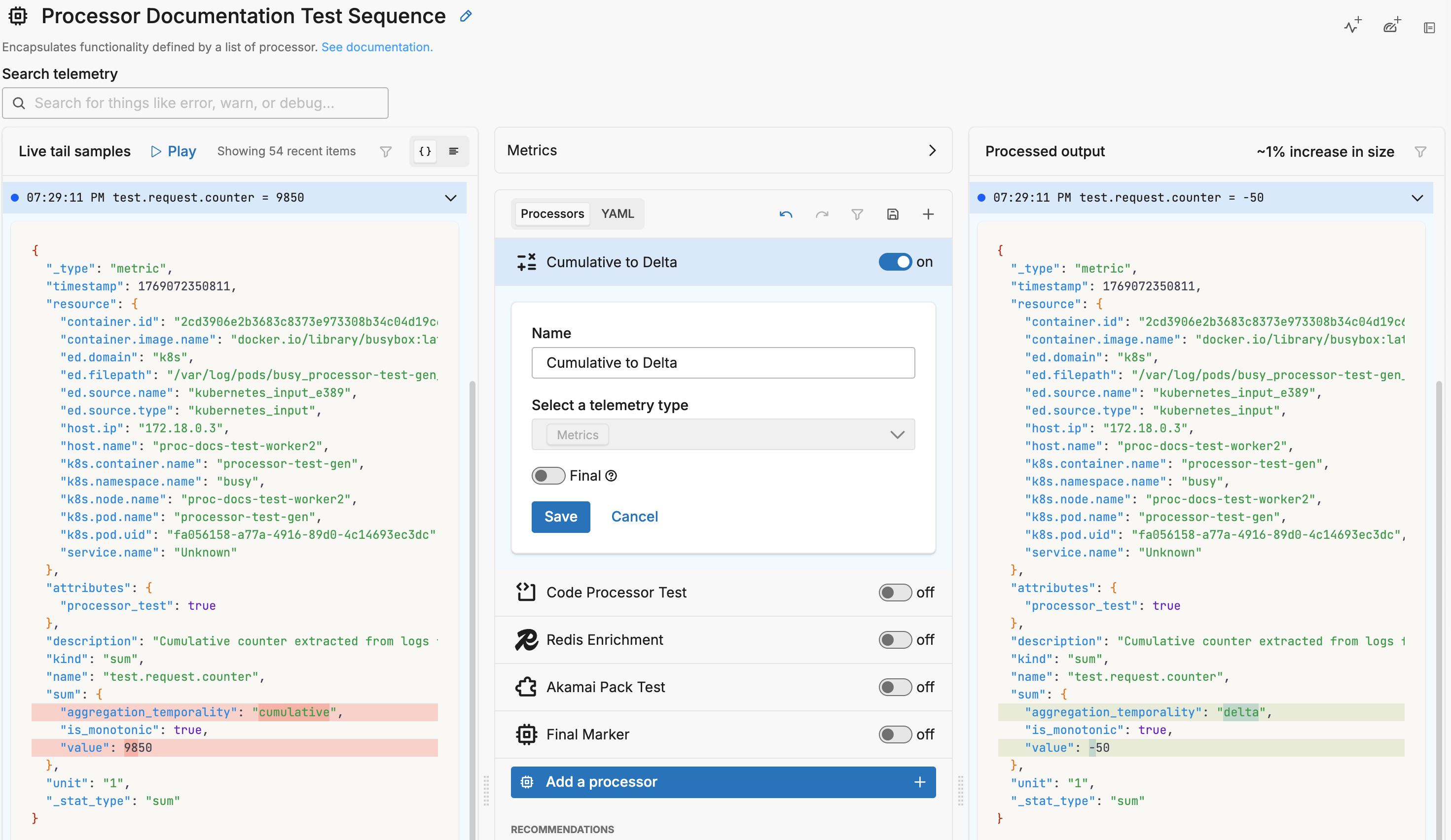
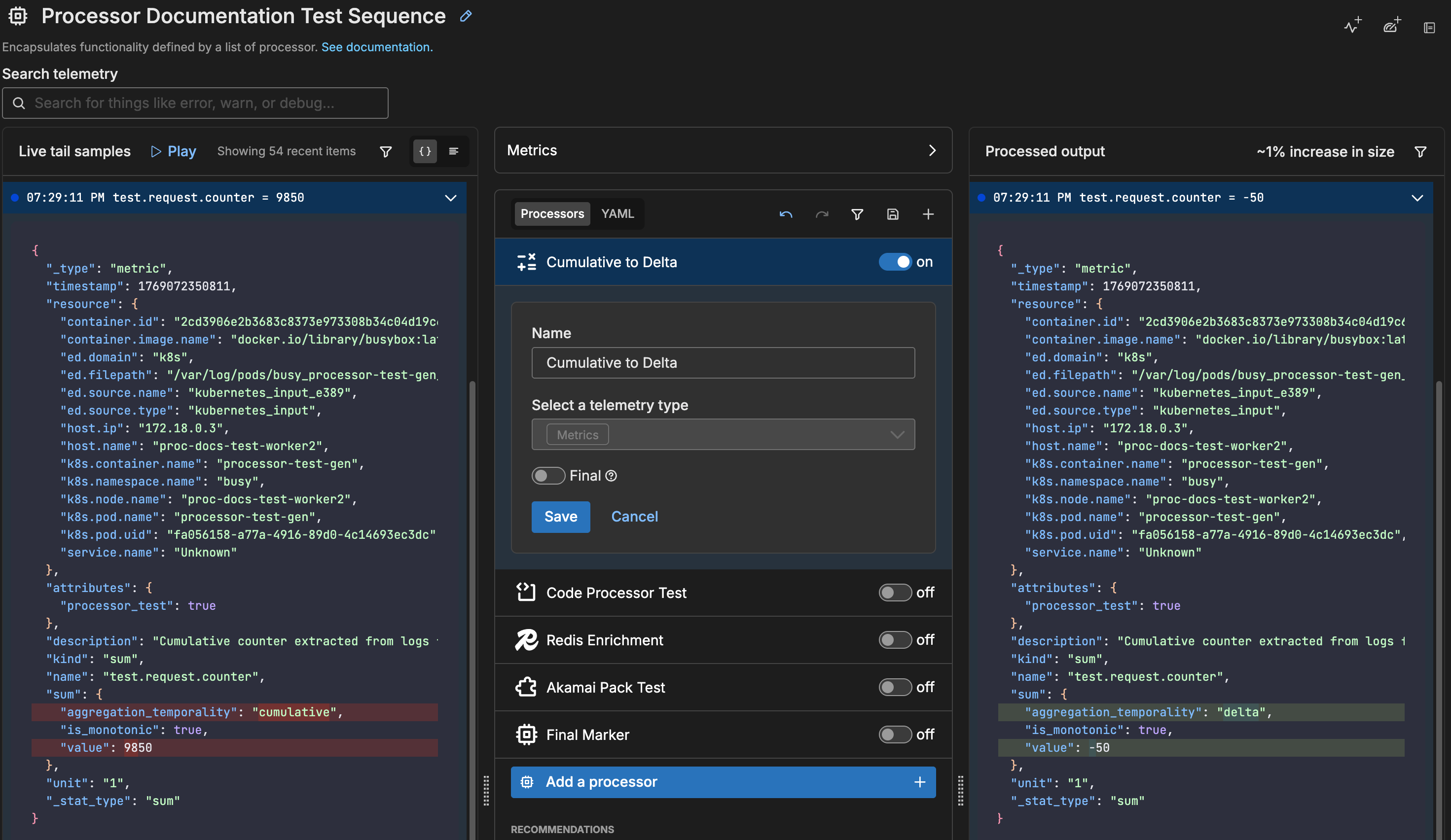
- name: Multiprocessor
  type: sequence
  processors:
  - type: cumulative_to_delta
    metadata: '{"id":"abc123","type":"cumulative_to_delta","name":"Cumulative to Delta"}'
    data_types:
    - metric
Example
Consider a cumulative metric tracking total HTTP requests:
Input (Cumulative):
| Timestamp | Value |
|---|---|
| T1 | 100 |
| T2 | 150 |
| T3 | 225 |
Output (Delta):
| Timestamp | Value |
|---|---|
| T1 | 100 |
| T2 | 50 |
| T3 | 75 |
The processor calculates the difference between consecutive measurements, converting the running total into individual increments.
Sample Input and Output
This example shows the Cumulative to Delta processor converting metrics extracted from logs. The Extract Metric processor first creates cumulative sum metrics, which this processor then converts to delta format.
Pipeline Configuration:
# Step 1: Extract cumulative metric from log
- type: extract_metric
  condition: body["test_type"] == "metric"
  keep_item: true
  data_types:
  - log
  extract_metric_rules:
  - name: test.request.counter
    description: Cumulative counter extracted from logs
    unit: "1"
    sum:
      value: body["counter_value"]
      aggregation_temporality: cumulative
      is_monotonic: true

# Step 2: Convert cumulative to delta
- type: cumulative_to_delta
  data_types:
  - metric
Sample Input Log:
{
  "_type": "log",
  "timestamp": 1769070465170,
  "body": {
    "test_type": "metric",
    "counter_value": 150,
    "service": "api"
  },
  "resource": {
    "k8s.namespace.name": "busy",
    "k8s.pod.name": "processor-test-gen"
  }
}
Sample Output Metric (after both processors):
{
  "_type": "metric",
  "timestamp": 1769070465170,
  "resource": {
    "k8s.namespace.name": "busy",
    "k8s.pod.name": "processor-test-gen"
  },
  "attributes": {},
  "description": "Cumulative counter extracted from logs",
  "kind": "sum",
  "name": "test.request.counter",
  "sum": {
    "aggregation_temporality": "delta",
    "is_monotonic": true,
    "value": 50
  },
  "unit": "1"
}
Note how the output shows:
aggregation_temporalitychanged fromcumulativetodeltavalueis50(the delta from the previous cumulative value of 100)
Options
Telemetry Type
This processor operates exclusively on metrics. The telemetry type is hardcoded and cannot be changed.
Final
Determines whether successfully processed data items should continue through the remaining processors in the same processor stack. If final is set to true, data items output by this processor are not passed to subsequent processors within the node—they are instead emitted to downstream nodes in the pipeline (e.g., a destination). Failed items are always passed to the next processor, regardless of this setting.
The UI provides a slider to configure this setting. The default is false. It is defined in YAML as follows:
- name: multiprocessor
  type: sequence
  processors:
    - type: <processor type>
    final: true
Behavior Notes
- The processor operates only on sum metrics with cumulative temporality
- Gauge metrics and delta sum metrics pass through unchanged
- The first data point in a series is emitted as-is since there is no previous value to compute a delta
- Counter resets (where the new value is lower than the previous) are handled automatically
See Also
Extract Metric Processor - Extract metrics from logs with cumulative or delta temporality options