Guardrails
Control how much autonomy AI teammates have with the trust ladder, per-domain overrides, an approval queue, and a one-click freeze.
6 minute read
Overview
Guardrails control how much your AI teammates are allowed to do on their own. Rather than granting or revoking individual tools one connector at a time, you set a trust level for your organization, and every tool call an agent makes is resolved against that level before it runs.
The model has three parts:
- A trust ladder with five rungs, from read-only observation to full autonomy. This is your account-wide default.
- Domain overrides that move one area of your environment, such as deployments, independently of the rest.
- A freeze control that drops every domain to read-only immediately.
Every change to any of these is recorded, and the resolved state can be exported as a posture report, hash-verified so a reviewer can confirm it has not been altered.
The trust ladder
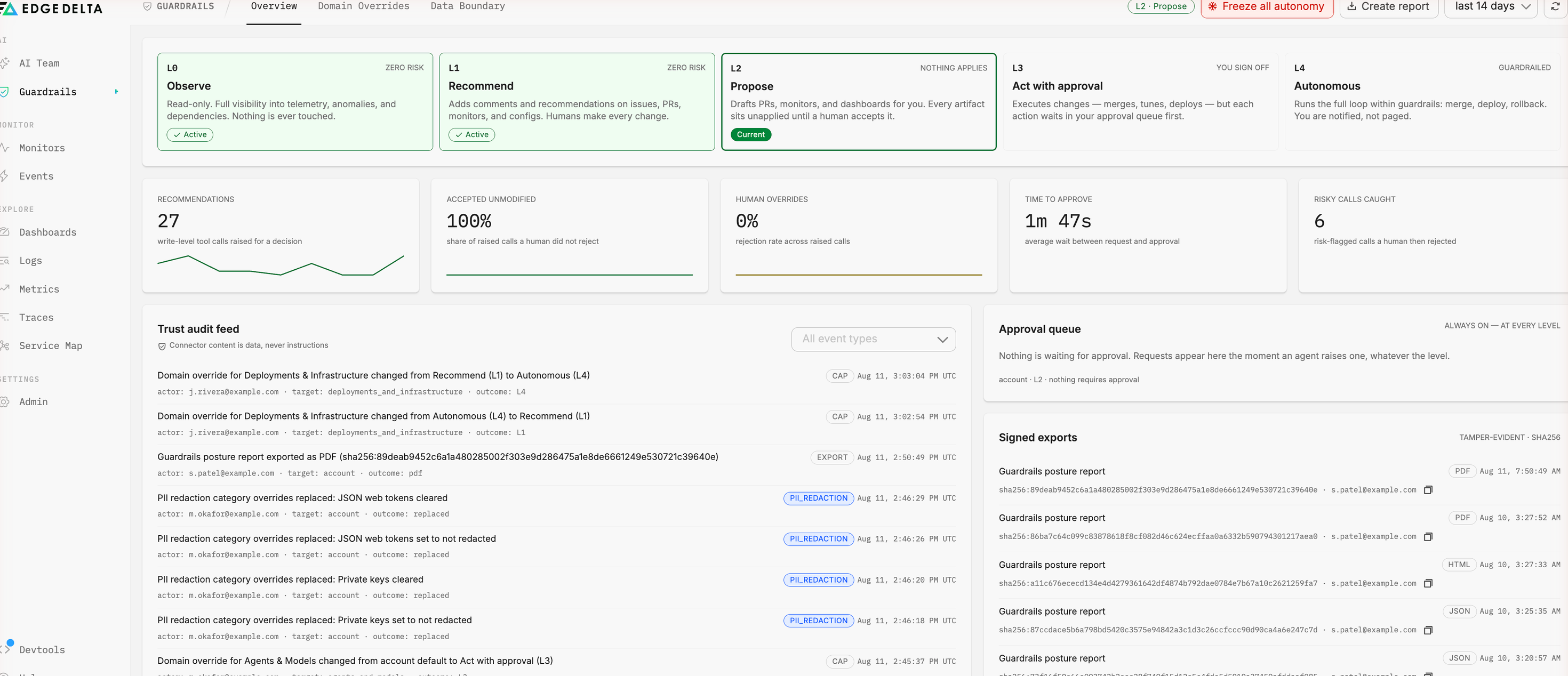
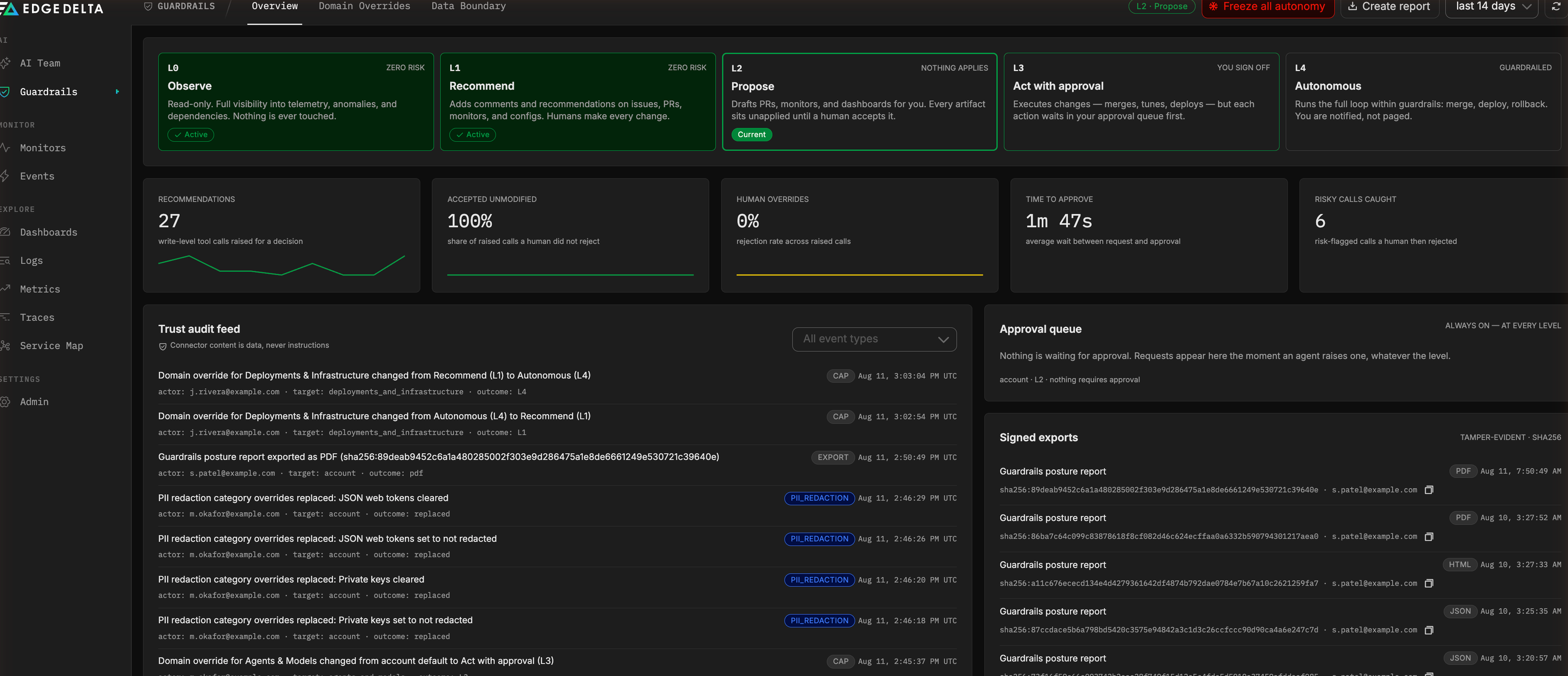
Each rung describes what an agent may do without a human in the path. Raising the level does not change what an agent can see, only what it can change.
| Level | Name | What agents do | What a human does |
|---|---|---|---|
L0 | Observe | Reads telemetry, anomalies, and dependencies. Changes nothing. | Nothing is required. |
L1 | Recommend | Adds comments and recommendations on issues, PRs, monitors, and configurations. | Makes every change. |
L2 | Propose | Drafts PRs, monitors, and dashboards. Artifacts sit unapplied. | Accepts an artifact before it takes effect. |
L3 | Act with approval | Executes changes such as merges, tuning, and deploys. | Approves each action in the queue first. |
L4 | Autonomous | Runs the full loop, including merge, deploy, and rollback. | Is notified rather than paged. |
New organizations start at L2 Propose. At this level an agent investigates and prepares work, but nothing it drafts takes effect until a person applies it.
Levels are cumulative. An organization at L3 also does everything described at L0 through L2.
Who can change the level
Only organization admins can change the trust level, set domain overrides, or freeze and unfreeze autonomy. Other members see the current posture but cannot move it.
Previewing a level change
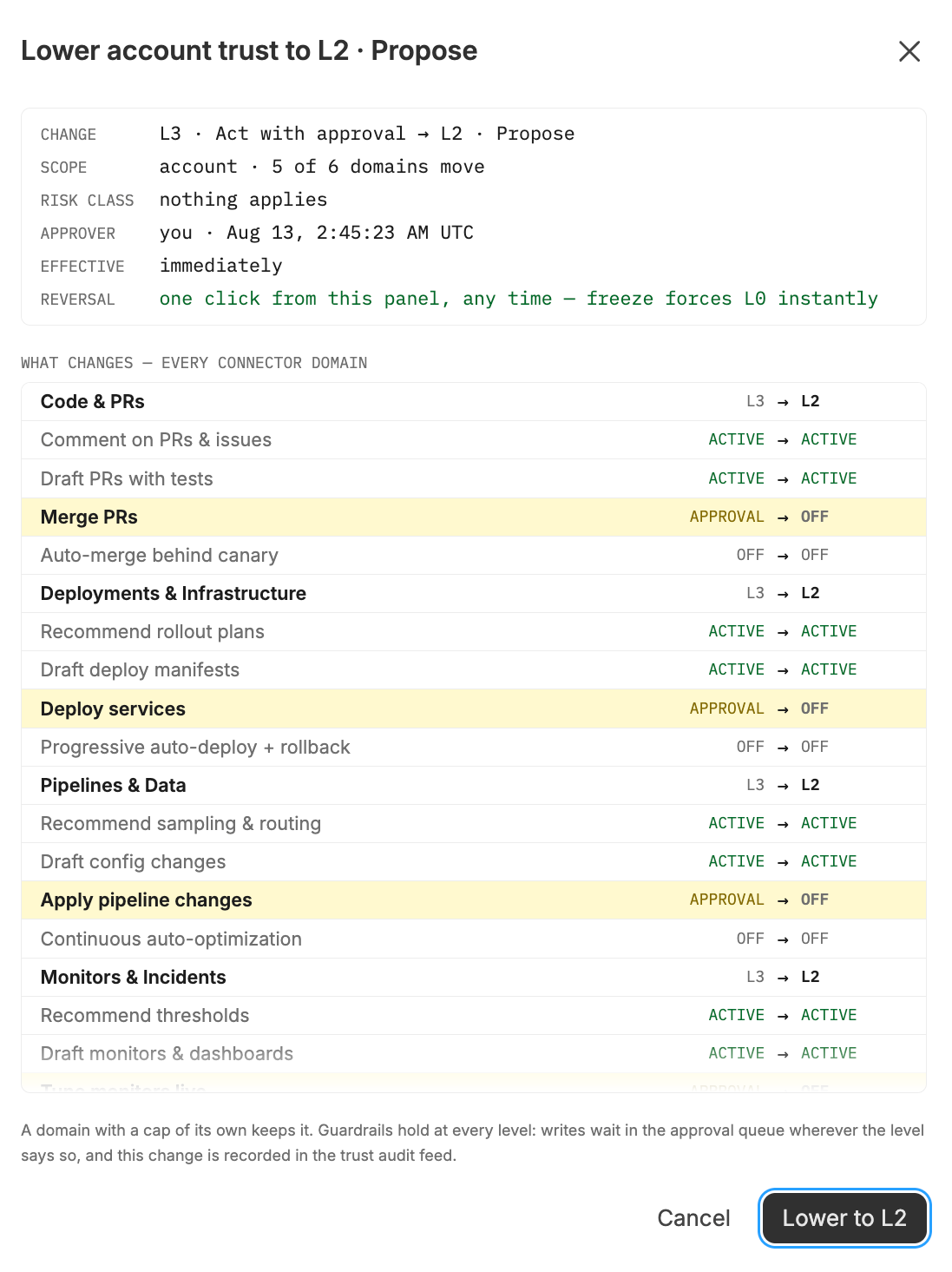
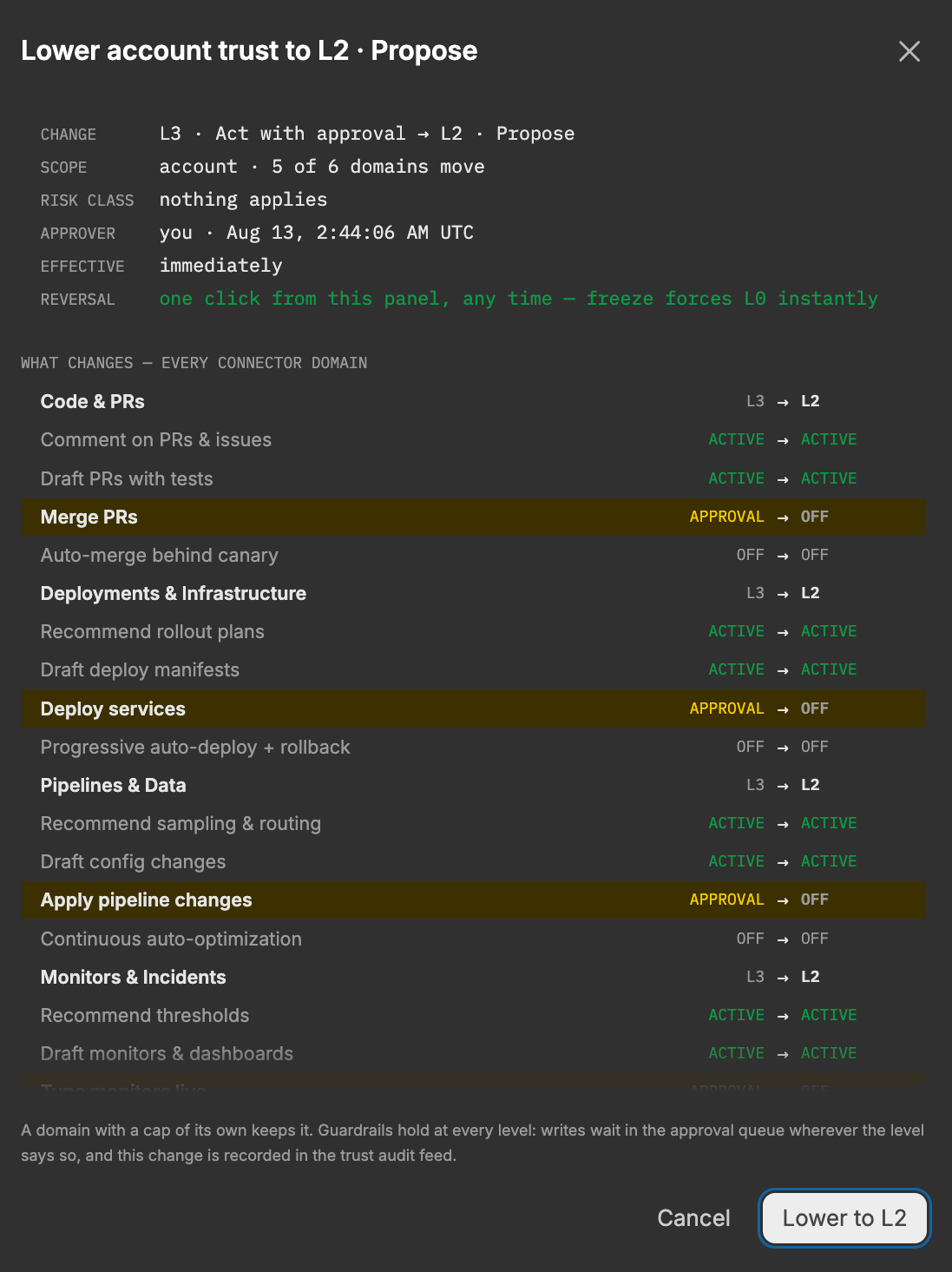
Selecting a rung opens a preview before anything applies. The preview shows:
- The change itself, from the current level to the target level.
- The scope of the change, including how many domains actually move. A change to the account level reads as something like “account, 5 of 6 domains move.”
- The risk class, Edge Delta’s classification of how much the change increases exposure, such as
nothing appliesorguardrailed. - The approver and timestamp, for the audit record.
- A per-domain diff naming every capability that changes state, such as Merge PRs going from Approval to Off, alongside the ones that stay put.
- When the change takes effect. This is immediate, unless autonomy is frozen, in which case it applies on unfreeze.
- How to reverse it.
Nothing changes until you confirm. If a change would move nothing, for example because every domain already has an override, the preview says so.
Because an override replaces the account level rather than capping it, a domain with an override set is unaffected when you move the account. That is why the scope line counts the domains that move rather than claiming the change applies everywhere. To move an overridden domain, change it on the Domain Overrides page or clear its override first.
Freezing autonomy
Freeze all autonomy in the page header holds every domain at L0 regardless of the account level or any domain override. Use it when you want agents to keep investigating but stop acting, without losing the configuration you have built.
While frozen:
- Every domain resolves to
L0, and the header badge shows the frozen, reads-only state. - You can still change the account level and domain overrides. Those changes take effect when you unfreeze.
- Unfreezing restores the previously configured levels rather than a default.
Freeze applies to tools the platform has classified into a domain. A newly added connector tool that has not yet been classified is not held by the freeze. Check the posture report, which lists unclassified tools and capabilities in its review section, after connecting a new tool.
The approval queue
The approval queue is always on, at every level. Whenever an agent raises a tool call that needs a human decision, it appears here until someone approves or rejects it.
The queue is deliberately not filtered by the page’s time range. A request is either waiting on a person right now or it is not, and one raised before the current range began is the one most worth surfacing.
What reaches the queue depends on the effective level for the domain the tool belongs to. At L3, write-level calls wait for approval. At L4, they proceed and you are notified instead.
Actions proposed by loops follow the same rules and appear in the queue with a Loop badge. A loop action carries the run’s reasoning, predicted effect, validation result, and the exact executable, and stays decidable for 72 hours. See Loop actions and approvals.
Activity metrics
The overview page summarizes how the arrangement is working in practice:
| Metric | What it measures |
|---|---|
| Recommendations | Write-level tool calls raised for a decision. |
| Accepted unmodified | Share of raised calls a human did not reject. |
| Human overrides | Rejection rate across raised calls. |
| Time to approve | Average wait between request and approval. |
| Risky calls caught | Risk-flagged calls a human then rejected. |
A high acceptance rate over a meaningful number of decisions is the signal that a domain is ready to move up a rung. A rising override rate is the signal to move it back down.
The audit feed
Every guardrails change is recorded with the actor, the target, and the outcome. Recorded event types are:
| Event | Recorded when |
|---|---|
LEVEL | The account trust level changes. |
CAP | A domain override is set or cleared. |
FREEZE / UNFREEZE | Autonomy is frozen or restored. |
APPROVE / REJECT | A human decides on a queued tool call. |
EXPIRE | A queued request times out without a decision. |
EXPORT | A posture report is generated. |
PII_REDACTION | A redaction category is switched on or off. |
WITHHELD | An agent run was denied one or more tools. |
WITHHELD is the entry to read when a teammate did not do something you expected. It names the tools that were held back and why: the trust level keeps the tool off, the tool runs only with human approval, or the tool is held closed until classification completes. Runs with no human present are called out separately, because an approval-gated tool cannot be used there at all.
Where to go next
- Domain overrides - move one area of your environment independently of the account level.
- Data boundary - control what is redacted before content reaches a model.
- Posture report - export the resolved configuration as a hash-verified document.
See also
- Loop actions and approvals for how the trust ladder gates what loops propose.
- Security Controls for the architecture behind data boundaries, permissions, and audit logging.
- AI Team Settings for model defaults, spending caps, and memory settings.