Ingestion Pipelines
5 minute read
Overview
Ingestion pipelines are stateless, agentless pipelines hosted and managed by Edge Delta. Unlike cloud pipelines which run dedicated agent instances, ingestion pipelines process data entirely on the Edge Delta backend without provisioning compute resources. Because they are stateless, ingestion pipelines do not support lookups, aggregations, or other operations that require maintaining state across events.
Ingestion pipelines are ideal for:
- AI Teammates event connectors: Webhook events from PagerDuty, GitHub, and other integrations
- Quick proof-of-concept testing: Send test data via curl without deploying agents
- Lightweight integrations: Event-driven data that doesn’t require edge processing
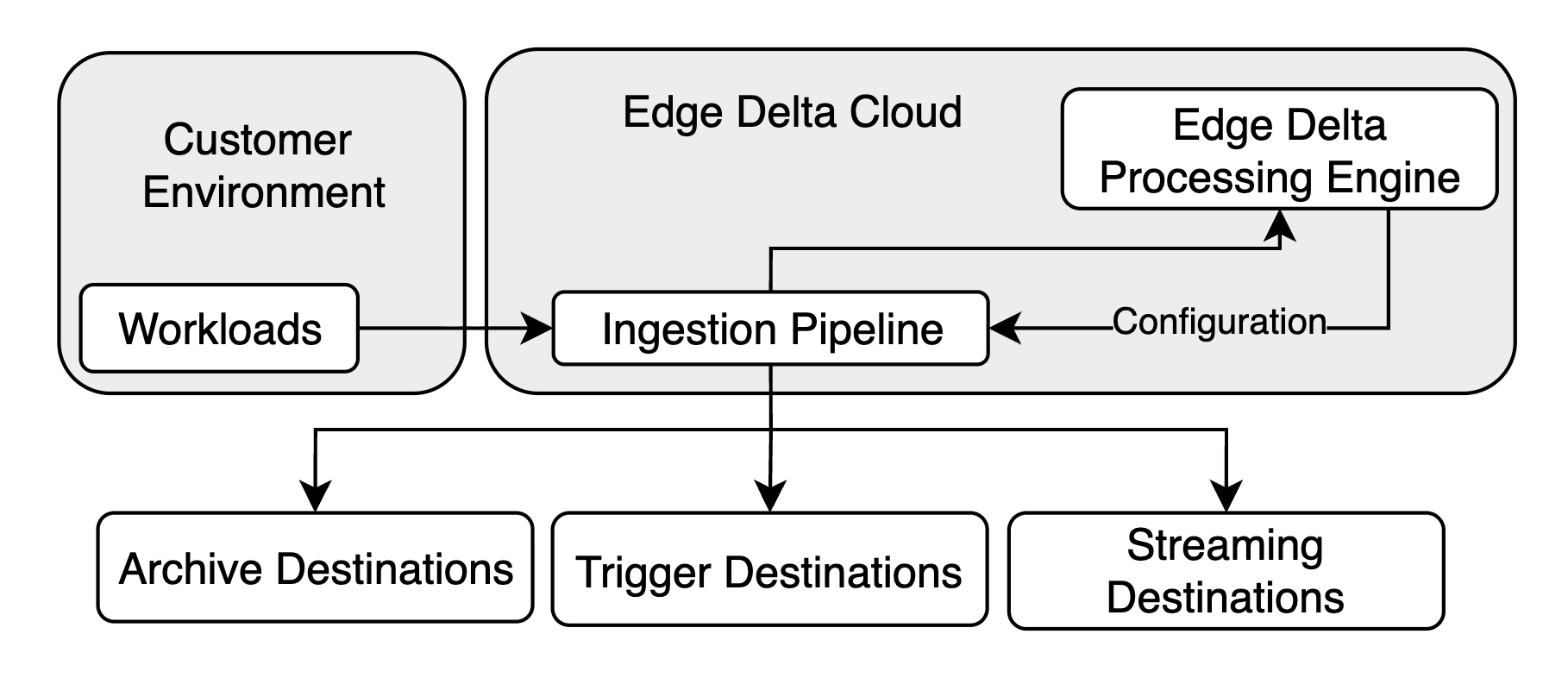
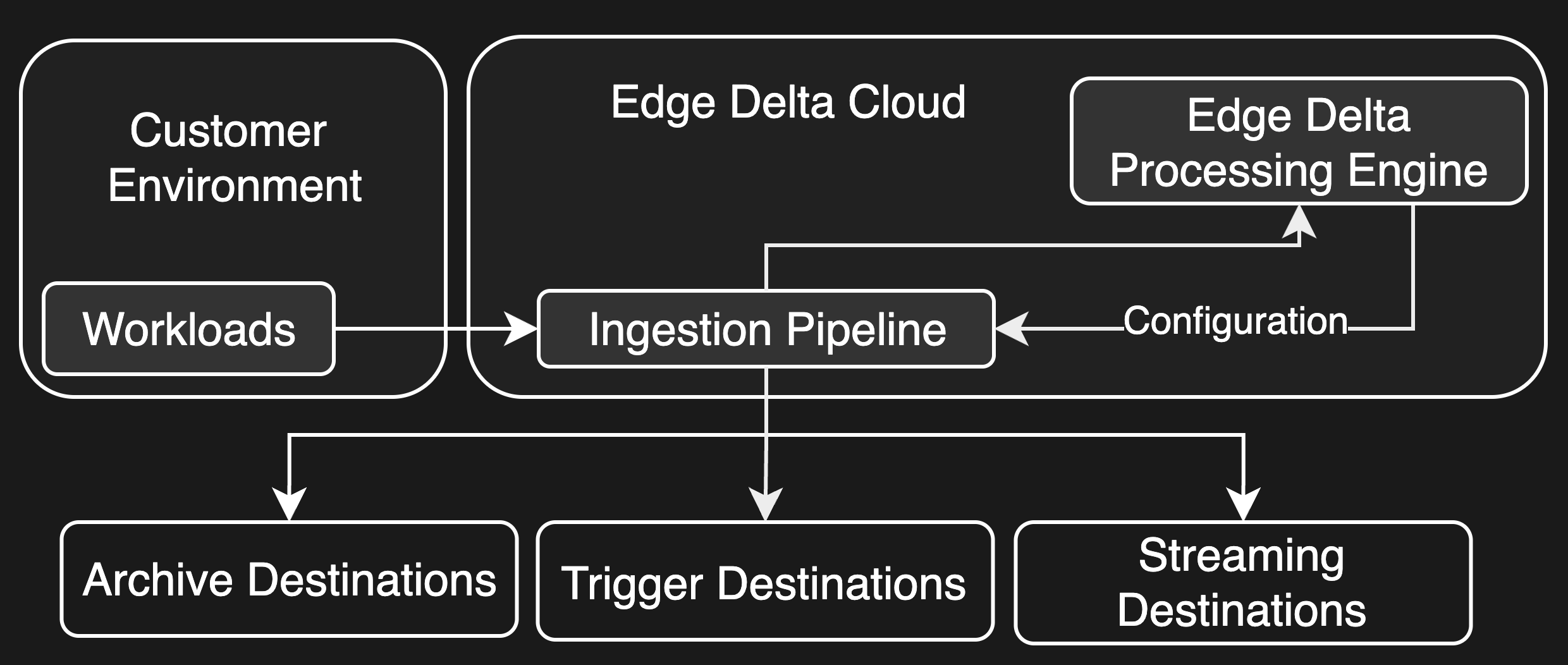
When to Use Ingestion Pipelines
Choose ingestion pipelines when you have the following requirements:
- You need to receive webhook events for AI Teammates
- You want instant pipeline creation without provisioning delays
- Your data does not require stateful processing (lookups, aggregations)
- You are running a quick POC and want to test data flow immediately
Choose cloud pipelines or node pipelines when you have these requirements:
- You need edge data reduction before ingestion
- Your processing requires lookups or aggregations
- You need to run custom stateful logic
Ingestion Pipelines vs Other Pipeline Types
| Feature | Ingestion Pipeline | Cloud Pipeline | Node Pipeline |
|---|---|---|---|
| Agent required | No | Yes (managed) | Yes (self-hosted) |
| Provisioning time | Instant | Minutes | Varies |
| Compute resources | None (backend) | Pre-allocated | Self-managed |
| Scaling | Automatic/infinite | Manual (compute units) | Manual |
| Stateful processors | No | Yes | Yes |
| Lookups | No | Yes | Yes |
| Aggregations | No | Yes | Yes |
| Edge data reduction | No | Limited | Yes |
| Live capture | Yes | Yes | Yes |
| Best for | Events, webhooks, POCs | Serverless workloads, IoT | Production telemetry |
Creating an Ingestion Pipeline
- Navigate to Pipelines in the Edge Delta interface.
- Click New Pipeline.
- Select the Ingestion option.
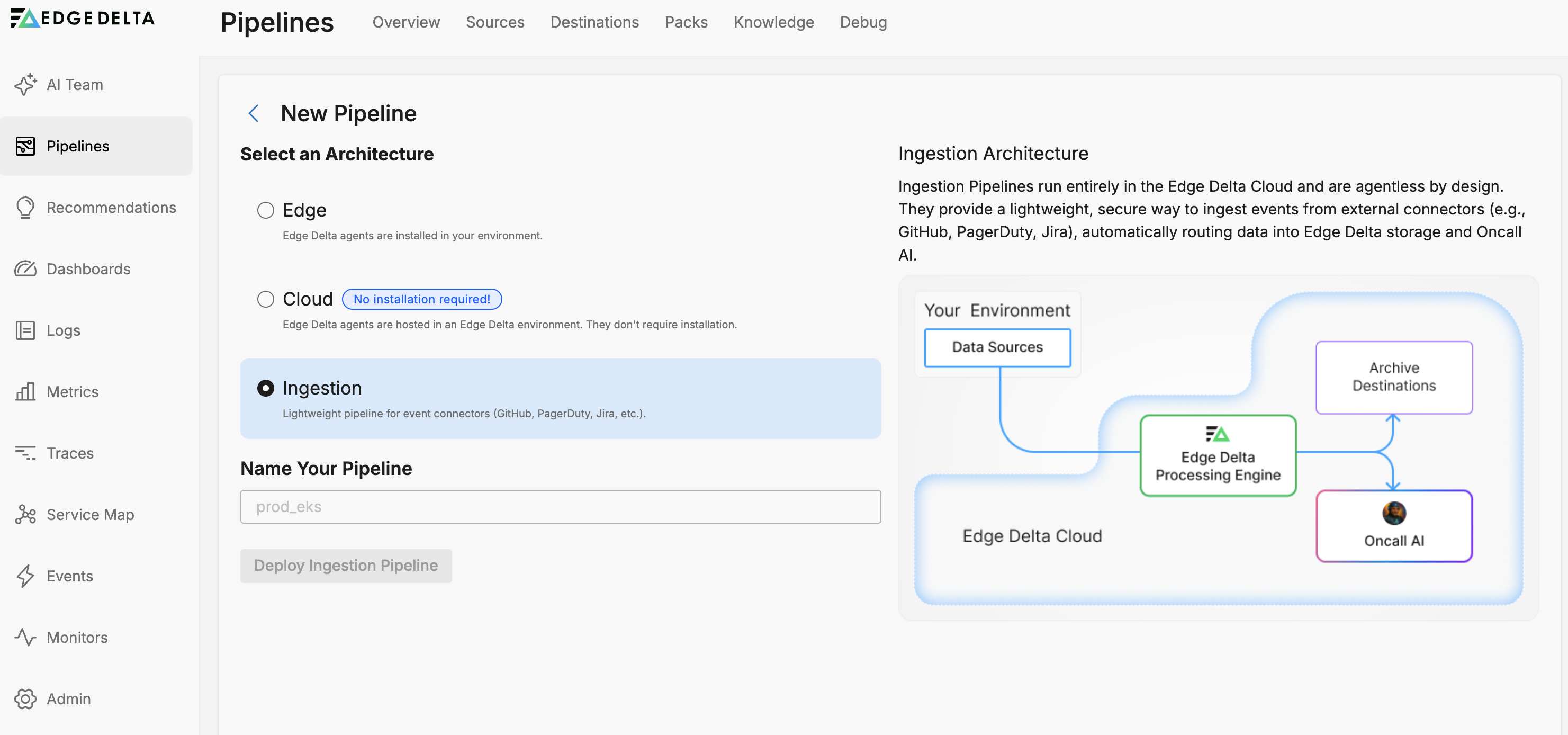
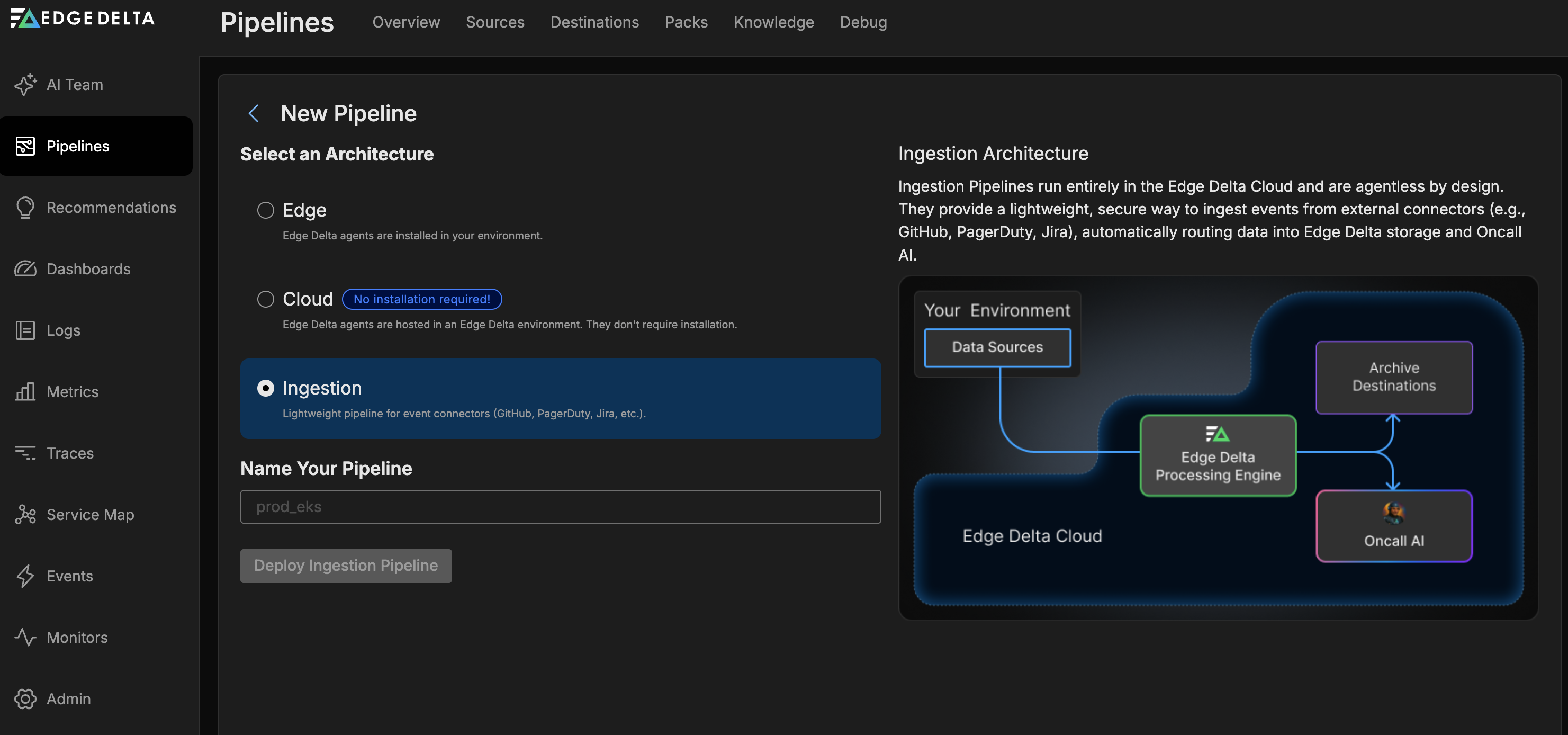
- Enter a name for your pipeline.
- Click Deploy Ingestion Pipeline.
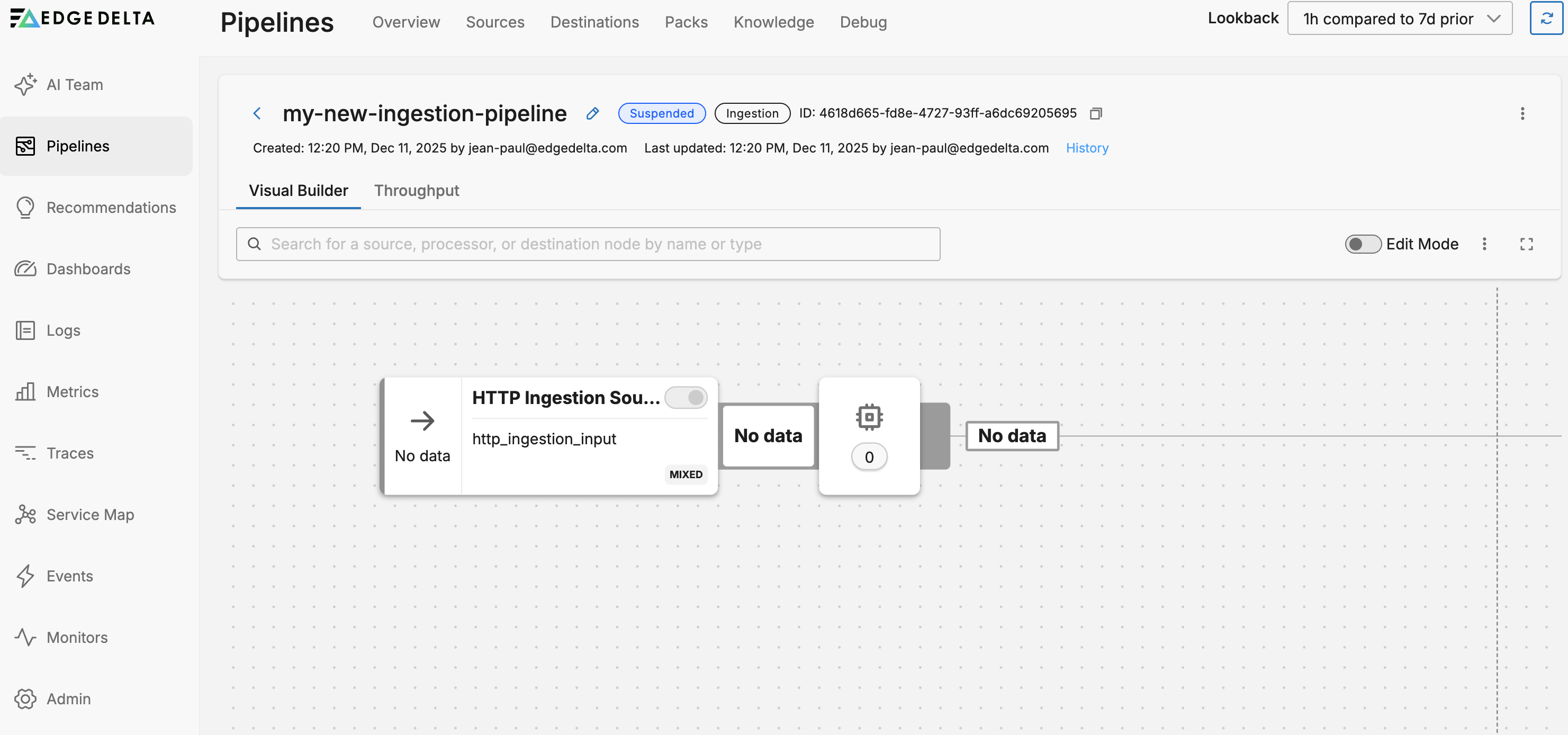
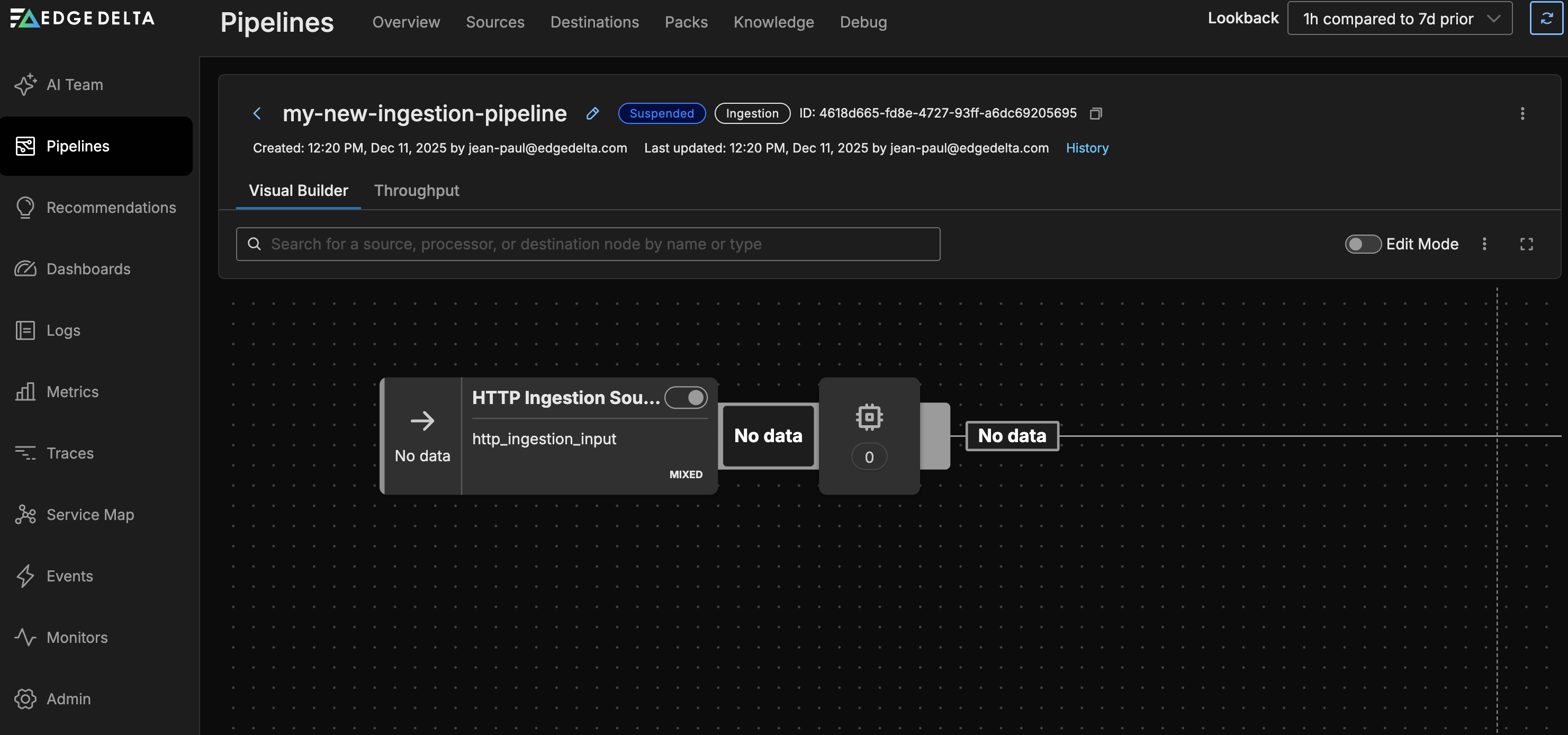
The pipeline is created with an http_ingestion_input source node connected to the Edge Delta destination.
Pipeline Endpoints
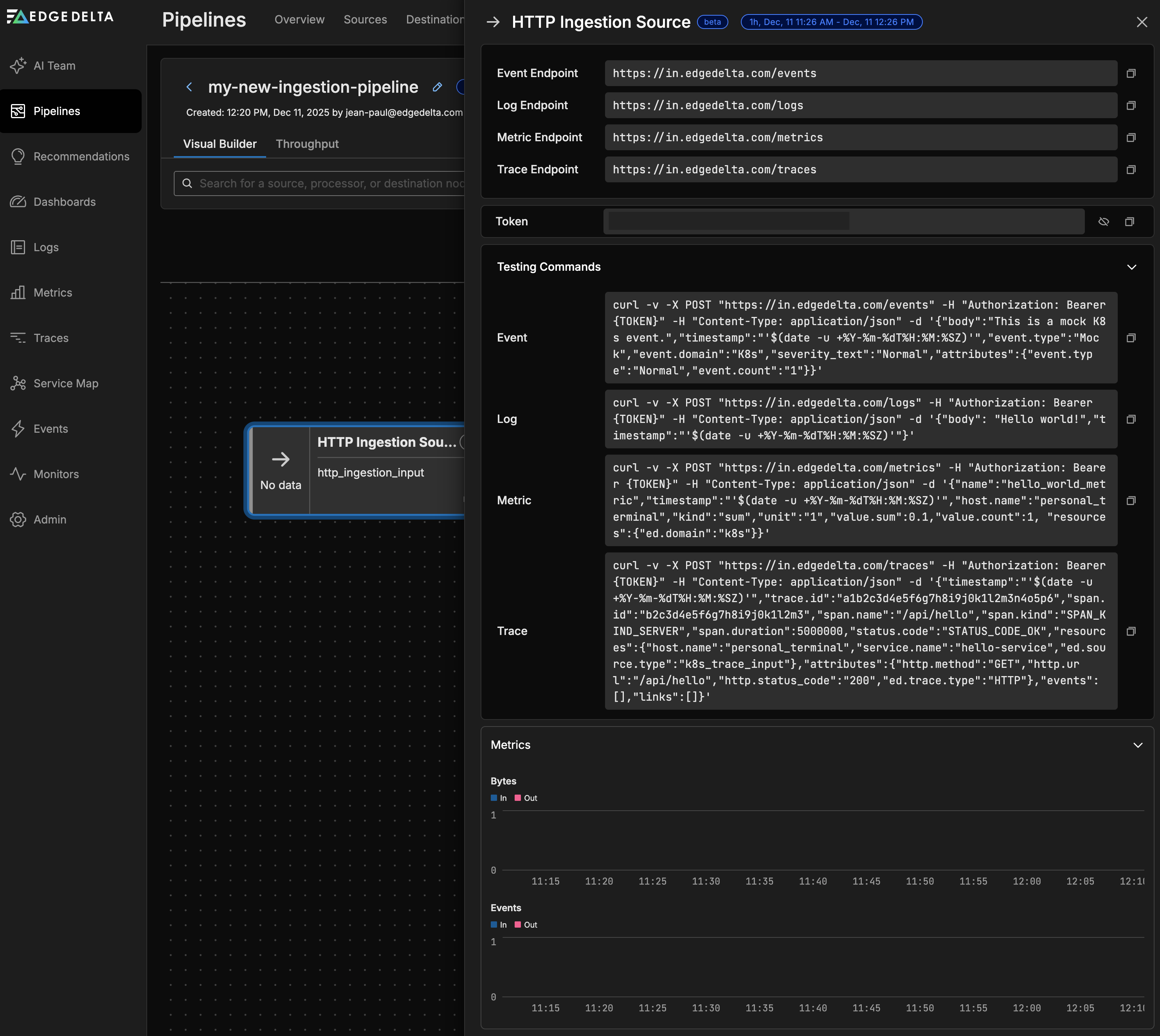
After creation, the pipeline displays four endpoints for different data types. Each endpoint includes an authentication token required for sending data:
- Log endpoint: For log data ingestion
- Event endpoint: For event data ingestion
- Metric endpoint: For metric data ingestion
- Trace endpoint: For trace data ingestion

Pipeline Metrics
The pipeline overview displays the following metrics:
- Bytes In/Out: Data volume flowing through the pipeline
- Events In/Out: Event count processed by the pipeline
Supported Node Types
Source
Ingestion pipelines support a single source node:
- HTTP Ingestion Input (
http_ingestion_input) — receives logs, events, metrics, and traces via HTTP POST
Processors
Ingestion pipelines support stateless processors only. You can add the following processor types to your ingestion pipeline:
Parse Processors
- Parse JSON
- Parse CSV
- Parse XML
- Parse Severity Fields
- Parse Timestamp
- Parse Key Value
- Parse Regex
- Parse Grok
Transform Processors
Filter Processors
Utility Processors
AI Processors
Destination
Ingestion pipelines include a single, non-removable destination:
- Edge Delta destination — sends data to the Edge Delta backend for log search, metrics, patterns, and traces
Limitations
Ingestion pipelines do not support the following capabilities:
- Lookup processors: No external data enrichment
- Aggregation processors: No metric rollups or log aggregation
- Stateful processing: No cross-event state or variables
- Edge data reduction: All processing happens after data reaches Edge Delta
For use cases requiring these capabilities, use a cloud pipeline or node pipeline.
Testing Your Ingestion Pipeline
The pipeline interface provides ready-to-use curl commands for testing each endpoint. Copy the commands directly from your pipeline settings, which include your specific endpoint URL and authentication token.
Log Ingestion
The following example sends a log entry to the logs endpoint:
curl -v -X POST "https://in.edgedelta.com/logs" \
  -H "Authorization: Bearer YOUR_PIPELINE_TOKEN" \
  -H "Content-Type: application/json" \
  -d '{"body": "Hello world!","timestamp":"'$(date -u +%Y-%m-%dT%H:%M:%SZ)'"}'
Event Ingestion
The following example sends an event to the events endpoint:
curl -v -X POST "https://in.edgedelta.com/events" \
  -H "Authorization: Bearer YOUR_PIPELINE_TOKEN" \
  -H "Content-Type: application/json" \
  -d '{"body":"This is a mock K8s event.","timestamp":"'$(date -u +%Y-%m-%dT%H:%M:%SZ)'","event.type":"Mock","event.domain":"K8s","severity_text":"Normal","attributes":{"event.type":"Normal","event.count":"1"}}'
Metric Ingestion
The following example sends a metric to the metrics endpoint:
curl -v -X POST "https://in.edgedelta.com/metrics" \
  -H "Authorization: Bearer YOUR_PIPELINE_TOKEN" \
  -H "Content-Type: application/json" \
  -d '{"name":"hello_world_metric","timestamp":"'$(date -u +%Y-%m-%dT%H:%M:%SZ)'","host.name":"personal_terminal","kind":"sum","unit":"1","value.sum":0.1,"value.count":1,"resources":{"ed.domain":"k8s"}}'
Trace Ingestion
The following example sends a trace span to the traces endpoint:
curl -v -X POST "https://in.edgedelta.com/traces" \
  -H "Authorization: Bearer YOUR_PIPELINE_TOKEN" \
  -H "Content-Type: application/json" \
  -d '{"timestamp":"'$(date -u +%Y-%m-%dT%H:%M:%SZ)'","trace.id":"a1b2c3d4e5f6g7h8i9j0k1l2m3n4o5p6","span.id":"b2c3d4e5f6g7h8i9j0k1l2m3","span.name":"/api/hello","span.kind":"SPAN_KIND_SERVER","span.duration":5000000,"status.code":"STATUS_CODE_OK","resources":{"host.name":"personal_terminal","service.name":"hello-service","ed.source.type":"k8s_trace_input"},"attributes":{"http.method":"GET","http.url":"/api/hello","http.status_code":"200","ed.trace.type":"HTTP"},"events":[],"links":[]}'
Replace YOUR_PIPELINE_TOKEN with the token displayed in your pipeline settings.
Live Capture
Ingestion pipelines support live capture for in-stream debugging. You can use live capture to:
- Inspect incoming data in real-time
- Validate processor transformations
- Debug data format issues
Learn more: Live Capture In-Stream Debugging
Migration from Cloud Pipelines
Existing accounts using cloud pipelines for AI Teammates connectors do not need to migrate. Cloud pipelines continue to function normally. To migrate a connector to an ingestion pipeline:
- Disconnect the connector from the existing cloud pipeline.
- Reconnect the connector. It will automatically use an ingestion pipeline.
New accounts automatically use ingestion pipelines for AI Teammates event connectors.
Troubleshooting
| Symptom | Solution |
|---|---|
| Data not appearing | Verify the endpoint URL and authentication token are correct. Check that the Content-Type header matches your data format. |
| Processor not available | Ingestion pipelines only support stateless processors. If you need lookups or aggregations, use a cloud pipeline instead. |
| High latency | Ingestion pipelines are optimized for event-driven workloads. For high-throughput streaming data, consider a node pipeline with edge processing. |
See Also
- Cloud Pipelines - Managed cloud pipelines with full processor support
- Installation Overview - Overview of all pipeline types and deployment options
- Live Capture In-Stream Debugging - Debug data flowing through your pipeline
- AI Team Overview - How AI Teammates use ingestion pipelines for event connectors