Issues
4 minute read
Overview
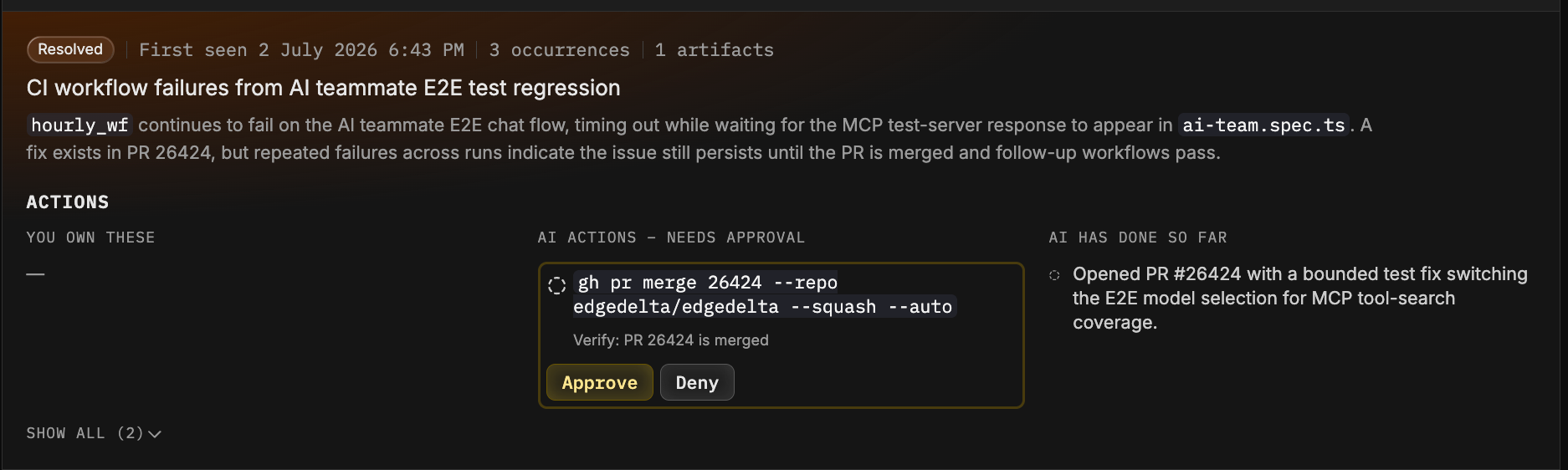
An issue represents a class of production problem that the Edge Delta AI Team has detected and is tracking, such as a crash loop in a deployment or a recurring database timeout. Unlike a traditional alert, an issue is not tied to a single rule or resource. If the same underlying failure occurs across several services or recurs over time, it is tracked as one issue with a growing occurrence count rather than a stream of separate alerts.
There is nothing to configure to start receiving issues. The AI Team creates them automatically as an outcome of its investigations.

How issues are created
When an AI Team investigation thread concludes that a real production problem exists at medium severity or above, the AI Team compares the finding against the issues that are already open. If the failure matches an existing open issue, the finding joins that issue: its occurrence count increases, its last seen time updates, and any newly affected services or environments are added to its scope. If there is no match, a new issue is created.
This correlation step is what keeps the issue list short and meaningful. Two investigations that reach the same root failure produce one issue, even if they started from different signals.
Investigations can be triggered by monitors, connector events, workflows, or questions you ask the AI Team directly. See AI Team Overview for how investigations work.
Severity
Issues have one of three severities: Medium, High, or Critical. Problems below medium severity do not create issues.
While an issue is open, its severity can only escalate. If a recurrence is judged more severe than before, the issue moves up to the higher severity and stays there until it is closed. This means the severity always reflects the worst observed impact of the problem.
Issue lifecycle
An issue is either open or closed. In the issue list, the state badge shows Open or Resolved.
An issue closes in one of three ways:
Resolved by the AI Team: If an investigation finds evidence that the problem is fixed, the issue is judged likely resolved and closes immediately.
Auto-closed after inactivity: If the problem stops recurring, the issue closes automatically after a period of inactivity that depends on its severity:
Severity Closes after Medium 6 hours of inactivity High 12 hours of inactivity Critical 24 hours of inactivity Closed manually: You can close an issue yourself from the issue details page.
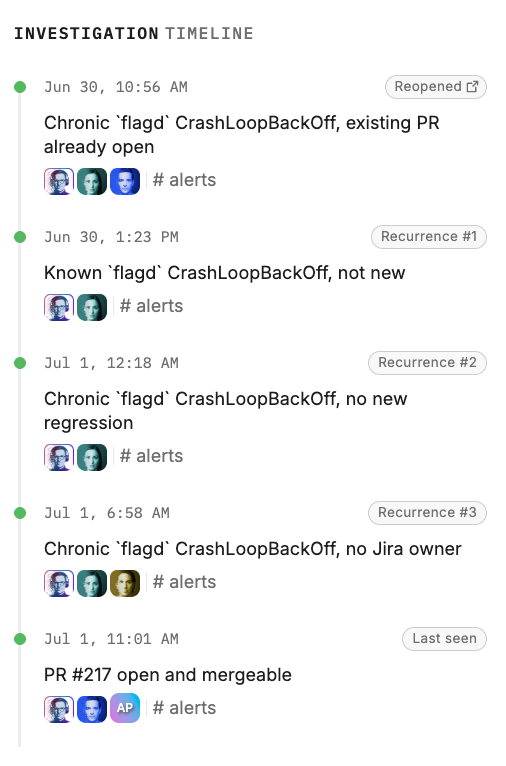
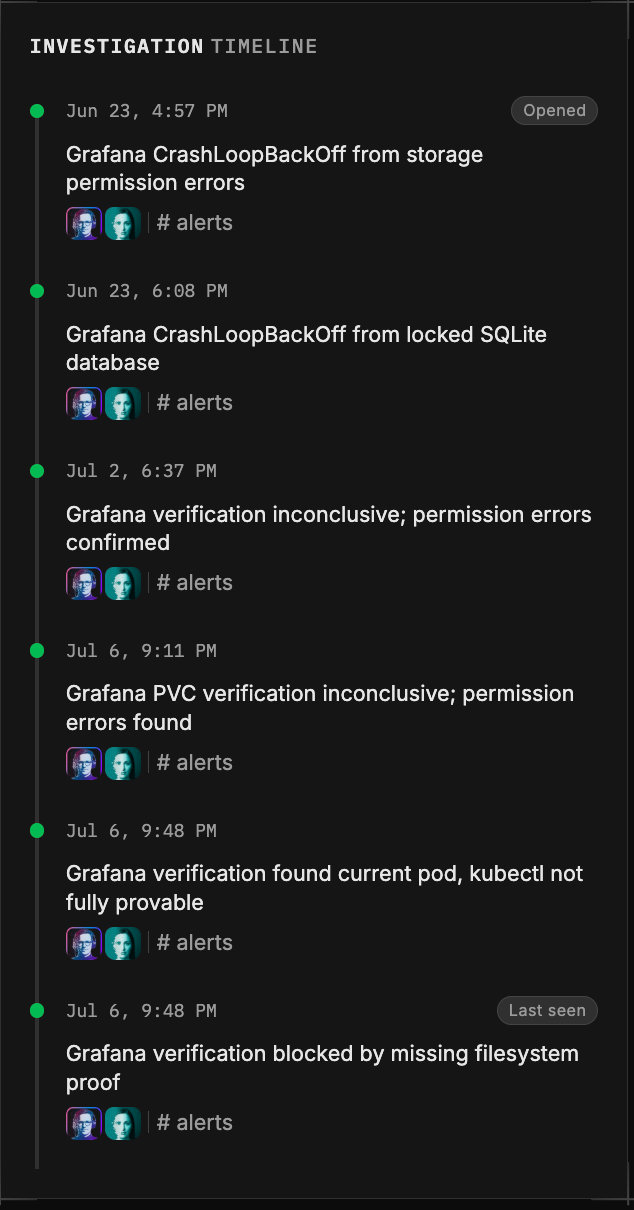
Once an issue is closed, it stays closed. If the same failure comes back later, Edge Delta creates a new issue and links it to the previous one, so you can see the full history of a recurring problem as a chain of related issues. On the AI Overview dashboard, these show up in the Re-Opened count.
Diagnosis confidence
Each issue records how well its root cause is understood:
- Undiagnosed: The problem is confirmed but the root cause has not been identified yet.
- Partially diagnosed: Some elements of the root cause are known.
- Diagnosed: The root cause is clearly identified.
Diagnosis confidence shapes the actions the AI Team recommends. While an issue is undiagnosed, recommendations focus on gathering more information; once it is diagnosed, recommendations focus on fixing the problem. See Issue Details and Actions.
Health score impact
Open issues drive the environment health score on the AI Overview dashboard. Each open issue deducts points from the 0 to 100 score based on its severity: 25 points for critical, 10 for high, and 4 for medium. Closing issues restores the score.
Notifications and automation
Issues integrate with AI Team workflows, so you can route issue activity to the tools your team already uses. For example, a workflow can create a PagerDuty incident when a critical issue opens, post updates to Slack, or file a Jira ticket. See Workflows and Connectors to set this up.
Next steps
- AI Overview Dashboard for the health score and the active issues list.
- Issue Details and Actions for investigating a single issue and acting on recommendations.