Knowledge Graph
6 minute read
Overview
The knowledge graph is an automatic, always-current map of your environment that gives the AI Team the context it needs to investigate incidents. It connects the entities you already work with, such as services, repositories, teams, and incidents, and records how they relate to one another. When a teammate triages a problem, it uses the knowledge graph to understand what a failing service depends on, what a degradation puts at risk, and who owns the affected components.
Discovery is zero-configuration. Shortly after you connect a connector, Edge Delta begins mapping the systems that connector exposes. You do not define entities or relationships by hand, and you do not maintain the map as your environment changes.
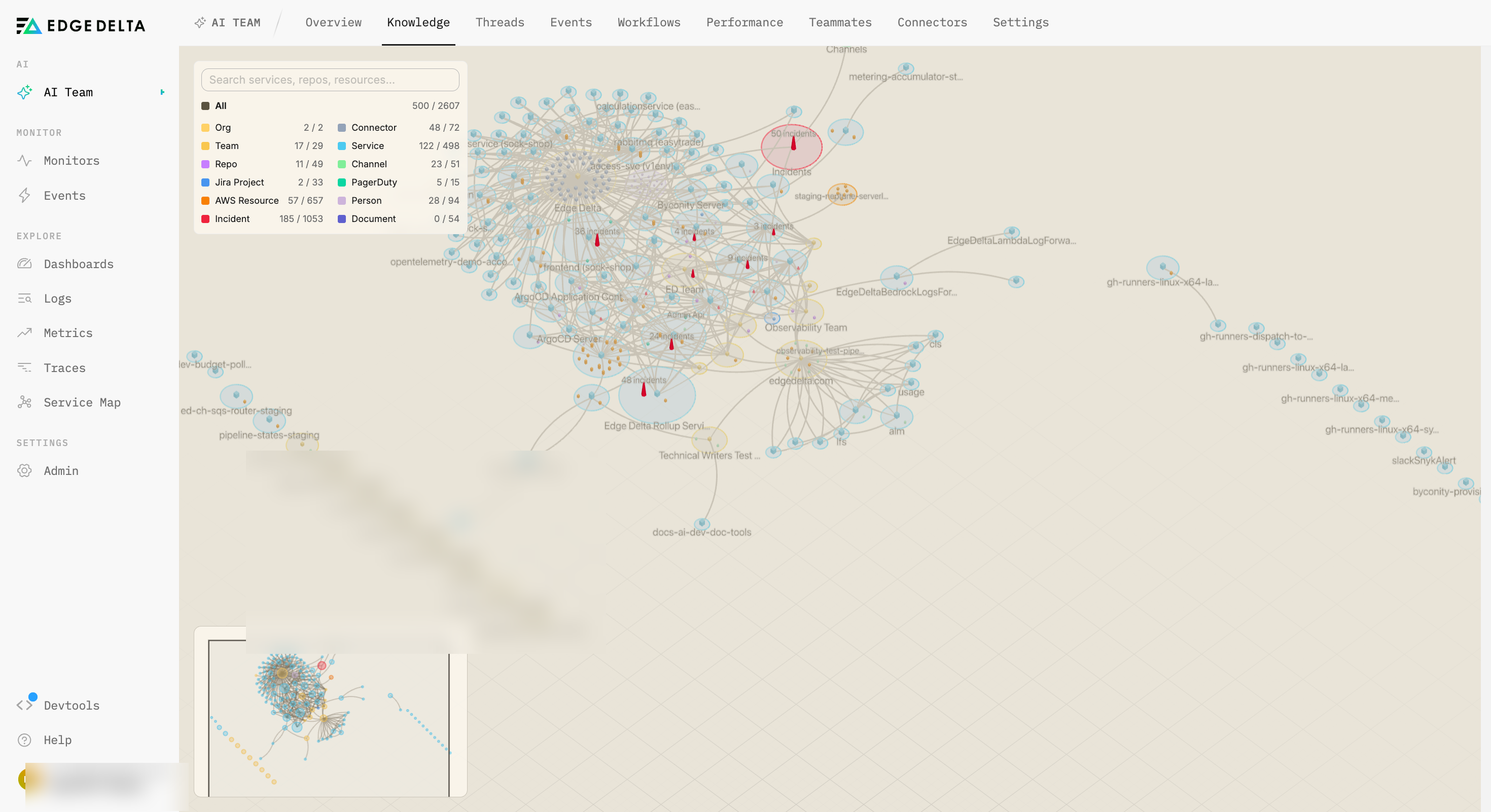
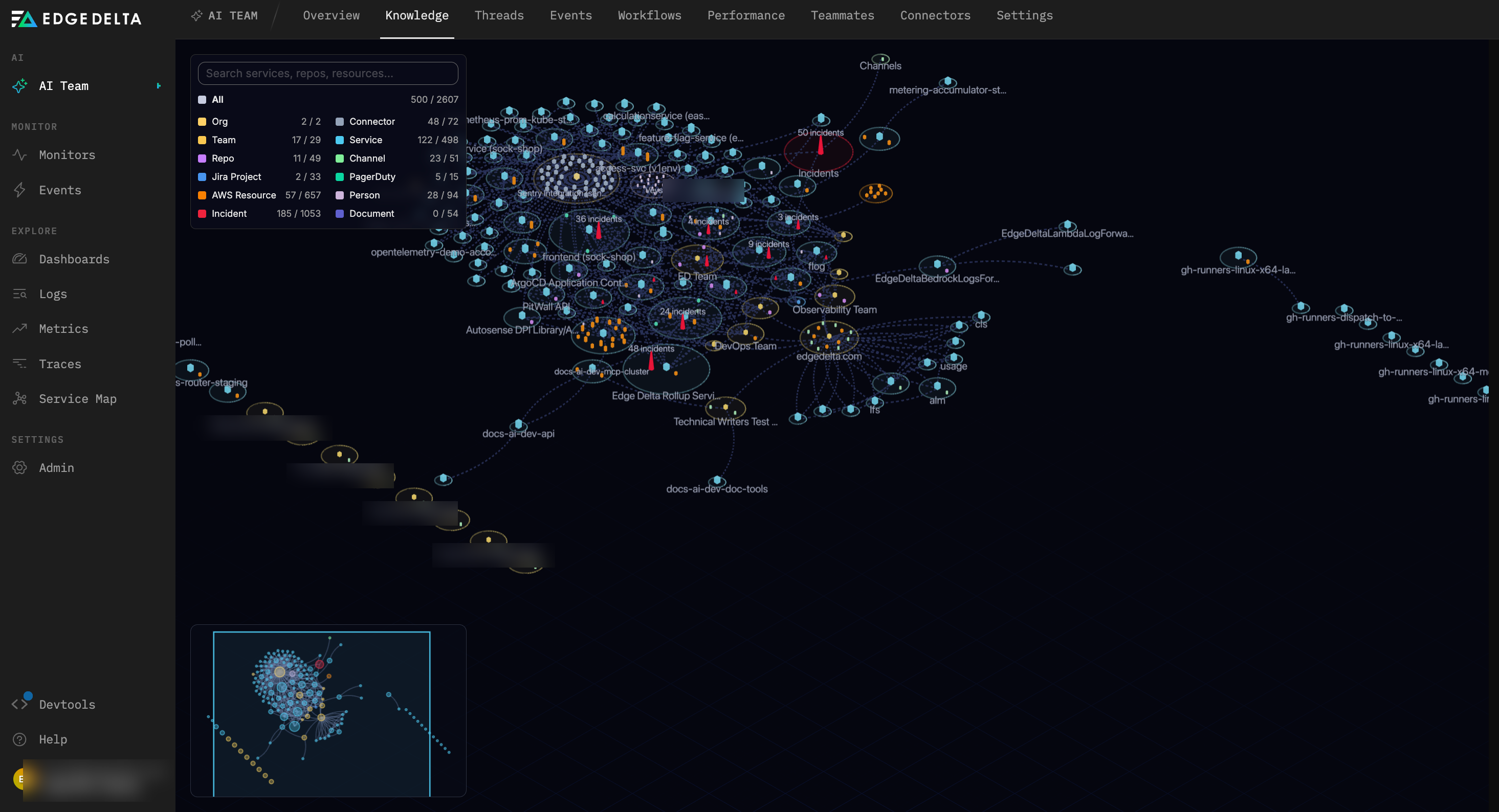
You can explore the map yourself in the topology view, an interactive 3D visualization that clusters your environment into districts by service, team, and organization. Teammates draw on the same graph during investigations and cite it in their findings.
How the knowledge graph is built
Edge Delta builds and maintains the knowledge graph automatically from the connectors you enable. You do not run a setup step or schedule a scan.
- Discovery starts automatically. After you connect a connector, Edge Delta begins mapping the entities and relationships it exposes within about three minutes.
- The graph re-reconciles every 24 hours. Edge Delta re-reads your connected systems on a daily cycle so the map reflects the current state of your environment.
- Removing a connector stops mapping. When you remove a connector, Edge Delta stops discovering from that source and the associated facts are cleared during reconciliation.
Which connectors are mapped
The knowledge graph is connector-agnostic. It maps any non-streaming connector that exposes read-only tools, so the coverage of your graph grows as you enable more connectors. Examples of connectors that contribute to the graph include GitHub, GitLab, Slack, PagerDuty, Jira, Confluence, Notion, AWS, Grafana, Argo CD, and Harness. This list expands as connectors are added.
Streaming connectors route continuous telemetry into Edge Delta pipelines rather than exposing tools for discovery, so most of them are not mapped into the knowledge graph. Kubernetes is the exception: Edge Delta’s eBPF-based monitoring builds a service map of your Kubernetes environment, and that service map is mapped into the knowledge graph, so your Kubernetes services and their dependencies appear in it directly. Other streaming connectors do not have this service-map capability, so they are not added to the graph.
Note: What appears in the graph depends on which connectors you have connected and the access each connector is granted.
What the knowledge graph maps
The knowledge graph represents your environment as nodes (entities) and the relationships between them. Edge Delta discovers the following node types, depending on the connectors you enable:
| Node type | Description |
|---|---|
| Org | Your organization, the top-level grouping for discovered entities. |
| Connector | A connected system that contributes entities to the graph. |
| Service | An application or service running in your environment. |
| Repo | A source code repository. |
| Channel | A collaboration channel, such as a Slack channel. |
| Jira Project | A project tracked in Jira. |
| PagerDuty | A service registered for incident management in PagerDuty. |
| AWS Resource | A cloud resource discovered from AWS. |
| Team | A group of people responsible for services or projects. |
| Person | An individual in your organization. |
| Incident | An incident recorded in an incident management system. |
| Document | Operational knowledge mined from wikis and repositories, including runbooks, architecture documents, onboarding guides, and postmortems. |
How teammates use the knowledge graph
During an investigation, a teammate queries the knowledge graph to reason about your environment rather than treating each system in isolation. The graph exposes the following capabilities:
- Find an entity and its neighbors. A teammate locates a specific entity, such as a service or repository, and sees the entities directly connected to it.
- Trace dependencies. A teammate follows the chain of relationships to understand how a service depends on other services and systems.
- Compute blast radius. A teammate identifies what is affected if a given service degrades and ranks the affected entities by how closely they depend on it.
- Assess criticality. A teammate distinguishes entities that are merely well connected from those that are genuinely critical. Criticality reflects how much of your environment depends on an entity, not simply how many connections it has.
- Search the graph. A teammate searches across discovered entities to find relevant components for an investigation.
Because these capabilities run against a shared, current map, teammates reach conclusions about impact and ownership without asking you to describe your topology first.
Knowledge references in threads
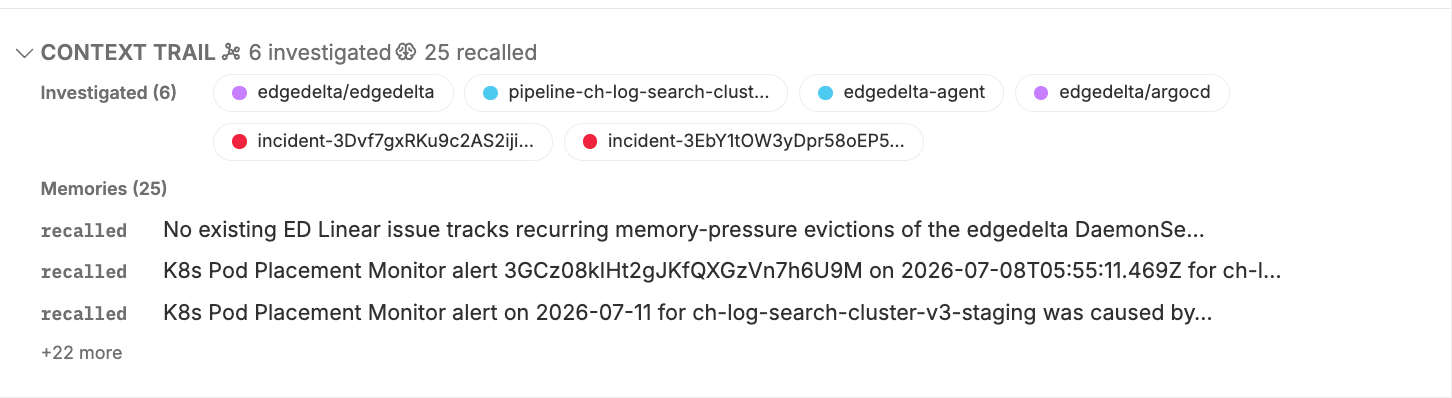
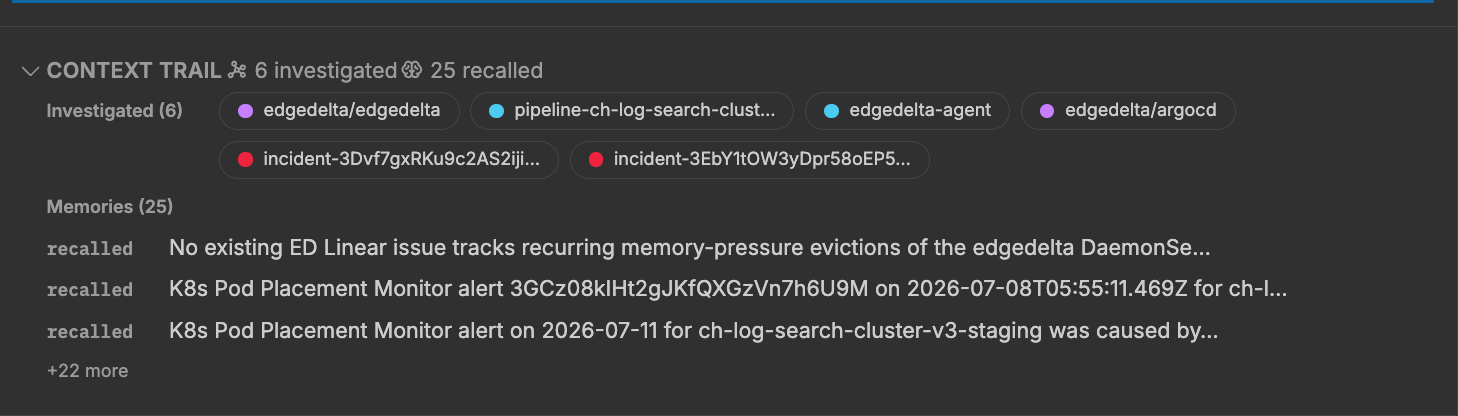
When a teammate uses the knowledge graph during an investigation, it cites what it relied on. In a thread, a Knowledge references section lists the entities and relationships the teammate drew from, and a context trail shows how it navigated the graph to reach its findings. This gives you a reviewable record of the topology behind each conclusion.
Explore the topology view
The topology view is an interactive 3D visualization of your knowledge graph. It arranges your environment as a “city of districts,” clustering entities by service, team, and organization so you can see how your systems group together and where the dependencies run.
To open the topology view, select AI Team in the left navigation, then the Knowledge tab.
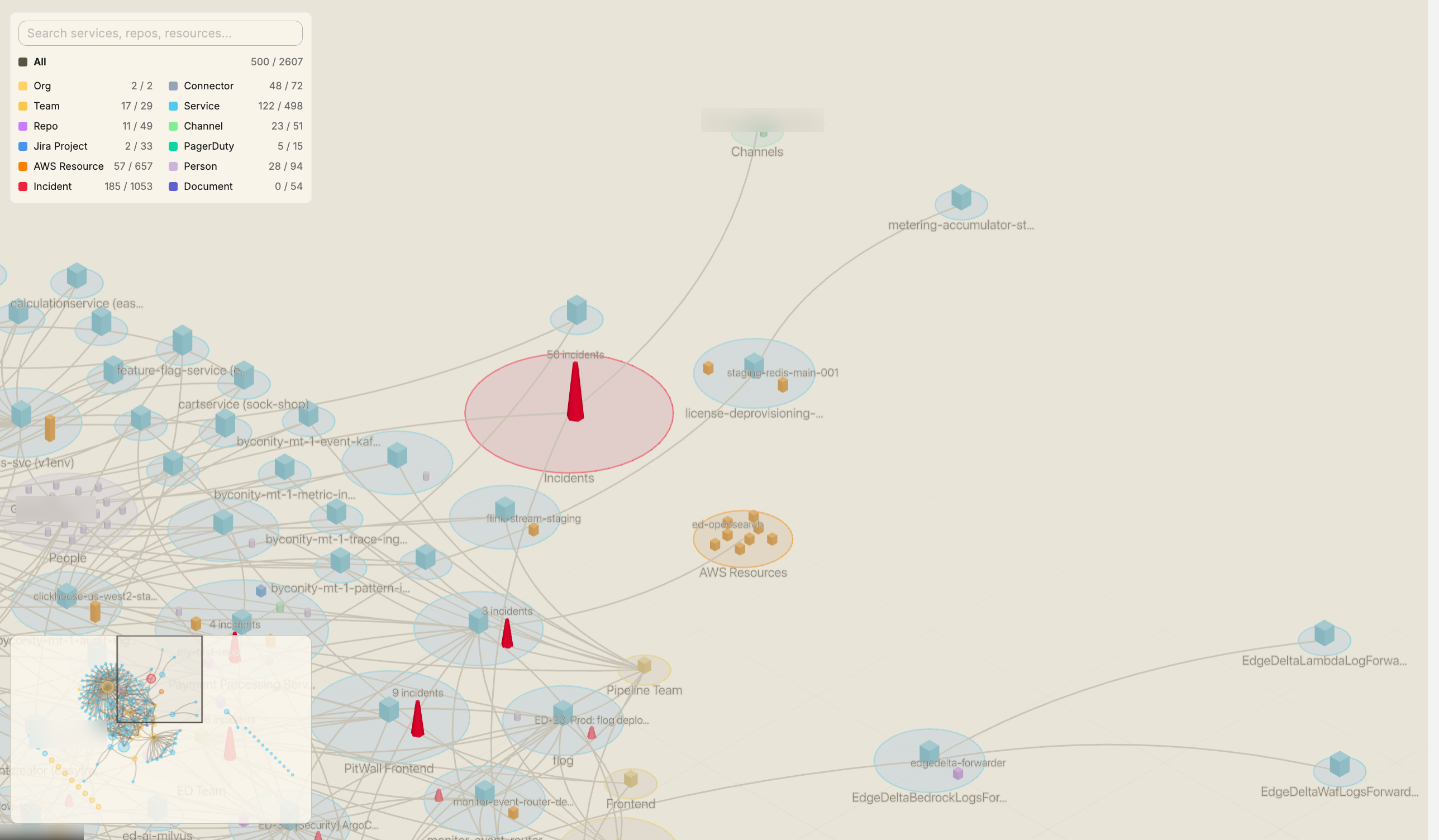
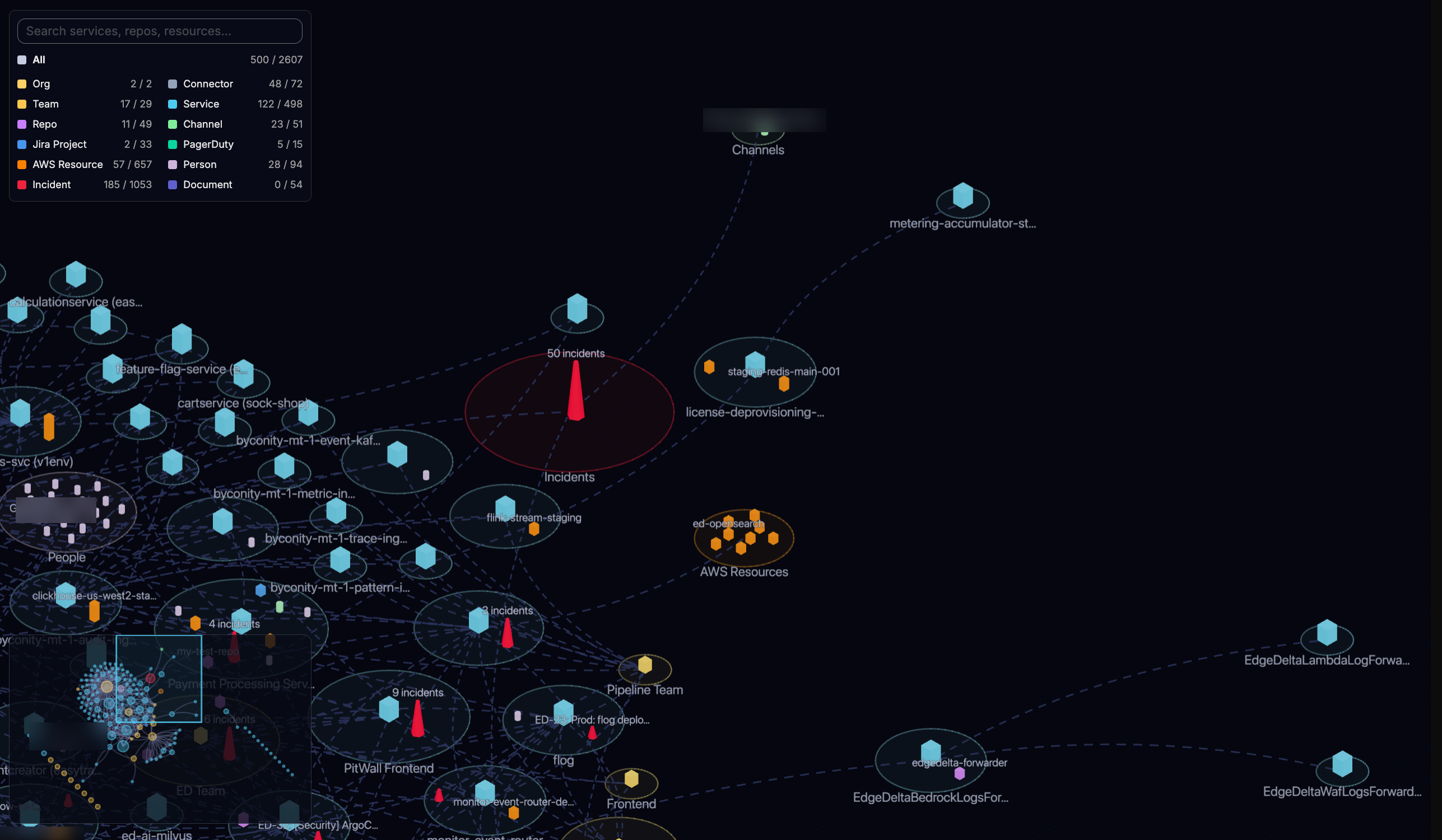
In the topology view, you can:
- Gauge criticality at a glance. Nodes are sized by criticality, so the entities that most of your environment depends on stand out.
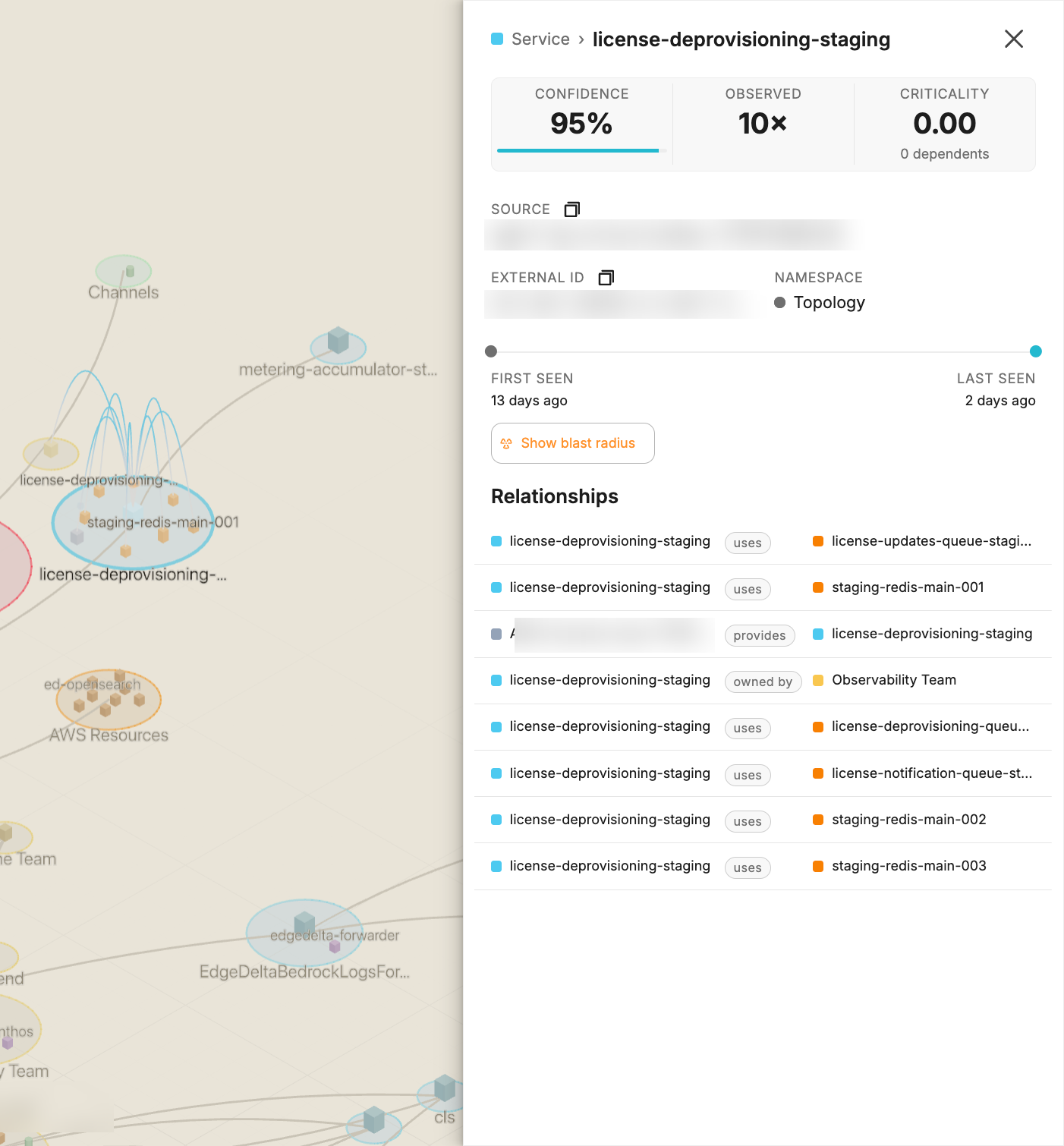
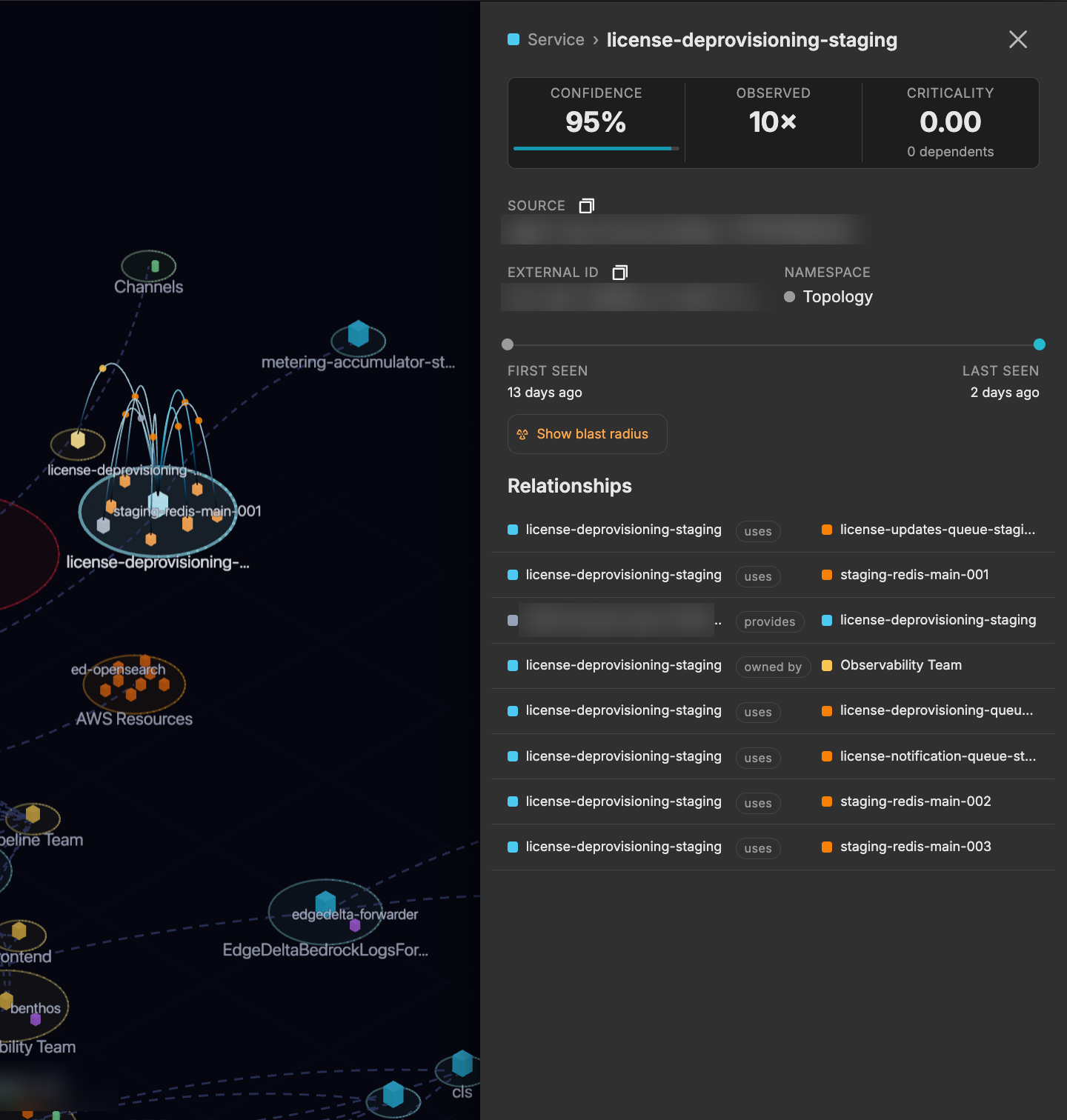
- Inspect an entity. Select a node to open a drawer with its details and relationships.
- Read the legend. The legend identifies node types and how to interpret the layout.
The following shows the node drawer for a selected entity.
Data sources, freshness, and isolation
The knowledge graph is designed to stay trustworthy and current.
- Every fact records its source and confidence. Each entity and relationship stores where it came from and a confidence level, so teammates can weigh the evidence behind a conclusion.
- Stale facts are removed during reconciliation. When a fact is no longer observed in its source, Edge Delta removes it during the periodic reconciliation. Facts are not aged out on a fixed timer; they persist as long as the source continues to report them.
- Graphs are isolated per organization. Each organization’s knowledge graph is strictly isolated. Teammates only see the entities and relationships discovered for your organization.
See Also
- AI Team Overview for how teammates collaborate across your environment
- Connectors Overview for the integrations that populate the knowledge graph
- Issues for the recurring problems teammates track and act on
- Activity for a centralized view of all teammate threads