FTD Code Enrichment
3 minute read
When to Use This Example
Use this pattern when processing firewall or network device logs that contain standardized error codes. This example demonstrates regex matching to identify FTD (Firepower Threat Defense) codes embedded in syslog messages and enrich them with human-readable explanations and recommended actions.
This approach works well for:
- Cisco Firepower and ASA firewall logs
- Network device syslogs with embedded codes
- Any log format where codes appear within larger messages
Example: Enriching Firewall Logs
Firewall logs contain FTD codes that operators need to understand quickly. Rather than looking up codes manually, enrich logs automatically with explanations.
Lookup Table
Upload this CSV to the Knowledge Library as ftd_code_explanation_action.csv:
FTD Code,Explanation,Recommended Action
%FTD-1-104001,The other unit in the failover pair has switched to active mode because the previously active unit has failed,Use the show failover command to determine the state of both units and examine the secondary console for the cause of the failure
%FTD-1-104002,You have forced the failover pair to switch roles either by entering the failover active command on the standby unit or the no failover active command on the active unit,If the message occurs because of manual intervention no action is required. Otherwise use the cause reported by the secondary unit to verify the status of both units of the pair
%FTD-1-104003,The failover pair configuration is not the same. The primary unit disabled the secondary unit because it was a different hardware platform or was running a different software version,Verify that both units have compatible hardware and software
%FTD-1-104004,The primary unit is switching from failed state to standby mode after being disabled,No action required
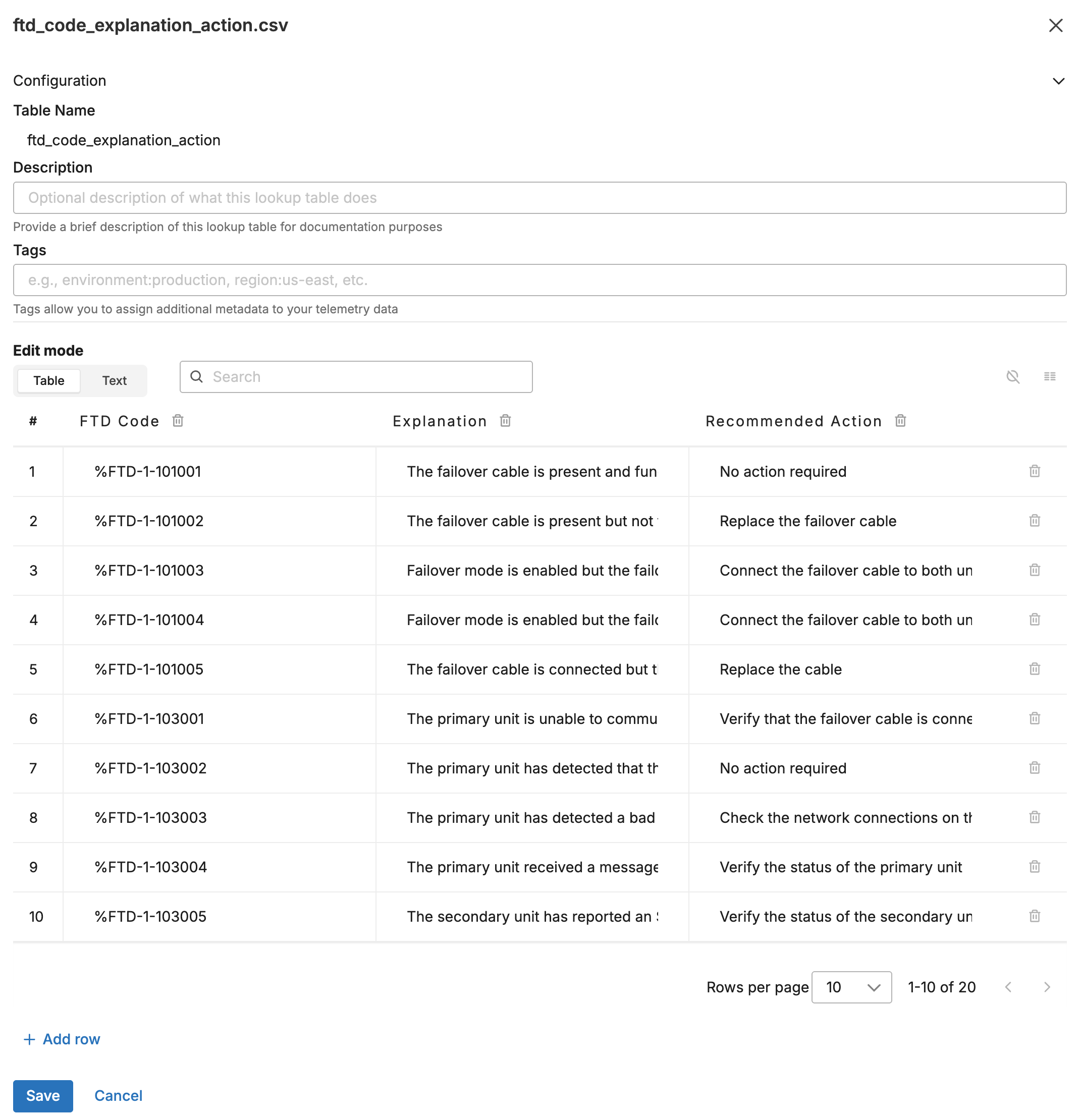
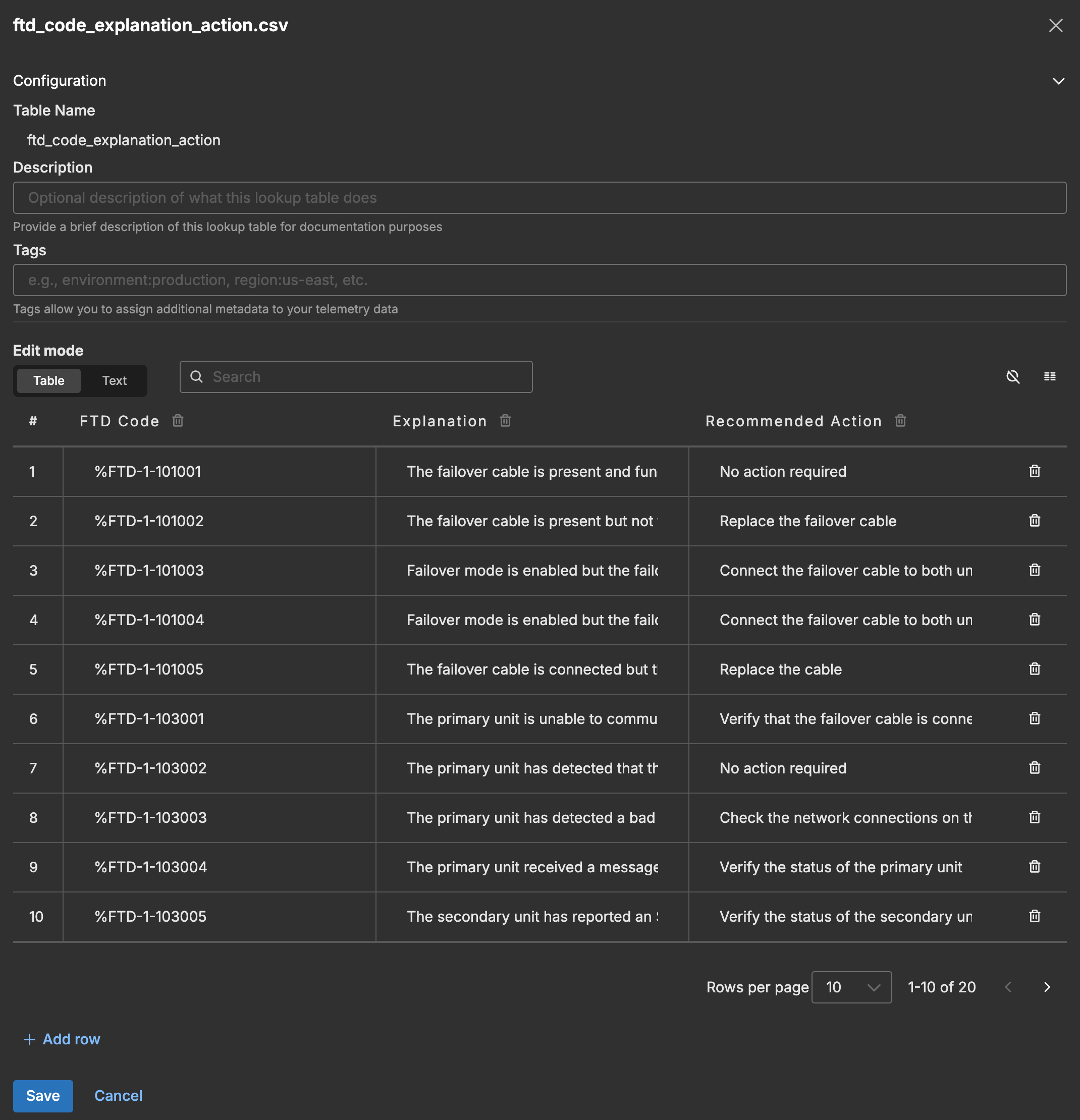
The following screenshot shows the lookup table in the Knowledge Library.
Input Data
A syslog message arrives from a firewall indicating a failover event:
<80>Apr 22 02:07:40 securegateway01 %FTD-1-104002: (Primary) Switching to STANDBY (cause: bad/incomplete config).
Configuration
- name: ftd_code_lookup
  type: sequence
  user_description: FTD Code Enrichment
  processors:
  - type: lookup
    metadata: '{"id":"ftd-code-lookup","type":"lookup","name":"FTD Code Lookup"}'
    data_types:
    - log
    location_path: ed://ftd_code_explanation_action.csv
    reload_period: 10m0s
    match_mode: regex
    key_fields:
    - event_field: body
      lookup_field: FTD Code
    out_fields:
    - event_field: attributes["ftd_explanation"]
      lookup_field: Explanation
    - event_field: attributes["ftd_action"]
      lookup_field: Recommended Action
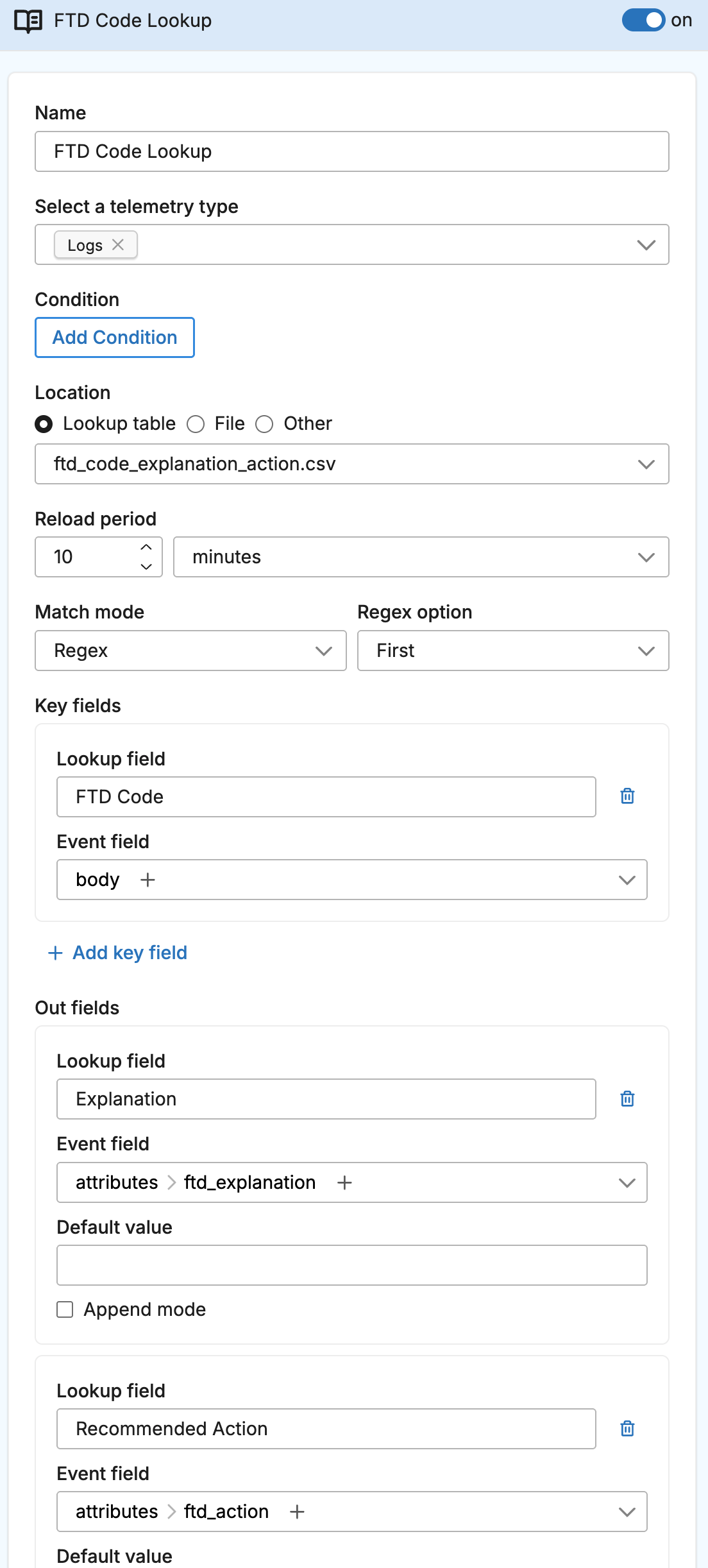
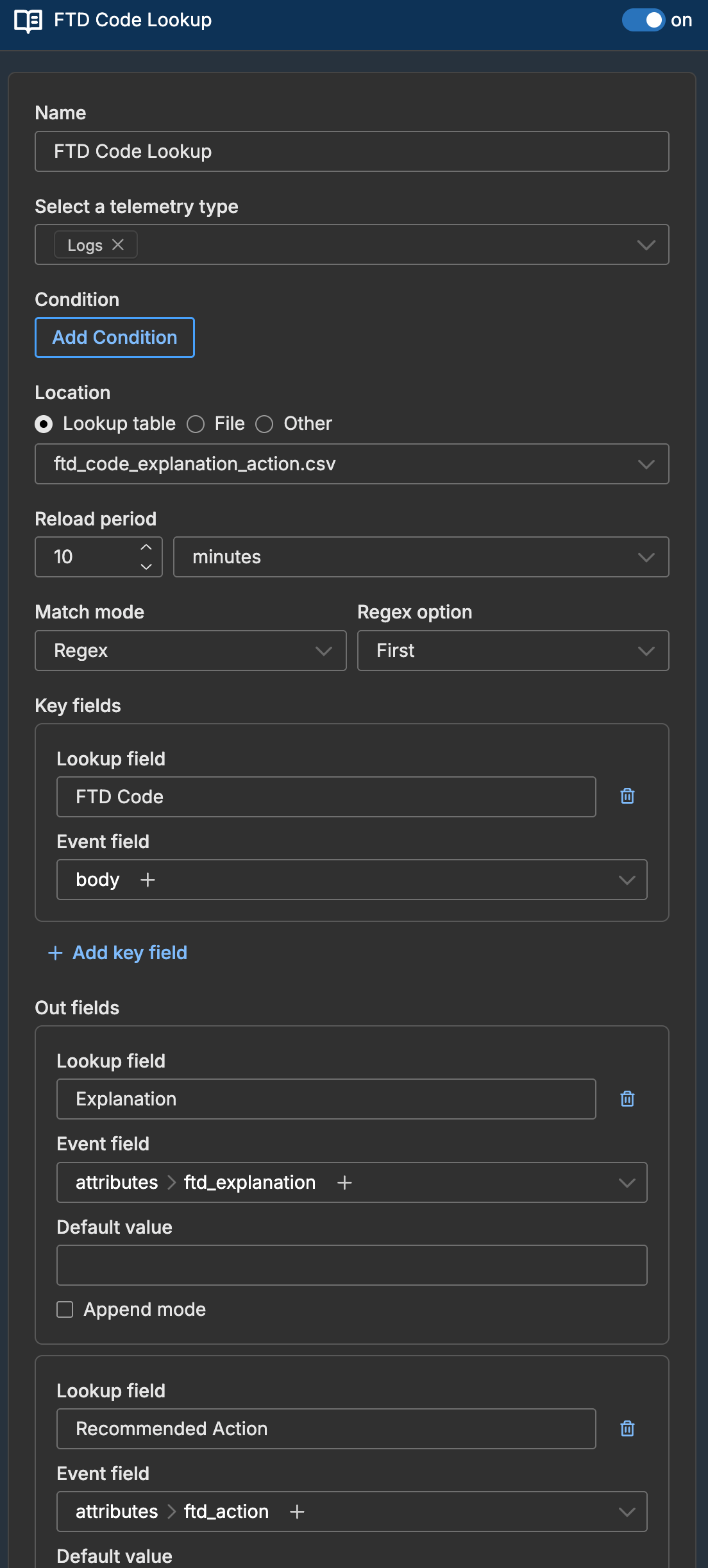
The following screenshot shows the lookup processor configured in a pipeline.
Output Data
The log is enriched with explanation and action attributes:
{
  "body": "<80>Apr 22 02:07:40 securegateway01 %FTD-1-104002: (Primary) Switching to STANDBY (cause: bad/incomplete config).",
  "attributes": {
    "ftd_explanation": "You have forced the failover pair to switch roles either by entering the failover active command on the standby unit or the no failover active command on the active unit",
    "ftd_action": "If the message occurs because of manual intervention no action is required. Otherwise use the cause reported by the secondary unit to verify the status of both units of the pair"
  }
}
How Regex Matching Works for FTD Codes
The FTD Code column contains the code pattern (e.g., %FTD-1-104002). When using match_mode: regex, this pattern is treated as a regular expression and tested against the log body:
| Log Body | Lookup Pattern | Match? |
|---|---|---|
...securegateway01 %FTD-1-104002: (Primary)... | %FTD-1-104002 | Yes |
...securegateway01 %FTD-1-104001: (Secondary)... | %FTD-1-104001 | Yes |
...securegateway01 %FTD-1-104002: (Primary)... | %FTD-1-104001 | No |
The processor scans each pattern in the lookup table and returns the first match.
Extending the Example
Adding More FTD Codes
Expand the lookup table to cover more codes. The FTD documentation provides a complete list of codes:
FTD Code,Explanation,Recommended Action,Severity
%FTD-1-104001,Failover unit has switched to active,Check secondary unit console,critical
%FTD-1-104002,Forced failover role switch,Verify if manual intervention,warning
%FTD-2-106001,Inbound TCP connection denied,Review access rules,info
%FTD-2-106006,Inbound UDP denied due to access list,Review access rules,info
Matching Multiple Codes
If a log could match multiple patterns, use regex_option: all with append_mode: true to collect all matches. See Multiple Matches for details.