OTel Collector Setup
7 minute read
Overview
If you already run an OpenTelemetry Collector, you can send its data to Edge Delta by configuring the OTLP exporter. Edge Delta accepts OTLP data over gRPC or HTTP on both edge pipelines (agent-based) and cloud pipelines.
The Collector acts as a bridge: it gathers telemetry from your applications, then forwards it to Edge Delta for processing, enrichment, and routing to your destinations.
Edge pipeline (Kubernetes)
In Kubernetes, the Edge Delta agent runs as a DaemonSet. To receive OTLP data from a Collector, expose the agent’s OTLP port as a Kubernetes Service.
Kubernetes Service
In a Kubernetes Environment, you need a service open for the port that the collector will send logs, metrics, and traces to. For example, you can create a ClusterIP service to expose the OTLP port to all the agents running in the cluster.
Note: For non-kubernetes environments with collectors running in the same environment as the agent, such as on a Linux VM, the collectors will be able to communicate directly with the agent’s open OTLP ports.
apiVersion: v1
kind: Service
metadata:
  name: ed-data-supply-svc
  namespace: edgedelta
spec:
  type: ClusterIP
  selector:
    edgedelta/agent-type: processor
  ports:
    - port: 4324
      name: ed-otlp
      protocol: TCP
      targetPort: 4324
gRPC exporter
You update the Collector configuration with otlp type exporters (indicating gRPC rather than otlphttp for HTTP) that match the service you created, all for the same port you configured for the service:
    exporters:
      ...
      otlp/ed-data-supply_trace:
        endpoint: 'ed-data-supply-svc.edgedelta:4324'
        tls:
          insecure: true
      otlp/ed-data-supply_metric:
        endpoint: 'ed-data-supply-svc.edgedelta:4324'
        tls:
          insecure: true
      otlp/ed-data-supply_log:
        endpoint: 'ed-data-supply-svc.edgedelta:4324'
        tls:
          insecure: true
And you update the Collector’s Pipeline to use the new exporters:
    service:
      extensions:
      - health_check
      pipelines:
        logs:
          exporters:
          ...
          - otlp/ed-data-supply_log
          ...
        metrics:
          exporters:
          ...
          - otlp/ed-data-supply_metric
          ...
        traces:
          exporters:
          ...
          - otlp/ed-data-supply_trace
          ...
Next you configure an OTLP source node with port 4324 and the gRPC protocol.
- name: OTLP_gRPC
  type: otlp_input
  port: 4324
  protocol: grpc
  read_timeout: 1m0s
HTTP exporter
Instead of using gRPC you can send telemetry using HTTP, this example specifies a similar service.
apiVersion: v1
kind: Service
metadata:
  name: ed-data-supply-svc
  namespace: edgedelta
spec:
  type: ClusterIP
  selector:
    edgedelta/agent-type: processor
  ports:
    - port: 4324
      name: ed-otlp-http
      protocol: TCP
      targetPort: 4324
You configure otlphttp type exporters (rather than otlp for gRPC) on the port you configured for the service and disable compression.
exporters:
  otlphttp/ed-data-supply_trace:
    endpoint: "http://ed-data-supply-svc.edgedelta:4324"
    compression: none
    tls:
      insecure: true
  otlphttp/ed-data-supply_metric:
    endpoint: "http://ed-data-supply-svc.edgedelta:4324"
    compression: none
    tls:
      insecure: true
  otlphttp/ed-data-supply_log:
    endpoint: "http://ed-data-supply-svc.edgedelta:4324"
    compression: none
    tls:
      insecure: true
You include http:// and the port number at the end but no route is required.
Next, you update the Collector’s Pipeline to use the new exporters:
service:
  extensions:
    - health_check
  pipelines:
    logs:
      exporters:
        - otlphttp/ed-data-supply_log
    metrics:
      exporters:
        - otlphttp/ed-data-supply_metric
    traces:
      exporters:
        - otlphttp/ed-data-supply_trace
Finally, you configure an OTLP source node with port 4324 and the http protocol.
- name: OTLP HTTP
  type: otlp_input
  port: 4324
  protocol: http
  read_timeout: 1m0s
Edge pipeline (non-Kubernetes)
When the Edge Delta agent runs on a VM or bare metal, point the Collector’s OTLP exporter directly at the agent’s host and port.
When sending OTLP telemetry from an OpenTelemetry Collector to an Edge Delta agent (not a Cloud Pipeline), the configuration differs from cloud pipeline setups. Recent versions of the OTLP collector have different default behaviors, particularly around compression settings. The following examples show working configurations for connecting to a Linux Edge Delta agent without TLS certificates.
gRPC (Edge Delta Agent)
For gRPC connections to an Edge Delta agent, configure the exporter with insecure TLS. The agent typically listens on port 4317:
exporters:
  debug:
    verbosity: detailed
  otlp:
    endpoint: 18.117.115.89:4317
    tls:
      insecure: true
Replace the IP address with your Edge Delta agent’s IP address or hostname. The
debugexporter is optional but helpful for troubleshooting.
Update your service pipeline to use these exporters (keep your existing receivers and processors):
service:
  pipelines:
    logs:
      receivers: [...]  # Keep your existing receivers
      processors: [...]  # Keep your existing processors
      exporters:
      - otlp
      - debug
    metrics:
      receivers: [...]  # Keep your existing receivers
      processors: [...]  # Keep your existing processors
      exporters:
      - otlp
      - debug
    traces:
      receivers: [...]  # Keep your existing receivers
      processors: [...]  # Keep your existing processors
      exporters:
      - otlp
      - debug
HTTP with Protobuf Encoding (Edge Delta Agent)
For HTTP connections using protobuf encoding, you must explicitly disable compression and specify the encoding format. The agent typically listens on port 4318:
exporters:
  debug:
    verbosity: detailed
  otlphttp:
    endpoint: http://18.117.115.89:4318
    tls:
      insecure: true
    encoding: proto
    compression: none
Important: The
compression: nonesetting is required. Recent OTLP collector versions may enable compression by default, which can cause connection issues with Edge Delta agents.
HTTP with JSON Encoding (Edge Delta Agent)
For HTTP connections using JSON encoding, similar settings apply. Note that there is a known regression in collector version 2.6.0 affecting JSON encoding:
exporters:
  debug:
    verbosity: detailed
  otlphttp:
    endpoint: http://18.117.115.89:4318
    tls:
      insecure: true
    encoding: json
    compression: none
Known Issue: OpenTelemetry Collector version 2.6.0 has a regression where JSON encoding may not work as expected. If you encounter issues with JSON encoding, consider using protobuf encoding (
encoding: proto) or a different collector version.
Configuration Notes
When configuring the OTLP collector to send to Edge Delta agents:
Compression: Always set
compression: nonefor HTTP exporters. The default compression settings in newer collector versions may cause compatibility issues.TLS Configuration: For development or internal networks without TLS certificates, set
tls.insecure: true. For production environments with proper certificates, configure TLS appropriately.Encoding Format: Choose between
proto(protobuf) andjsonencoding based on your requirements. Protobuf is more efficient and recommended for production use.Port Numbers: Standard ports are 4317 for gRPC and 4318 for HTTP. Verify which ports your Edge Delta agent is configured to use.
Debug Output: Include the
debugexporter during initial setup to verify telemetry is flowing correctly. Remove it in production to reduce overhead.
Edge Delta Agent OTLP Input Configuration
Ensure your Edge Delta agent configuration includes the appropriate OTLP input nodes:
For gRPC (port 4317):
nodes:
- name: otlp_grpc_input
  type: otlp_input
  port: 4317
  protocol: grpc
For HTTP (port 4318):
nodes:
- name: otlp_http_input
  type: otlp_input
  port: 4318
  protocol: http
  read_timeout: 1m0s
See OTLP Input Node for complete configuration details.
Cloud pipeline
Cloud pipelines accept OTLP data without a local agent. The Collector sends data to an Edge Delta cloud endpoint over TLS on port 443.
gRPC
If you are sending OTEL telemetry from the collector to a cloud pipeline, you update the Collector configuration with exporters pointing to the cloud pipeline endpoints. You use secure TLS and port 443:
    exporters:
      otlp/ed-data-supply_trace:
        endpoint: '12345678-1a2b-3c4d-5e6f-7890ghijklmn-grpc-us-west2-cf.aws.edgedelta.com:443'
        tls:
          insecure: false
      otlp/ed-data-supply_metric:
        endpoint: '12345678-1a2b-3c4d-5e6f-7890ghijklmn-grpc-us-west2-cf.aws.edgedelta.com:443'
        tls:
          insecure: false
      otlp/ed-data-supply_log:
        endpoint: '12345678-1a2b-3c4d-5e6f-7890ghijklmn-grpc-us-west2-cf.aws.edgedelta.com:443'
        tls:
          insecure: false
Replace the endpoint with one provided in your Cloud pipeline settings. Include the port number but no route is required. Do not include
grpcs://.
And you update the Collector’s Pipeline to use the new exporters:
    service:
      extensions:
      - health_check
      pipelines:
        logs:
          exporters:
          ...
          - otlp/ed-data-supply_log
          ...
        metrics:
          exporters:
          ...
          - otlp/ed-data-supply_metric
          ...
        traces:
          exporters:
          ...
          - otlp/ed-data-supply_trace
          ...
The Cloud pipeline contains an OTLP input node by default, which does not need to be adjusted for this gRPC configuration:
- name: otlp_input
  type: otlp_input
  port: 4317
  protocol: grpc
HTTP
To send OTLP telemetry to an Edge Delta Cloud pipeline you configure otlphttp exporters and disable compression. You use secure TLS and port 443 for HTTPS:
    exporters:
      otlphttp/ed-data-supply_trace:
        endpoint: 'https://12345678-1a2b-3c4d-5e6f-7890ghijklmn-http-us-west2-cf.aws.edgedelta.com:443'
        compression: none
        tls:
          insecure: false
      otlphttp/ed-data-supply_metric:
        endpoint: 'https://12345678-1a2b-3c4d-5e6f-7890ghijklmn-http-us-west2-cf.aws.edgedelta.com:443'
        compression: none
        tls:
          insecure: false
      otlphttp/ed-data-supply_log:
        endpoint: 'https://12345678-1a2b-3c4d-5e6f-7890ghijklmn-http-us-west2-cf.aws.edgedelta.com:443'
        compression: none
        tls:
          insecure: false
Replace the endpoint with one provided in your Cloud pipeline settings. You include the port number at the end but no route is required. Unlike gRPC you include
https://.
And you update the Collector’s Pipeline to use the new exporters:
    service:
      extensions:
      - health_check
      pipelines:
        logs:
          exporters:
          ...
          - otlphttp/ed-data-supply_log
          ...
        metrics:
          exporters:
          ...
          - otlphttp/ed-data-supply_metric
          ...
        traces:
          exporters:
          ...
          - otlphttp/ed-data-supply_trace
          ...
The Cloud pipeline contains an HTTP input node by default, which you need to delete. Replace it with an OTLP input node listening on port 80 for HTTP traffic:
- name: otlp_input_80
  type: otlp_input
  port: 80
  protocol: http
- name: otlp_input
  type: otlp_input
  port: 4317
  protocol: grpc
Note: You may also need to include an unused gRPC OTLP node to pass configuration validation.
OTLP source node
On the Edge Delta side, configure an OTLP source node to receive the Collector’s data. The source node specifies the port and protocol the pipeline listens on.
Create an OTLP source node for the port to ingest logs, metrics and traces.
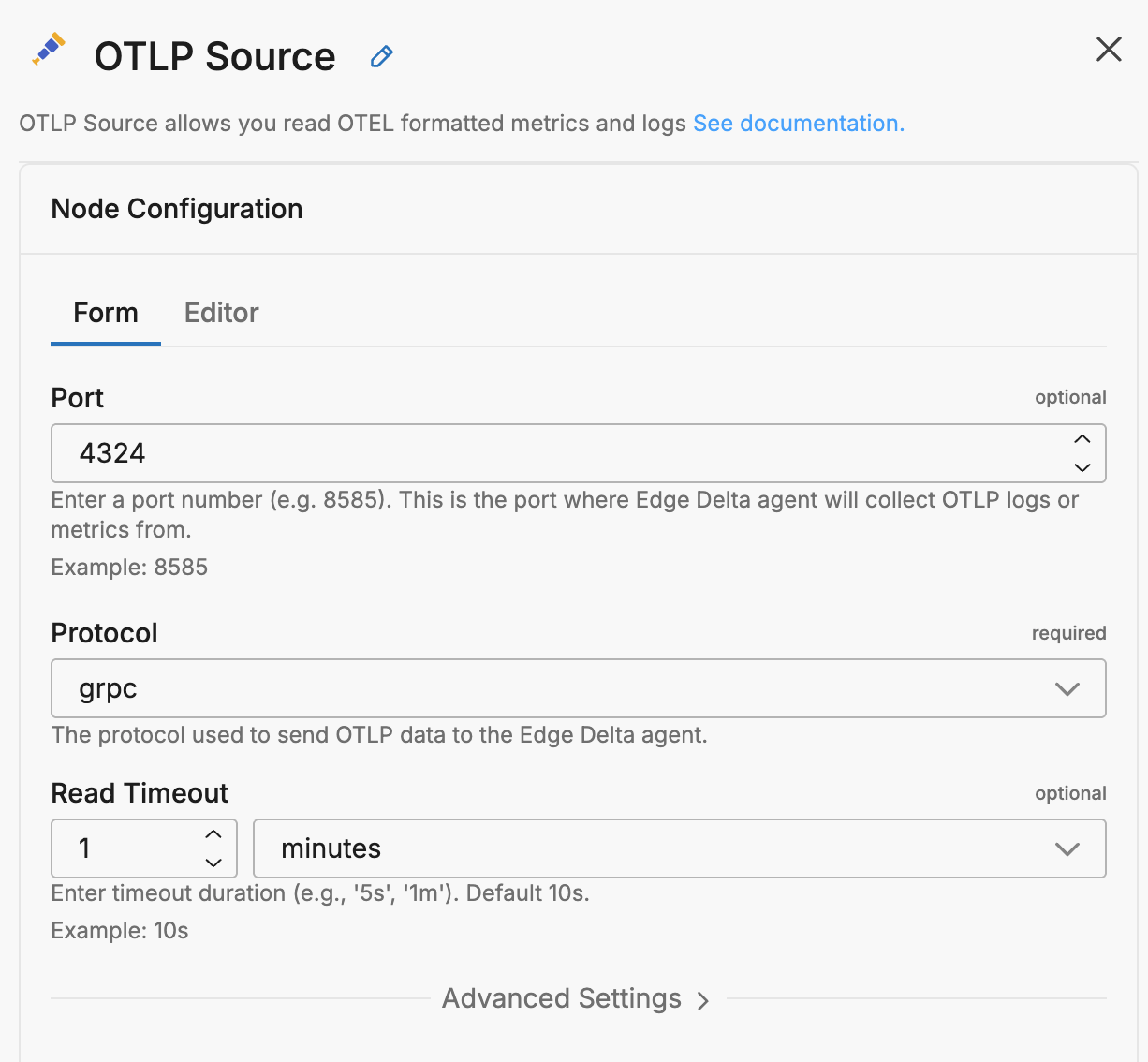
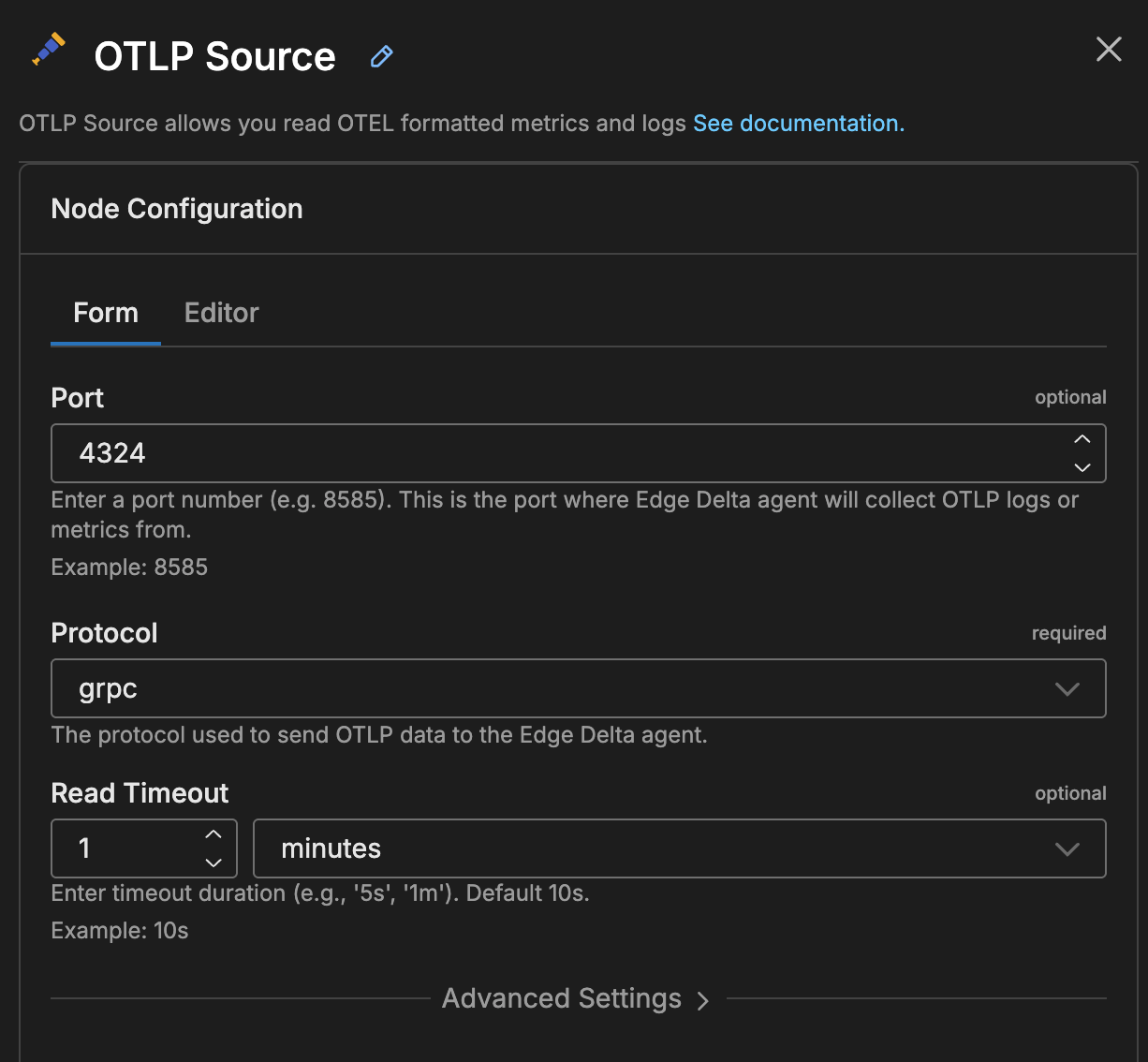
nodes:
- name: OTLP logs
  type: otlp_input
  port: 4324
  protocol: grpc
For the full parameter reference, see OTLP Source Node.
See also
- Ingest Data from OTLP Sources for the complete OTLP ingestion reference
- OTel Collector with Cloud Pipelines for cloud-specific configuration
- OTLP Source Node for all source node parameters