Mapping Rules
4 minute read
Mapping rules auto-populate the source and destination fields when you create a rehydration. When you enter a CQL query on the rehydration creation page, the system matches your query against configured rules and fills in the appropriate source and destination fields. You can still create rehydrations without configuring mapping rules by manually selecting sources and destinations.
Overview
Mapping rules are useful when your organization has multiple archive sources and destinations that correspond to different data dimensions such as environment tags, service names, or cluster identifiers. Instead of manually selecting sources and destinations for each rehydration, you define rules once and the system auto-populates the fields based on your query.
Each mapping rule consists of:
- Field: The data dimension to match (e.g.,
ed.tag,service.name,k8s.cluster.name) - Value: The field value to match (supports exact values or wildcards with
*) - Source(s): One or more archive integrations to read from
- Destination: The output integration to send rehydrated data
Configure Mapping Rules
To configure mapping rules:
- Click Pipelines in the navigation bar.
- Select the Rehydrations tab.
- Click Settings. See Configure Rehydration Settings for other available settings.
- Select the Mapping Rules tab.
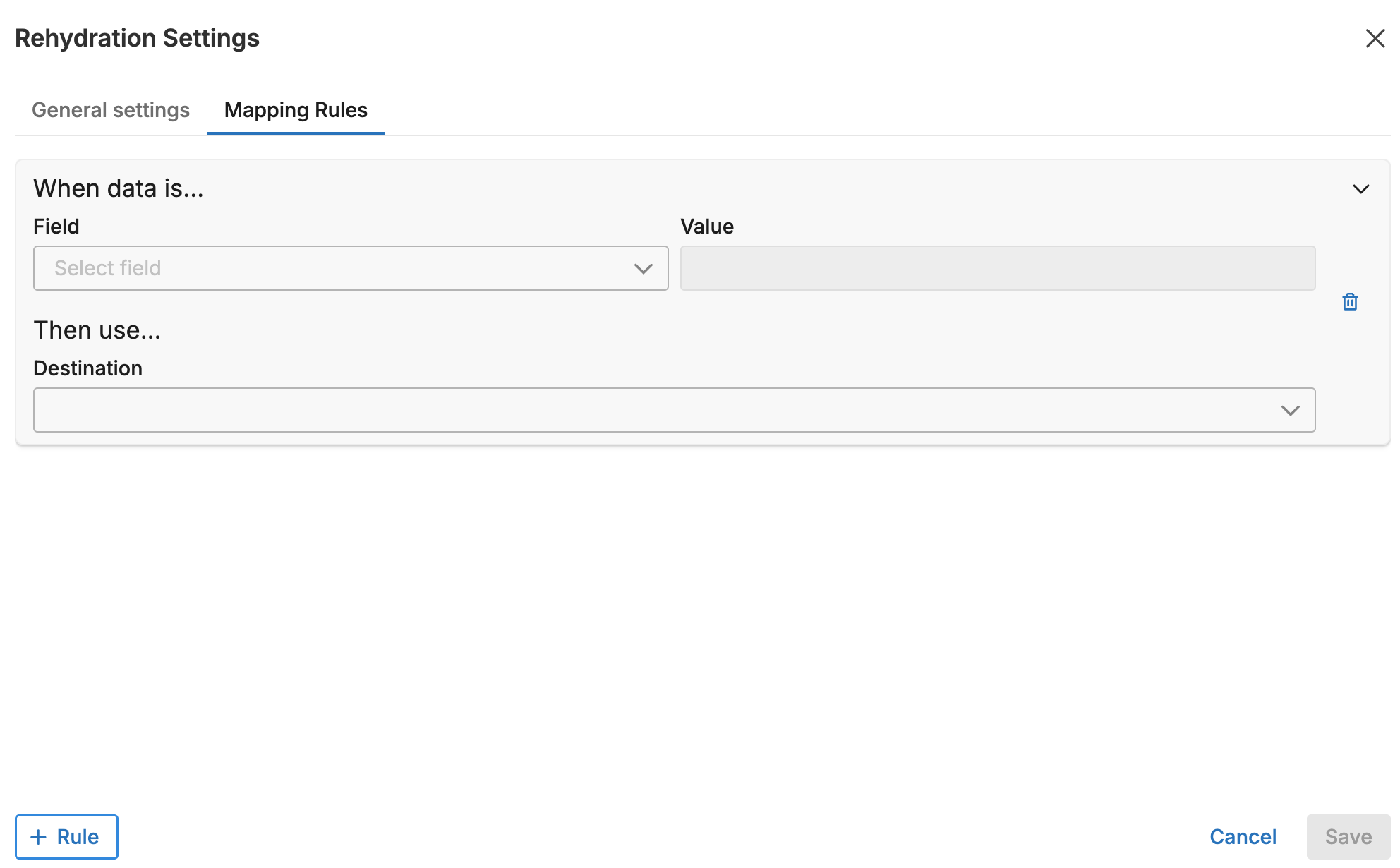
- Click Add Rule to create a new mapping.
- Configure the rule:
- Select or enter the Field name
- Enter the Value to match
- Select one or more Sources (archive integrations)
- Select the Destination (output integration)
- Click Save.
Rule Matching
When you enter a CQL query on the rehydration creation page, the system analyzes your query and matches it against your configured rules.
Query Analysis
The system splits CQL queries into independent branches based on OR conditions. Each branch is evaluated separately against the mapping rules.
For example, the query:
ed.tag:"production" OR ed.tag:"staging"
Creates two branches:
- Branch 1:
ed.tag = "production" - Branch 2:
ed.tag = "staging"
Each branch can match different rules, potentially creating multiple rehydration jobs.
Rule Priority
When multiple rules could match a query branch, the first matching rule in the ordered list takes precedence. You can reorder rules by dragging them in the mapping rules interface.
For example, with these rules in order:
ed.tagis*production*→ archive-all → dest-proded.tagisproduction-east→ archive-east → dest-east
A query for ed.tag:"production-east" matches both rules, but the first rule wins because it appears higher in the list.
AND Conditions
When a query contains AND conditions across different fields, and multiple rules match, the first matching rule determines the destination.
For example:
ed.tag:"production" AND service.name:"api-server"
If you have rules for both ed.tag:production and service.name:api-server with different destinations, the rule that appears first in your ordered list determines where the data is sent.
Multiple Jobs
Mapping rules can result in multiple rehydration jobs when:
- Your CQL query contains OR conditions that match different rules
- Each matching rule specifies different source/destination combinations
For example, with these rules:
ed.tagisdev→ archive-dev → dest-deved.tagisstaging→ archive-staging → dest-staging
The query ed.tag:"dev" OR ed.tag:"staging" creates two separate rehydration jobs:
- Job 1: archive-dev → dest-dev
- Job 2: archive-staging → dest-staging
Wildcard Matching
Use the * character to match partial values:
| Pattern | Matches |
|---|---|
production | Exact match only |
*production* | Any value containing “production” |
production-* | Values starting with “production-” |
*-east | Values ending with “-east” |
Best Practices
Order rules by specificity: Place more specific rules before broader wildcard rules. This ensures exact matches take precedence over partial matches.
Use consistent field names: Ensure the field names in your rules match the actual field names in your archived data. Check your archive metadata to confirm field names.
Test with small queries first: When setting up new rules, test with specific queries to verify the mapping behavior before running large rehydrations.
Document your rules: If your organization has complex routing requirements, maintain documentation of your rule logic outside the UI for reference.
Validation
Before a rehydration runs, the system validates that:
- All matched sources exist as configured Legacy Integrations
- All matched destinations exist and are accessible
- The query produces at least one valid source/destination combination
If validation fails, you receive an error message indicating which integration is missing or misconfigured.
Limitations
- Mapping rules do not support NOT conditions in CQL queries
- Rules match on exact field names; field name aliases are not supported
- A destination is required for each rule; source is optional (if no source is specified, you must select one manually)