Edge Delta Securonix Destination
3 minute read
Overview
The Securonix destination streams events over HTTP to Securonix SIEM. Incoming logs, metrics, traces, and patterns are forwarded to the configured endpoint using the provided API key.
- incoming_data_types: log, cluster_pattern_and_sample, custom, metric, trace
This node requires Edge Delta agent version v2.1.0 or higher.
Example Configuration
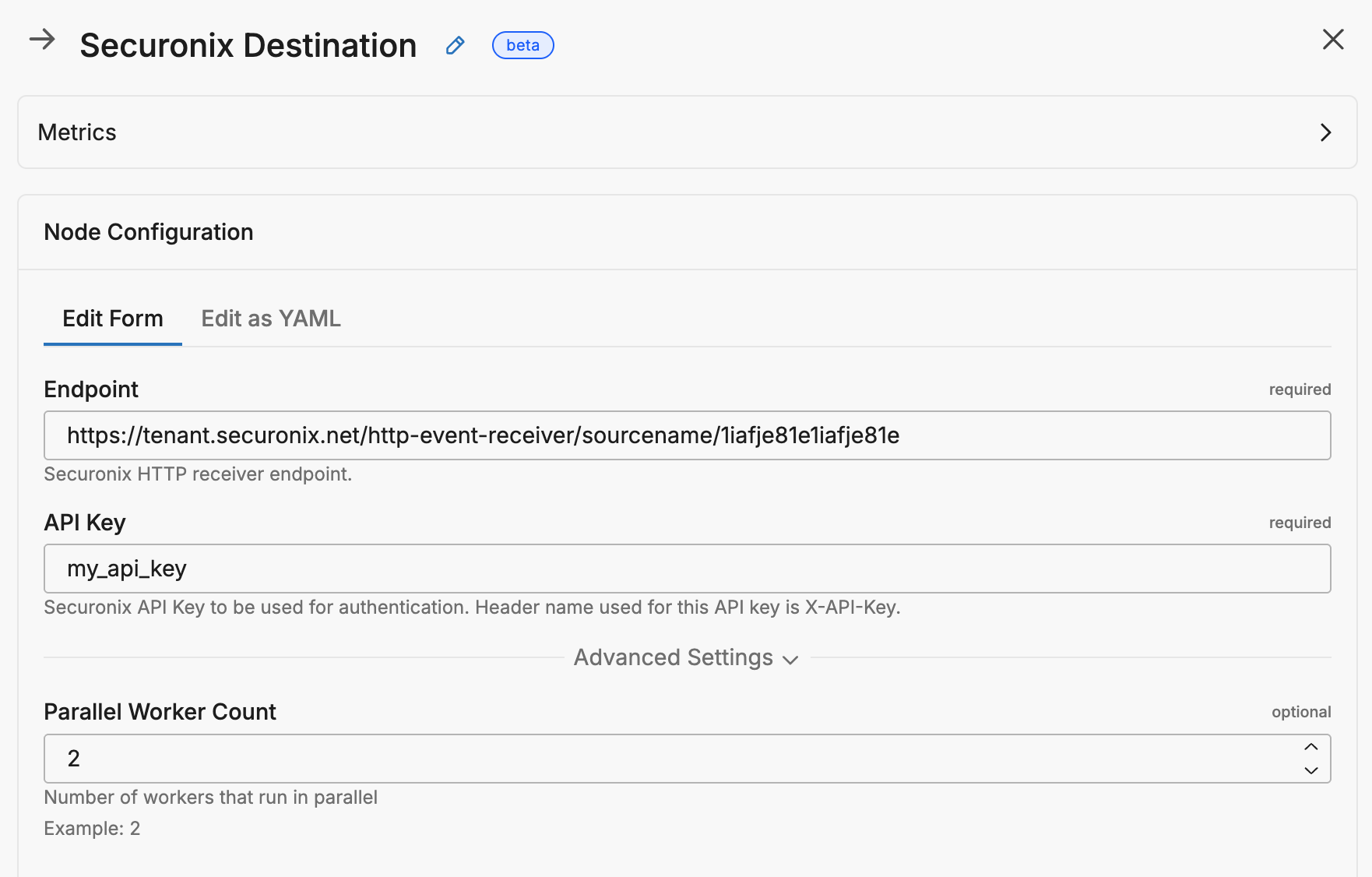
This configuration defines an Edge Delta output node named securonix_destination that sends logs, metrics, traces, and pattern data to a Securonix HTTP receiver. It uses the specified endpoint URL to stream data over HTTP and authenticates with the provided api_key in the X-API-Key header.
nodes:
  - name: securonix_destination
    type: securonix_output
    endpoint: "https://tenant.securonix.net/http-event-receiver/sourcename/1iafje81e1iafje81e"
    api_key: my_api_key
Required Parameters
name
A descriptive name for the node. This is the name that will appear in pipeline builder and you can reference this node in the YAML using the name. It must be unique across all nodes. It is a YAML list element so it begins with a - and a space followed by the string. It is a required parameter for all nodes.
nodes:
  - name: <node name>
    type: <node type>
type: securonix_output
The type parameter specifies the type of node being configured. It is specified as a string from a closed list of node types. It is a required parameter.
nodes:
  - name: <node name>
    type: <node type>
endpoint
Securonix HTTP receiver endpoint URL.
nodes:
  - name: <node name>
    type: securonix_output
    endpoint: https://tenant.securonix.net/http-event-receiver/sourcename/1iafje81e1iafje81e
    api_key: <api_key>
api_key
Securonix API key used to authenticate the requests. This value is sent in the X-API-Key header.
This field supports secret references for secure credential management. Instead of hardcoding sensitive values, you can reference a secret configured in your pipeline.
To use a secret in the GUI:
- Create a secret in your pipeline’s Settings > Secrets section (see Secrets)
- In this field, select the secret name from the dropdown list that appears
To use a secret in YAML:
Reference it using the syntax: '{{ SECRET secret-name }}'
Example:
field_name: '{{ SECRET my-credential }}'
Note: The secret reference must be enclosed in single quotes when using YAML. Secret values are encrypted at rest and resolved at runtime, ensuring no plaintext credentials appear in logs or API responses.
nodes:
  - name: <node name>
    type: securonix_output
    endpoint: <endpoint>
    api_key: my_api_key
Optional Parameters
disabled
The disabled parameter disables the node in the pipeline. When set to true, the agent ignores the node at startup. You can toggle nodes on or off in the pipeline builder. It is specified as a boolean, defaults to false, and is optional.
nodes:
  - name: <node name>
    type: <node type>
    disabled: true
parallel_worker_count
Number of workers sending data in parallel. Defaults to 2.
nodes:
  - name: <node name>
    type: securonix_output
    endpoint: <endpoint>
    api_key: <api_key>
    parallel_worker_count: 4
memory_buffer
This parameter requires Edge Delta agent version v2.12.0 or higher.
The memory_buffer parameter configures the in-memory buffer queue for the destination. The size sub-parameter sets the maximum number of events to hold in the memory buffer queue before blocking. It is specified as an integer, has a default of 1000, and it is optional.
nodes:
  - name: <destination-name>
    type: <destination-type>
    memory_buffer:
      size: 2000