Edge Delta Stateful Alert Processor
9 minute read
Overview
The Stateful Alert processor detects alert conditions in your logs by matching patterns from a lookup table, then tracks state across events to reduce alert noise through intelligent deduplication. When an alert condition is detected, the processor enriches the log with alert metadata and determines whether to send a notification based on the current state.
Key capabilities:
- Pattern-based detection: Match log content against regex patterns defined in a lookup table
- Stateful correlation: Track alert state across events using Redis for persistence
- Deduplication: Suppress duplicate alerts and recoveries to reduce notification noise
- Threshold alerting: Trigger alerts only after N matching events occur within a time window
- Recovery detection: Automatically detect when alert conditions clear
- Flexible output: Filter downstream notifications using the
skip_webhookattribute
flowchart LR
classDef icon-alert fill:#FDEAD7,stroke:#EA580C,color:#7C2D12;
classDef icon-neutral fill:#E0E0E0,stroke:#525252,color:#2d2d2d;
classDef icon-warning fill:#FEF3C7,stroke:#D97706,color:#7C2D12;
classDef icon-muted fill:#F5F5F5,stroke:#737373,color:#525252;

    START([" Log Arrives"])
    MATCH{" Pattern Match?"}
    PASS[" Pass Through"]
    MODE{" Mode?"}
    ACTIVE1{Active?}
    COUNT[" Count"]
    THRESH{Threshold?}
    ACC[" Accumulating"]
    ACTIVE2{Active?}
    ALERT[" ALERT"]
    DUP[" Duplicate"]
    RECOVER{Recovery?}
    REC[" RECOVERY"]
    WAIT[" Waiting"]

    START --> MATCH
    MATCH -->|No| PASS
    MATCH -->|Yes| MODE
    MODE -->|Immediate| ACTIVE1
    MODE -->|Threshold| COUNT
    COUNT --> THRESH
    THRESH -->|No| ACC
    THRESH -->|Yes| ACTIVE2
    ACTIVE1 -->|No| ALERT
    ACTIVE1 -->|Yes| DUP
    ACTIVE2 -->|No| ALERT
    ACTIVE2 -->|Yes| DUP
    ALERT --> RECOVER
    RECOVER -->|Yes| REC
    RECOVER -->|No| WAIT
    WAIT --> RECOVER

class ALERT icon-alert;
class REC icon-neutral;
class ACC icon-warning;
class DUP,PASS,WAIT icon-muted;
Prerequisites
Redis instance
The Stateful Alert processor requires a Redis instance to persist alert state across events and agent restarts. You can use:
- A managed Redis service (AWS ElastiCache, Azure Cache for Redis, etc.)
- A self-hosted Redis instance
- Redis cluster for high availability
Lookup table
You need a lookup table containing your alert patterns. The table must include these columns:
| Column | Required | Description |
|---|---|---|
alert_pattern | Yes | Regex pattern to match alert conditions |
recovery_pattern | No | Regex pattern to match recovery conditions |
normalized_message | Yes | Human-readable description of the alert |
severity | Yes | Alert severity level (critical, warning, info) |
alert_schema | Yes | Alerting mode configuration |
See Lookup Tables for information on creating and managing lookup tables.
How it works
The processor evaluates each incoming log against patterns in the lookup table:
flowchart LR
classDef icon-alert fill:#FDEAD7,stroke:#EA580C,color:#7C2D12;
classDef icon-neutral fill:#E0E0E0,stroke:#525252,color:#2d2d2d;
classDef icon-warning fill:#FEF3C7,stroke:#D97706,color:#7C2D12;
classDef icon-muted fill:#F5F5F5,stroke:#737373,color:#525252;
classDef icon-process fill:#E9F5F4,stroke:#0D9488,color:#0F3B2E;

    A[Log Arrives] --> B{Alert Match?}
    B -->|No| C{Recovery Match?}
    B -->|Yes| D[Check Redis]
    C -->|No| E[Pass Through]
    C -->|Yes| F{Alert Active?}
    D --> G{Already Active?}
    G -->|No| H{Threshold Mode?}
    G -->|Yes| I[Duplicate]
    H -->|No| J[ALERT]
    H -->|Yes| K[Count]
    K --> L{Threshold Reached?}
    L -->|No| M[Accumulating]
    L -->|Yes| J
    F -->|No| O[Recovery Dup]
    F -->|Yes| P[RECOVERY]
    I --> Q[Enrich Log]
    J --> Q
    M --> Q
    O --> Q
    P --> Q
    E --> R[Output]
    Q --> R

class J icon-alert;
class P icon-neutral;
class M icon-warning;
class I,O icon-muted;
class E,R icon-muted;
class Q icon-process;
State management
The processor stores alert state in Redis using a hash key derived from configurable fields. This enables:
- Persistence: Alert state survives agent restarts
- Correlation: Group related events using hash key fields
- Expiration: Automatic cleanup of stale state entries
Deduplication logic
When a matching pattern is detected, the processor checks Redis to determine the current state:
- If no active alert exists, a new alert is triggered (
status: alert) - If an alert is already active, the event is marked as a duplicate (
status: alert_duplicate) - If a recovery pattern matches an active alert, recovery is triggered (
status: recovery) - If a recovery pattern matches but no alert is active, it is marked as a duplicate (
status: recovery_duplicate)
The skip_webhook attribute indicates whether downstream systems should send notifications:
skip_webhook: false- New alerts and recoveries that should trigger notificationsskip_webhook: true- Duplicates, accumulating events, and internal scans
Configuration
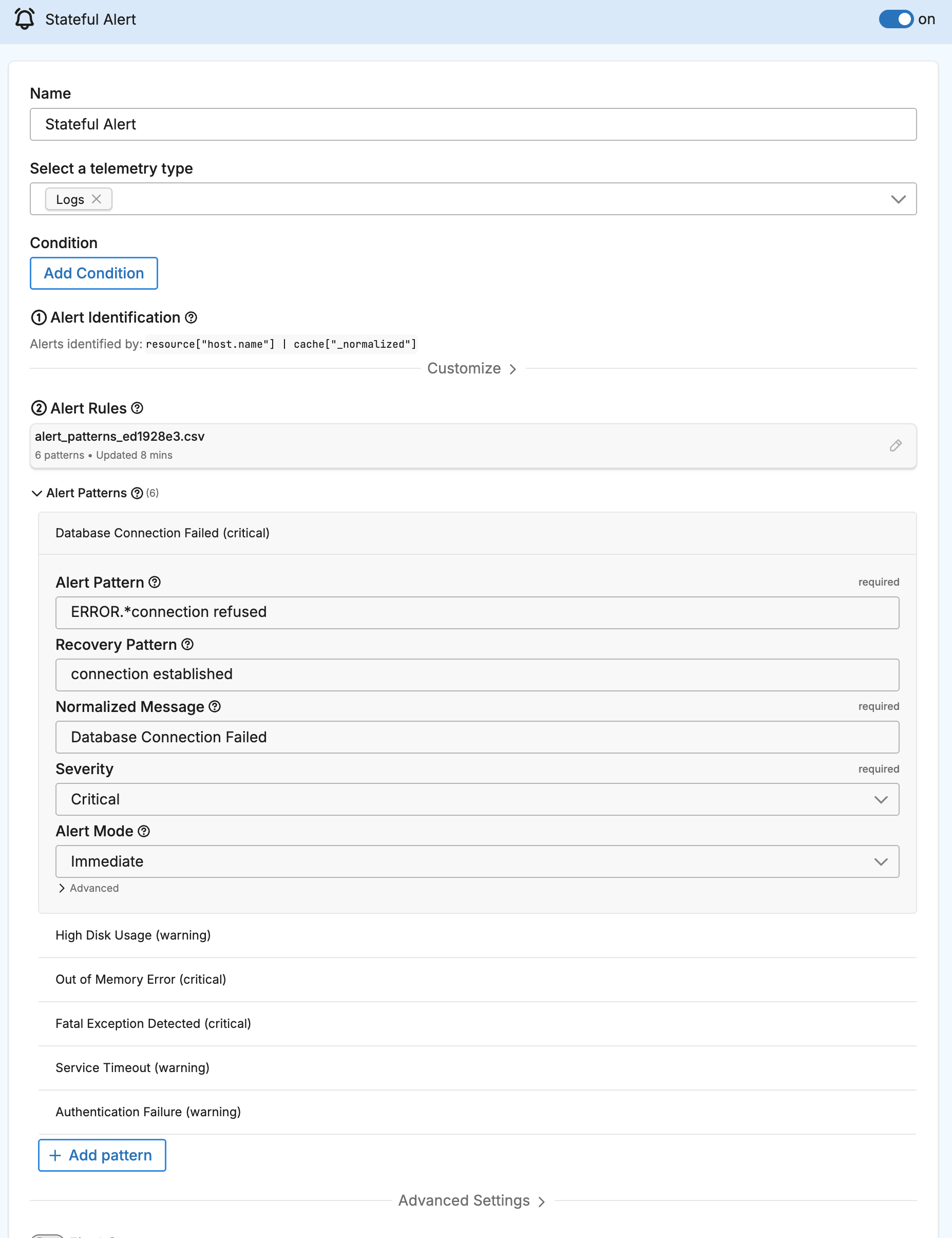
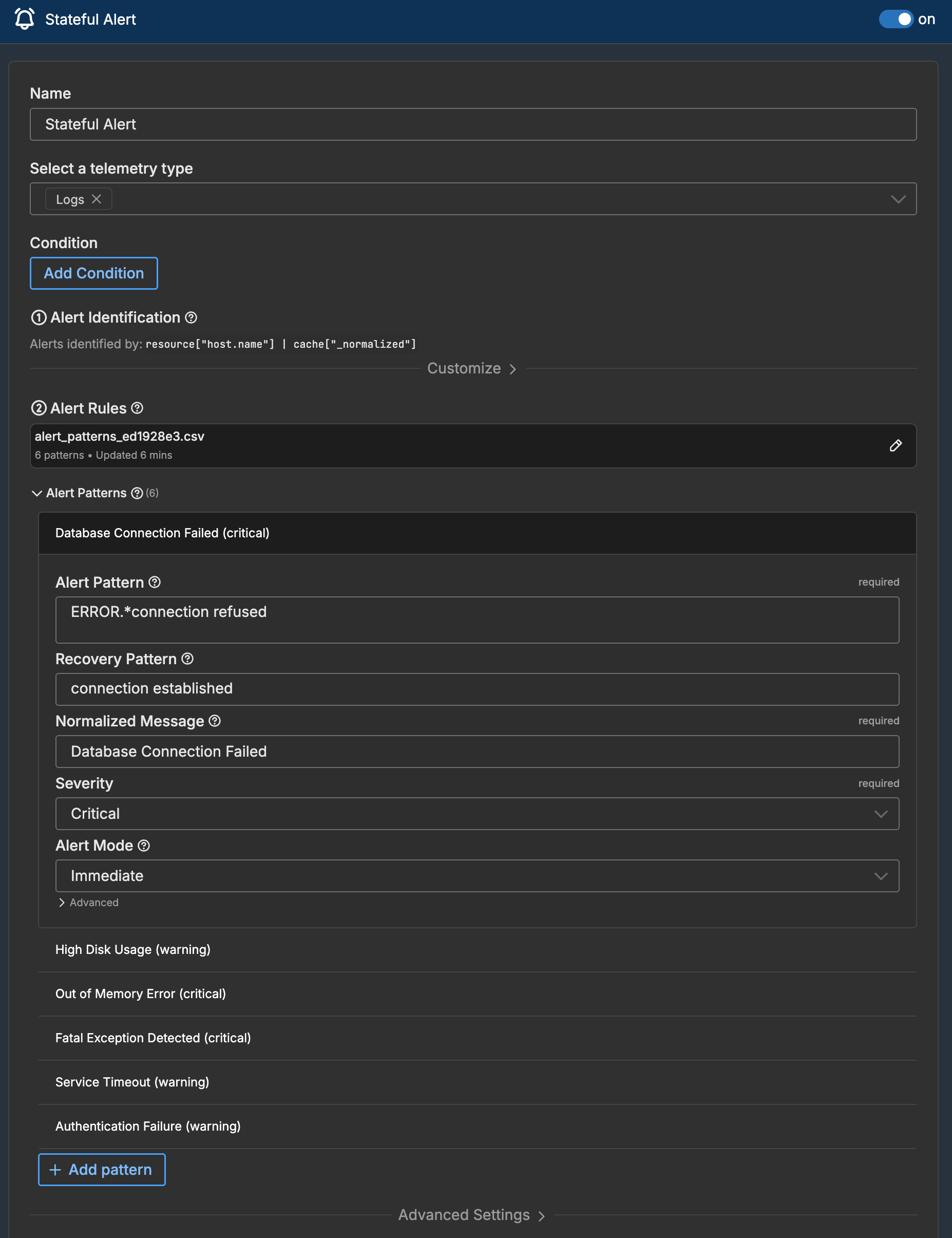
You configure the Stateful Alert processor using either a CSV lookup table or static patterns defined directly in the UI.
CSV lookup table mode
Select an existing lookup table containing your alert patterns:
- In the Visual Pipeline Builder, add a Stateful Alert processor to your sequence
- Select CSV Lookup Table as the configuration source
- Choose your lookup table from the dropdown
- Map the columns to their respective fields:
- Alert Pattern Column: Column containing alert regex patterns
- Recovery Pattern Column: Column containing recovery regex patterns
- Normalized Message Column: Column containing alert descriptions
- Severity Column: Column containing severity levels
- Alert Schema Column: Column containing alerting mode configuration
- Configure Redis connection settings
- Optionally configure Hash Key fields for correlation
Example lookup table CSV:
alert_pattern,recovery_pattern,normalized_message,severity,alert_schema
ERROR.*connection refused,connection established,Database Connection Failed,critical,immediate
disk usage.*9[0-9]%,disk usage.*[0-7][0-9]%,High Disk Usage,warning,"threshold,3,300,1,60"
OOM.*killed,,Out of Memory Error,critical,immediate
YAML configuration
The processor generates OTTL transform statements. Here is an example configuration:
- name: Multi Processor
  type: sequence
  processors:
  - type: ottl_transform
    name: Stateful Alert
    statements: |-
      # Pattern matching and state management logic
      # (auto-generated by the Visual Pipeline Builder)
Alert schema modes
The alert_schema column defines how the processor triggers alerts:
Immediate mode
Format: immediate or immediate,E
Triggers an alert on the first pattern match. If a recovery pattern is defined, the alert clears when the recovery pattern matches.
| Parameter | Description |
|---|---|
E | Optional. Auto-expire time in seconds. Alert clears automatically if no recovery occurs within this time. |
The following examples show common immediate mode configurations:
immediate- Alert on first match, recover on recovery patternimmediate,3600- Alert on first match, auto-clear after 1 hour if no recovery
Threshold mode
Format: threshold,N,T,M,W or threshold,N,T,M,W,E
Triggers an alert only after N matching events occur within T seconds. Optionally requires M recovery events within W seconds to clear.
| Parameter | Description |
|---|---|
N | Number of alert events required to trigger |
T | Time window in seconds for alert events |
M | Number of recovery events required to clear |
W | Time window in seconds for recovery events |
E | Optional. Auto-expire time in seconds |
The following examples show common threshold mode configurations:
threshold,3,300,1,60- Alert after 3 events in 5 minutes, recover after 1 event in 1 minutethreshold,5,60,2,120,1800- Alert after 5 events in 1 minute, recover after 2 events in 2 minutes, auto-clear after 30 minutes
Alert status values
The processor sets the @alert.status attribute to indicate the result of processing:
| Status | skip_webhook | Description |
|---|---|---|
alert | false | New alert triggered. Send notification. |
recovery | false | Alert recovered. Send notification. |
alert_accumulating | true | Event matched but threshold not yet reached. |
alert_duplicate | true | Alert already active. Duplicate suppressed. |
recovery_duplicate | true | No active alert to recover. Duplicate suppressed. |
heartbeat_scan | true | Internal housekeeping scan. |
Output attributes
The processor enriches matching logs with the following attributes:
| Attribute | Description |
|---|---|
@alert.status | Current alert status (see table above) |
@alert.severity | Severity level from lookup table |
@alert.normalized_message | Human-readable alert description |
@alert.pattern_matched | The pattern that matched the log |
@alert.event_id | Unique identifier for correlation |
@alert.first_occurrence | Timestamp of the first event in this alert |
@alert.accumulating_count | Count of events toward threshold (threshold mode) |
@alert.skip_webhook | Whether to skip downstream notifications |
Options
Select telemetry type
The Stateful Alert processor operates on logs only.
Configuration source
Choose how to define alert patterns:
- CSV Lookup Table: Use patterns from an existing lookup table
- Static Patterns: Define patterns directly in the processor configuration
Lookup table
When using CSV mode, select the lookup table containing your alert patterns.
Pattern columns
Map lookup table columns to their respective functions:
- Alert Pattern Column: Contains regex patterns for alert conditions
- Recovery Pattern Column: Contains regex patterns for recovery conditions
- Normalized Message Column: Contains human-readable alert descriptions
- Severity Column: Contains severity levels
- Alert Schema Column: Contains alerting mode configuration
Match mode
Choose how patterns are matched against log content:
regex- Regular expression matching (default)exact- Exact string matchingcontain- Substring matchingprefix- Prefix matchingsuffix- Suffix matching
Redis configuration
Configure the Redis connection for state persistence:
- Address: Redis server address (e.g.,
redis:6379) - Password: Authentication password (if required)
- Username: Authentication username (if required)
- Database: Redis database number (default: 0)
- TLS: Enable TLS encryption
Hash key configuration
Define which fields to use for correlating related events. Events with the same hash key values are grouped together for state tracking.
Common hash key fields include:
host.name- Correlate by hostservice.name- Correlate by serviceattributes["error_code"]- Correlate by specific attribute
Reload period
How often to refresh the lookup table from its source. Default is 5 minutes.
Examples
Basic error alerting
Alert immediately when critical errors occur:
Lookup table:
alert_pattern,recovery_pattern,normalized_message,severity,alert_schema
FATAL.*exception,,Fatal Exception Detected,critical,immediate
ERROR.*database.*down,database.*connected,Database Down,critical,immediate
Rate-based alerting
Alert when error rate exceeds threshold:
Lookup table:
alert_pattern,recovery_pattern,normalized_message,severity,alert_schema
ERROR.*rate limit exceeded,,Rate Limit Exceeded,warning,"threshold,5,60,1,300"
This triggers an alert after 5 rate limit errors within 1 minute, and recovers after 1 successful request within 5 minutes.
Multi-field correlation
Use hash key fields to track alerts per host and service:
Hash key configuration:
host.nameservice.name
This creates separate alert states for each host/service combination, so an error on host-1/api-service does not affect the alert state for host-2/api-service.
Webhook integration
Filter notifications to only send actual alerts and recoveries:
In your webhook output, add a condition to filter on skip_webhook:
- type: webhook
  name: Alert Notifications
  condition: 'attributes["alert"]["skip_webhook"] == false'
  url: https://your-webhook-endpoint.com
This ensures only new alerts and recoveries trigger notifications, while duplicates and accumulating events are suppressed.
Dashboard
Edge Delta provides a default Stateful Alerts dashboard for monitoring alert activity.
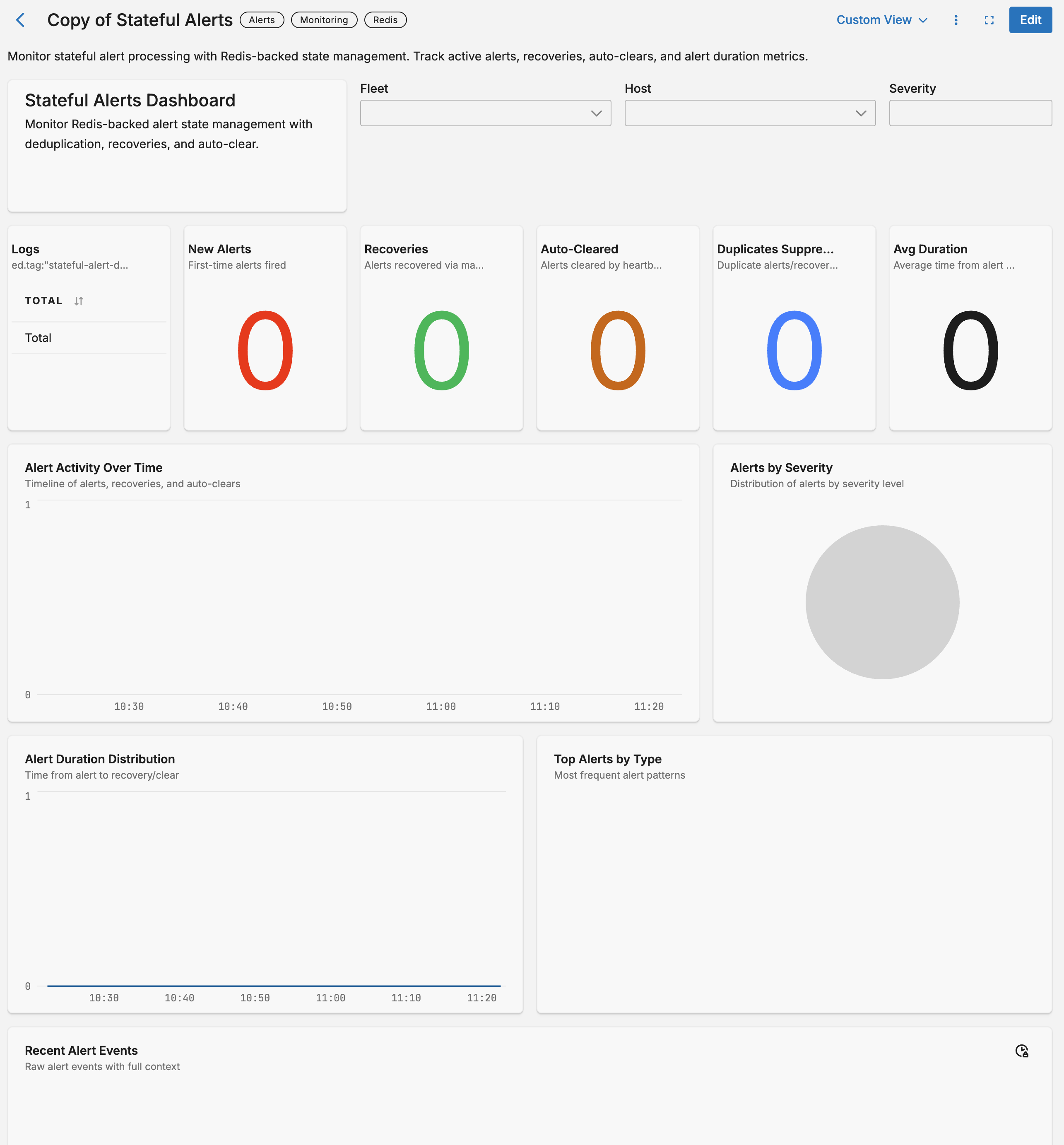
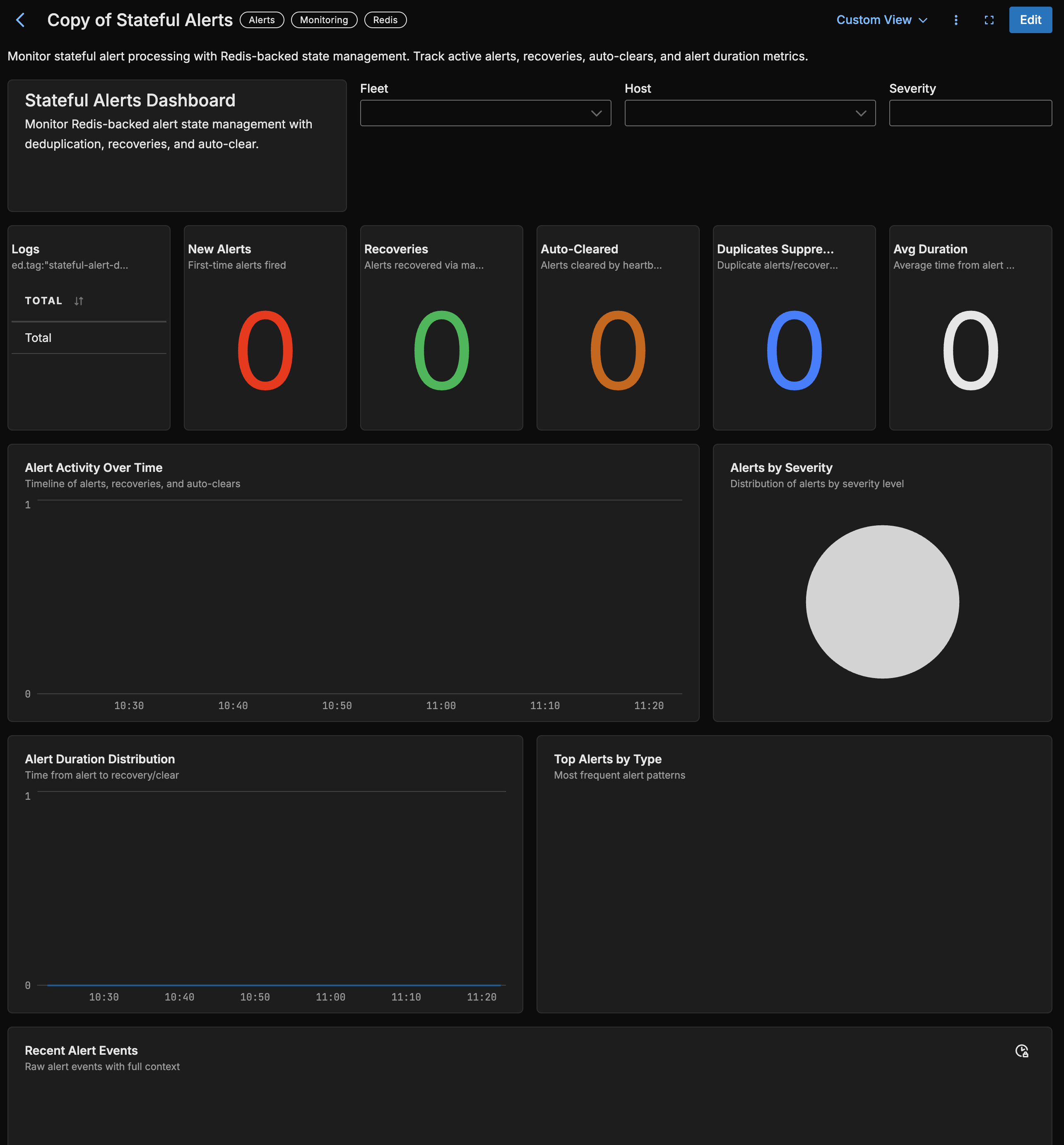
The dashboard includes:
- Alert Triggers: Count of new alerts triggered
- Recoveries: Count of alerts that recovered
- Accumulating: Events building toward threshold
- Duplicates Suppressed: Count of suppressed duplicate notifications
- Alert Transitions Over Time: Timeline of alert status changes
- Alerts by Severity: Distribution across severity levels
- Recent Notifications: Raw log table of alerts and recoveries sent downstream
Troubleshooting
Alerts not triggering
Possible causes:
- Pattern not matching: Verify your regex pattern matches the actual log content. Test patterns using a regex tool.
- Lookup table not loaded: Check that the lookup table exists and contains valid data.
- Column mapping incorrect: Verify the column names match your lookup table headers.
Duplicates not being suppressed
Possible causes:
- Redis not connected: Verify Redis connection settings and connectivity.
- Hash key mismatch: Ensure hash key fields are consistent across related events.
- State expired: Check if TTL settings are appropriate for your use case.
Recovery not detecting
Possible causes:
- Recovery pattern missing: Ensure
recovery_patterncolumn contains valid patterns. - Recovery pattern not matching: The recovery pattern must match the log content when the condition clears.
- No active alert: Recovery only triggers if an alert is currently active.
Redis connectivity issues
Possible causes:
- Network access: Verify the agent can reach the Redis server.
- Authentication: Check username/password if Redis requires authentication.
- TLS configuration: Enable TLS if your Redis server requires encrypted connections.
See Also
- Lookup Processor - Enrich logs using lookup tables
- Lookup Tables - Create and manage lookup tables
- Webhook Output - Send alerts to external systems