Teammate Node
3 minute read
Overview
The Teammate node invokes an existing AI teammate to process data within your workflow. Teammates have access to tools, connectors, and specialized knowledge that make them powerful for analysis, troubleshooting, and decision support.
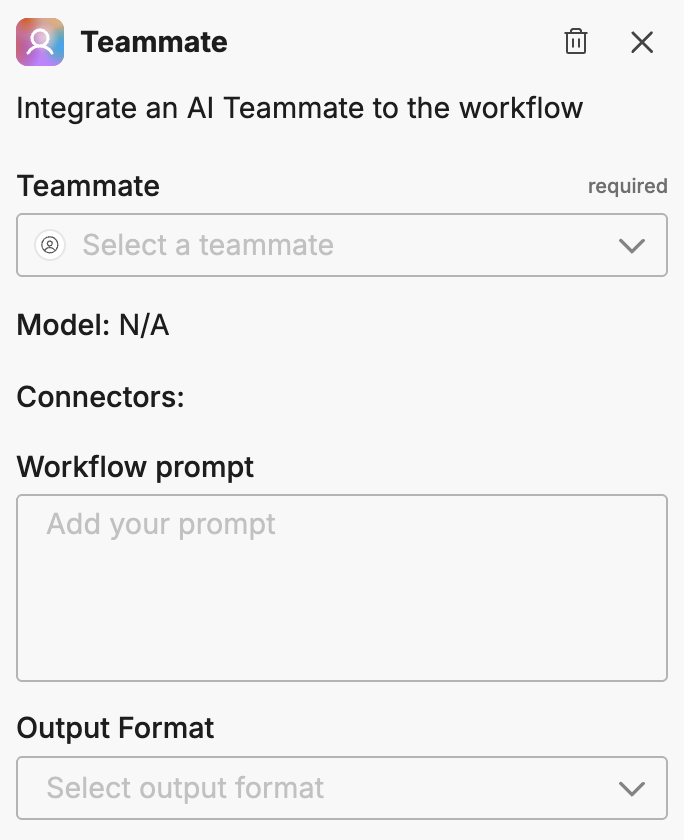
Configuration
To add a Teammate node to your workflow:
- Click Add Node and select Teammate
- Configure the node options
Options
Teammate
Select an existing teammate from the dropdown. The teammate must be configured in your organization before it can be used in workflows.
Prompt
Provide instructions that describe what the teammate should do with the incoming data. Be specific about what analysis to perform and what information to extract.
Use Handlebars template syntax to pass data from upstream nodes into the prompt. For example, {{{ toJson data }}} injects the full trigger payload as JSON so the teammate can reference alert details, monitor metadata, and event fields directly.
Output format
Choose how the teammate should format its response:
| Format | Best for |
|---|---|
| Text | Output that feeds into another AI node or human-readable content |
| JSON | Output that downstream nodes need to parse for conditional branching and deterministic actions |
JSON output and schema
When you select JSON output, click Edit JSON Schema to define the exact fields the teammate must return. The schema uses standard JSON Schema format to specify field names, types, descriptions, and which fields are required.
For example, a schema for incident triage might define fields for severity, affected service, and a recommended action, each with a type and description that guides the teammate’s response.
The teammate’s structured response fields become available to downstream nodes. An If/Else node can evaluate these fields to branch the workflow deterministically. For example, you can route critical-severity results to an escalation path and everything else to a backlog.
This pattern separates AI reasoning from operational decisions. The teammate investigates freely using its connected tools. The JSON Schema constrains the output format. The If/Else node applies team-defined thresholds to determine what happens next.
For complete examples of this pattern, see Workflow Patterns.
When to use Teammate vs Task nodes
| Use Teammate when | Use Task when |
|---|---|
| You need access to tools and connectors | You need simple prompt-response processing |
| The task requires specialized domain knowledge | The task is straightforward (summarization, classification) |
| You want to leverage an existing teammate’s configuration | You want a lightweight, self-contained AI step |
Example use cases
Common patterns for the Teammate node:
- Alert triage: Have a teammate analyze alert data and assess severity
- Root cause analysis: Invoke a teammate with access to logs and metrics to diagnose issues
- Incident summarization: Generate human-readable summaries for status updates
- Recommendation generation: Get AI-powered suggestions for remediation steps
- Structured triage: Return JSON with severity, confidence, and affected service fields for deterministic downstream routing
Related resources
- Workflows Overview - Learn about workflow concepts and node types
- Creating and Managing Teammates - Configure teammates to use in workflows
- Task Node - Lightweight AI processing without tools
- Workflow Patterns - End-to-end examples combining teammate output with branching and actions