Installation Overview
9 minute read
Find Your Pipeline Architecture
Use this wizard to determine which Edge Delta pipeline types you need based on your environment and requirements.
How do you want to send data to Edge Delta?
Choose between installing an agent in your environment or sending data directly to Edge Delta's backend.
Overview
Edge Delta supports a range of installation methods tailored to different environments and operational requirements. You can deploy pipelines in Kubernetes clusters, on virtual machines, in containerized environments, or entirely within the cloud using Edge Delta’s managed cloud pipelines.
At the core of the system is the pipeline, which represents a collection of agents with a shared configuration. A pipeline defines how telemetry data is ingested, processed, and routed. Once a pipeline is configured, it can be deployed into your environment, where agents execute the defined logic. Typically, each pipeline corresponds to a single cluster or compute unit, but Edge Delta supports multi-cluster and multi-tenant strategies as well.
Note: Deploy only one pipeline per host or cluster. Installing multiple pipelines (with different API keys) on the same host causes duplicate data collection, increased resource consumption, and potential conflicts. If you need to process different data sources differently, configure multiple source nodes within a single pipeline rather than deploying separate pipelines.
Pipeline Types
When you create a new pipeline, you choose from three top-level types: Edge, Cloud, or Ingestion.
Edge Pipelines
Edge pipelines deploy agents directly into your environment. These agents collect telemetry data, process it locally, and forward optimized outputs to the Edge Delta Observability Platform or any configured destination.
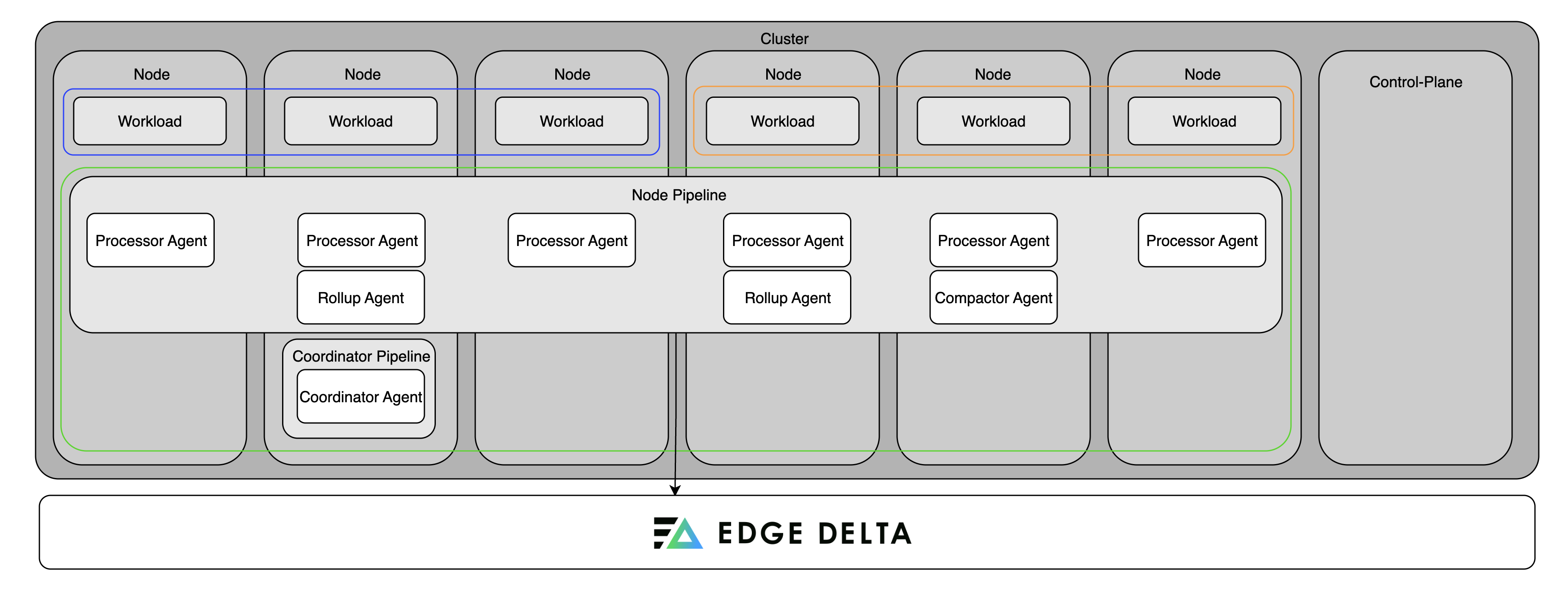
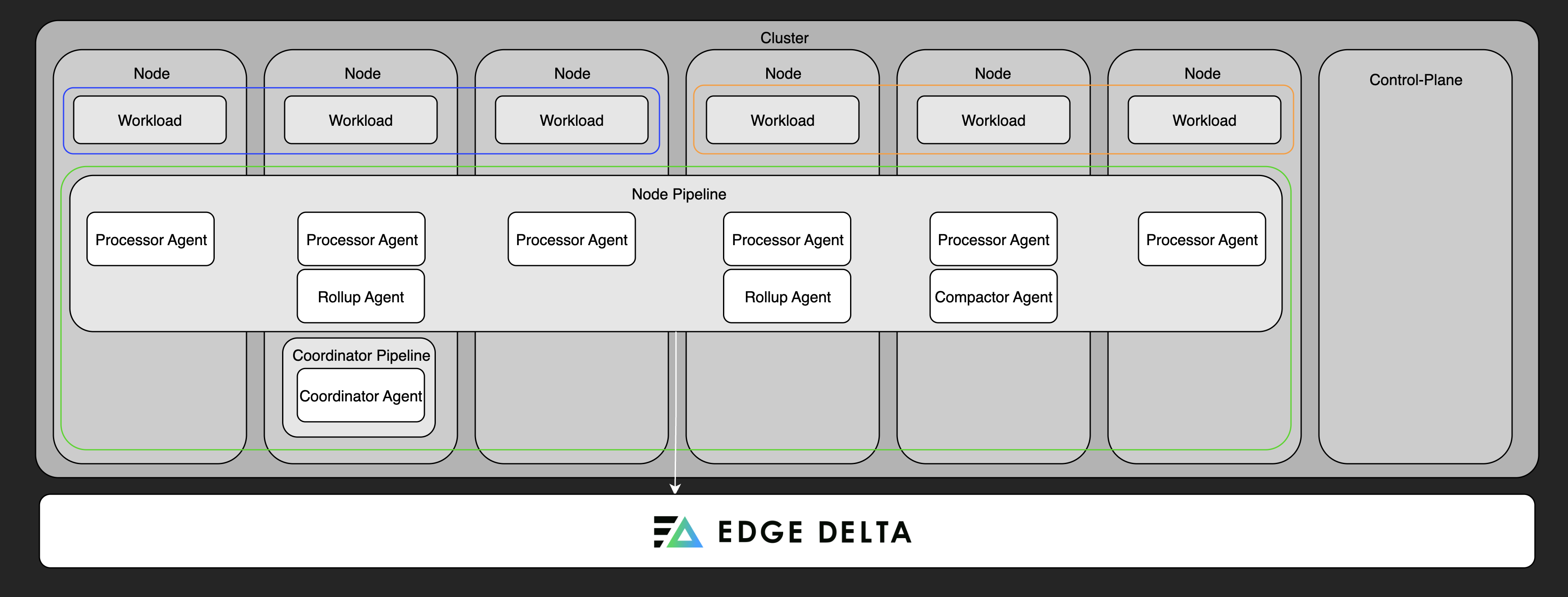
For Kubernetes environments, you select a deployment type: Node, Gateway, or Coordinator. For non-Kubernetes environments, you deploy a Node pipeline.
Node Pipeline
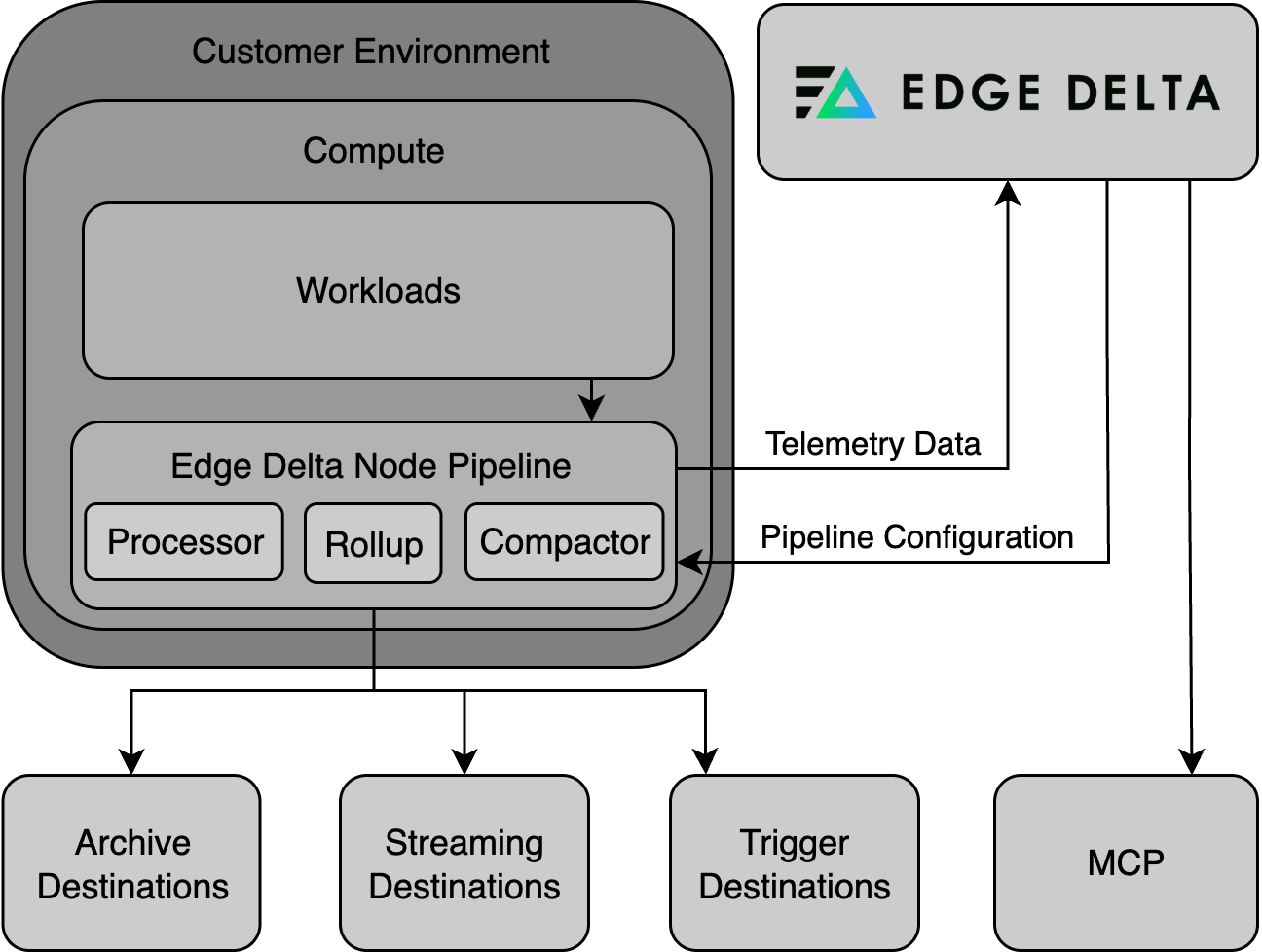
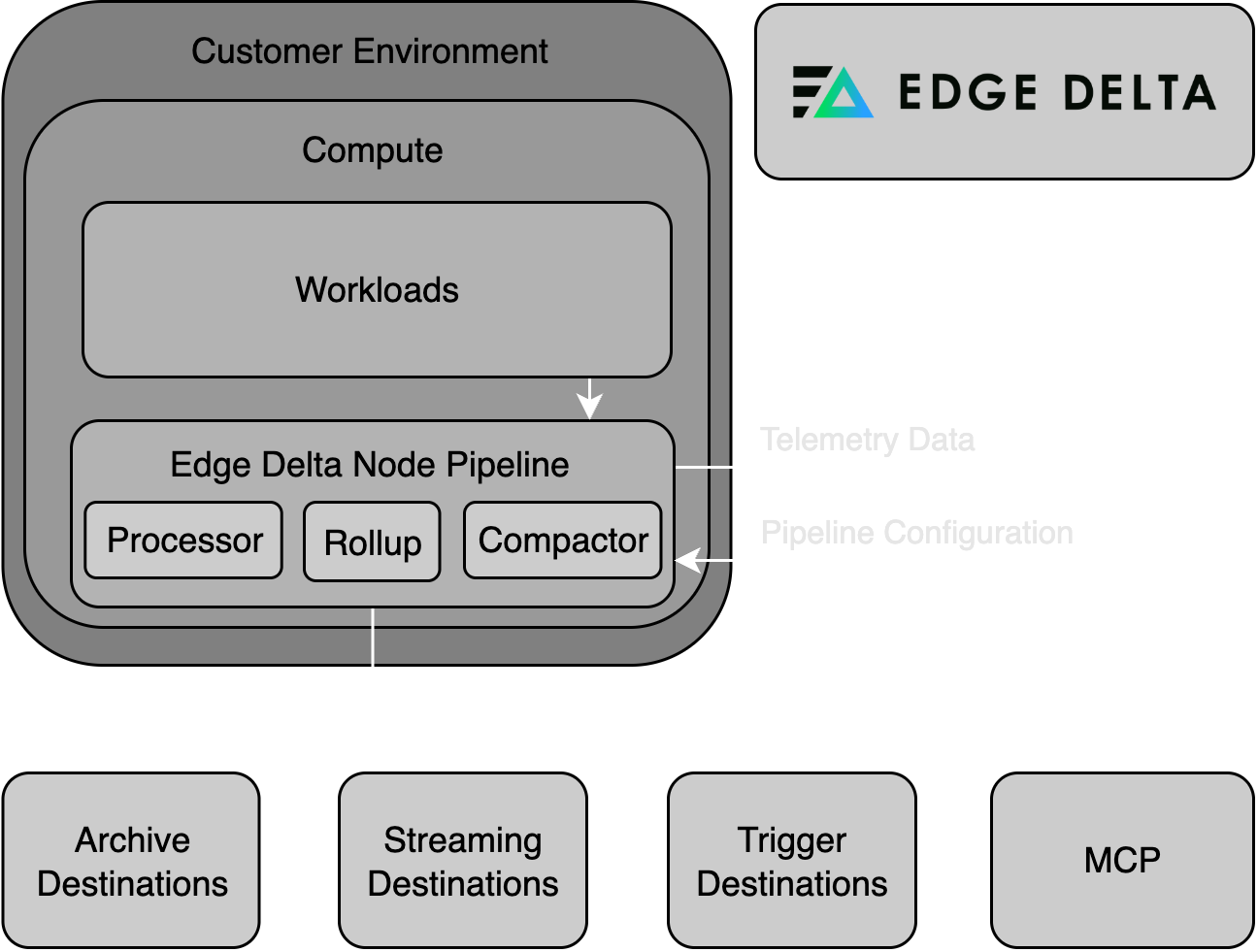
Node pipelines are the standard deployment for collecting telemetry. They consist of agents deployed directly into your environment that collect, process, and forward data. Node pipelines are supported in the following environments:
In Kubernetes, the node pipeline can include:
- Processing Agent: Executes the pipeline configuration and processes telemetry.
- Compactor Agent: Compresses and encodes data for storage efficiency.
- Rollup Agent: Aggregates and optimizes high-cardinality metric data.
Gateway Pipeline
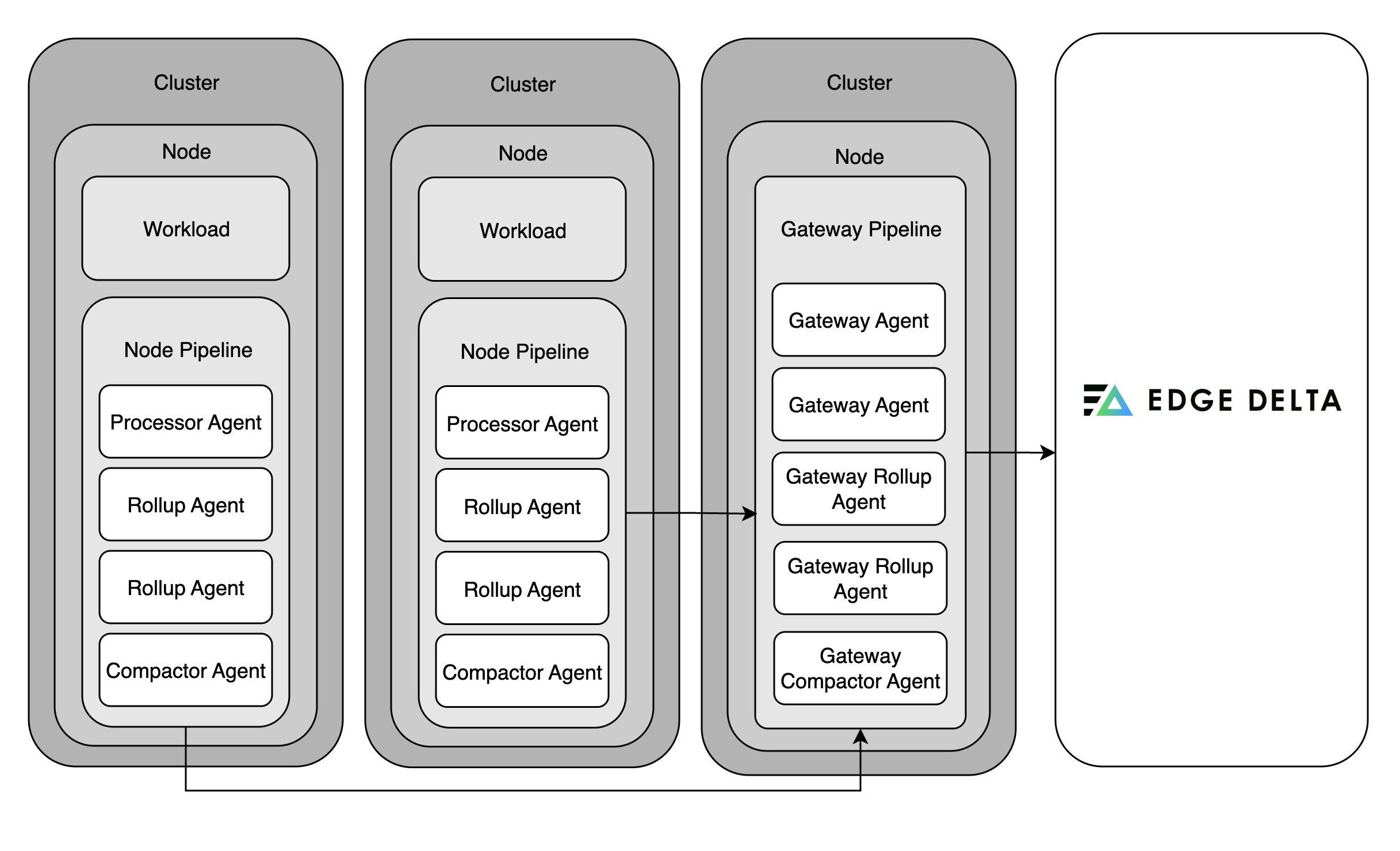
Note: Gateway pipelines are currently only available for Kubernetes deployments.
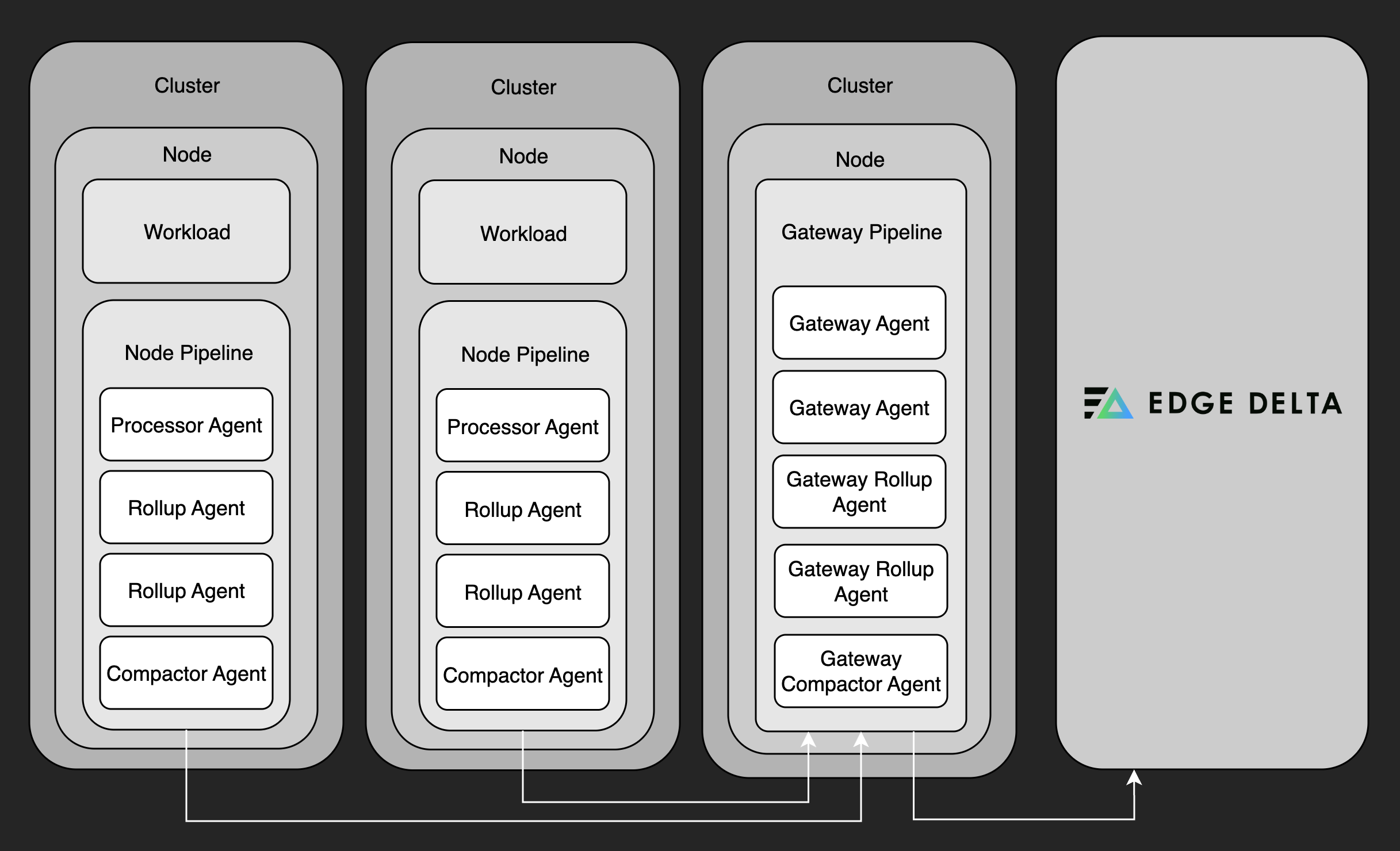
Gateway pipelines serve as aggregation hubs. They collect telemetry from node pipelines and external inputs, enabling service-level metric aggregation, log deduplication, and advanced features like trace tail sampling.
Since individual agents cannot see the full span of a trace, gateway pipelines are required for making intelligent trace sampling decisions. They buffer spans in memory or on disk, then apply logic to retain only the most valuable traces (e.g., errors or latency outliers).
Gateways can also ingest external data, making them useful for aggregating multiple telemetry streams into a unified processing pipeline.
Recommended for network-based ingestion: If you need to receive data over the network - such as OTLP (gRPC/HTTP), syslog, or data from third-party agents like Fluentd or Logstash - deploy a gateway pipeline. Do not use the node agent chart with
deployment.kind=Deploymentfor these use cases.
Coordinator Pipeline
Note: Coordinator pipelines are currently only available for Kubernetes deployments.
Coordinator pipelines manage control-plane operations in Kubernetes clusters. They handle backend communication on behalf of node agents, assist with discovery and agent grouping, and ensure efficient operation in large or dynamic environments.
Only one coordinator pipeline is deployed per cluster, and it must be installed in the same namespace as the agents it manages.
A coordinator is required for live tail to work in clusters with more than 20 nodes. For smaller clusters, a coordinator is optional but recommended for production deployments—it reduces backend overhead and improves live capture coverage across nodes.
Cloud Pipelines (Agentless)
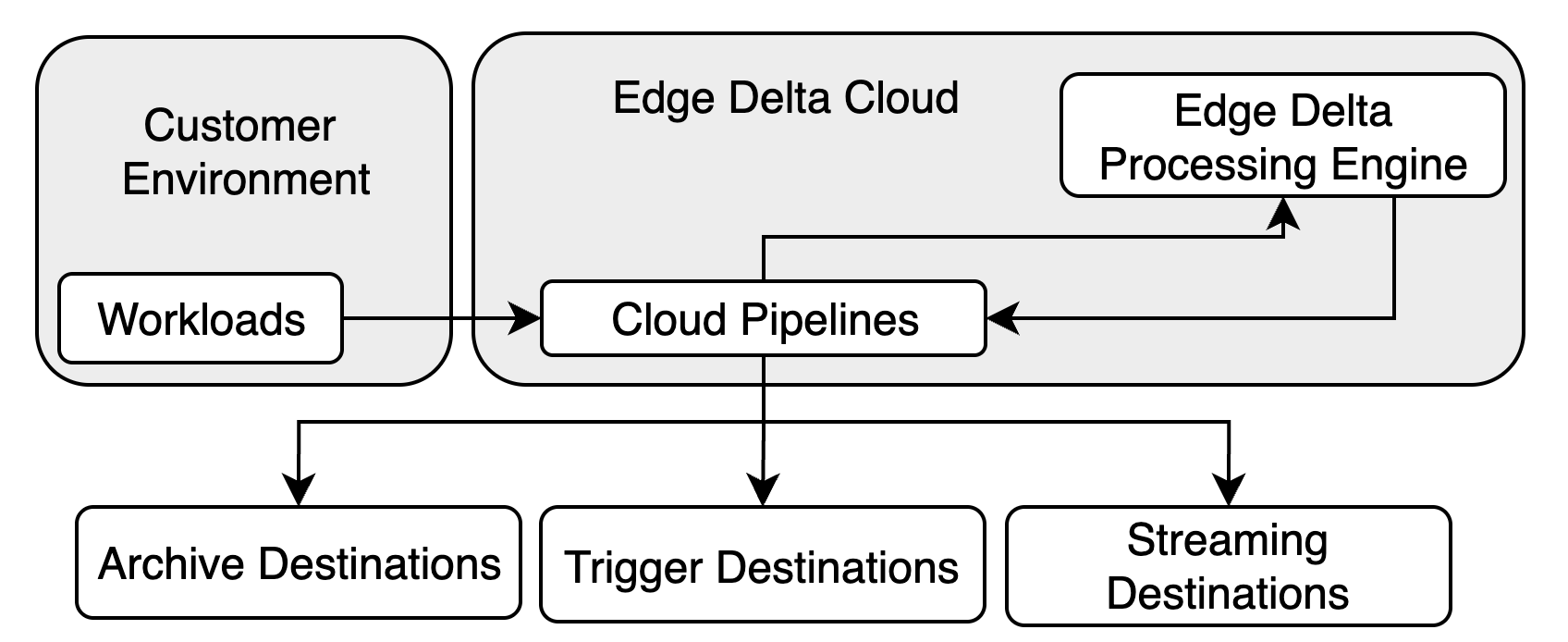
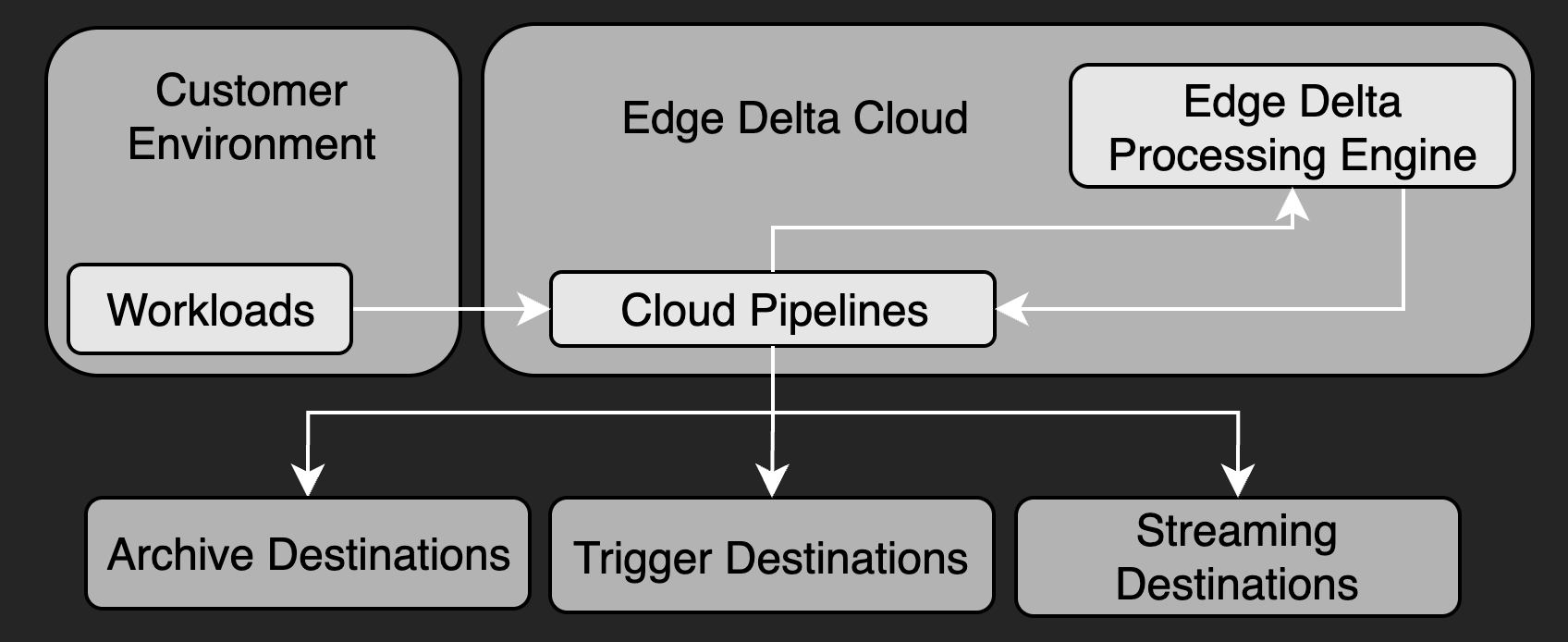
Cloud pipelines are hosted and fully managed by Edge Delta. They eliminate the need to run agents within your environment and are ideal for:
- Serverless workloads (e.g., AWS Lambda)
- Event-based systems (e.g., Amazon Kinesis)
- Thin edge devices or IoT
- Security-restricted environments
These pipelines expose HTTP, HTTPS, or GRPCS endpoints for pushing data, or they can be configured to pull data using source nodes like HTTP Pull.
Cloud pipelines are particularly effective when you want to minimize infrastructure management or centralize telemetry processing without agent deployment.
Ingestion Pipelines (Stateless)
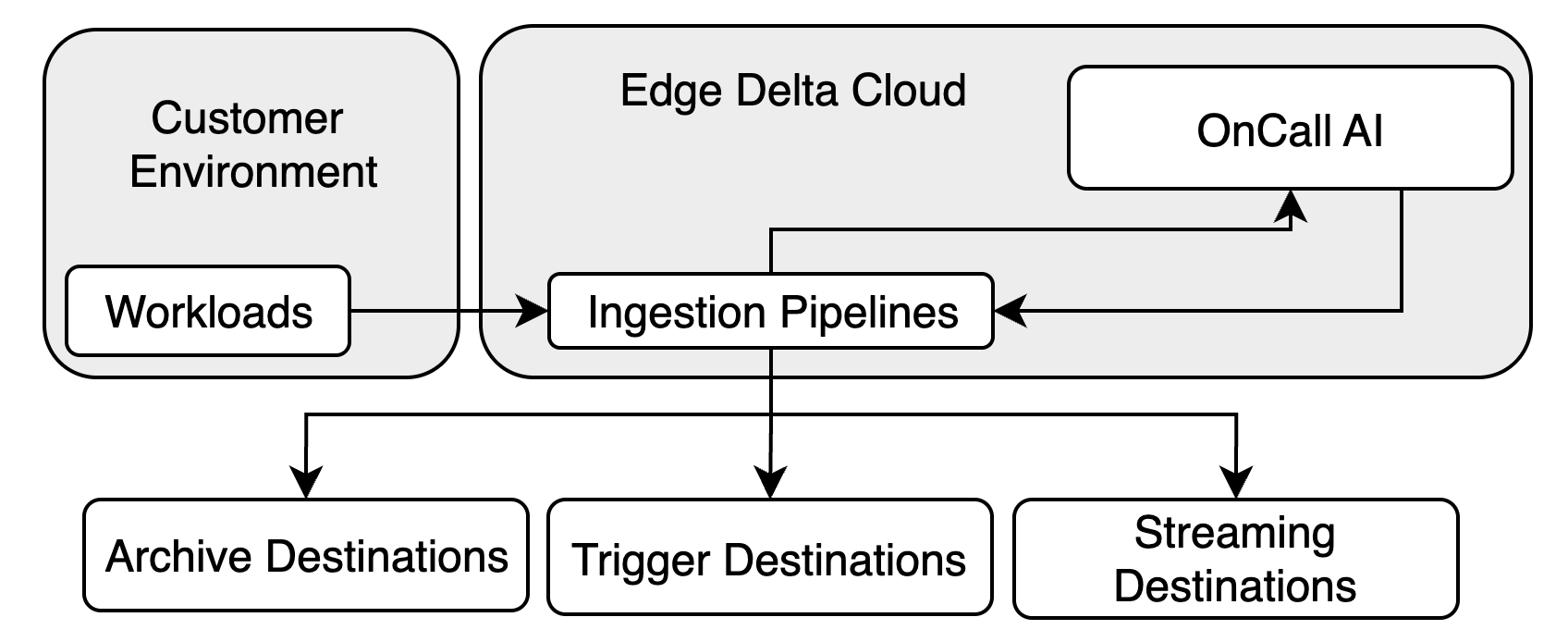
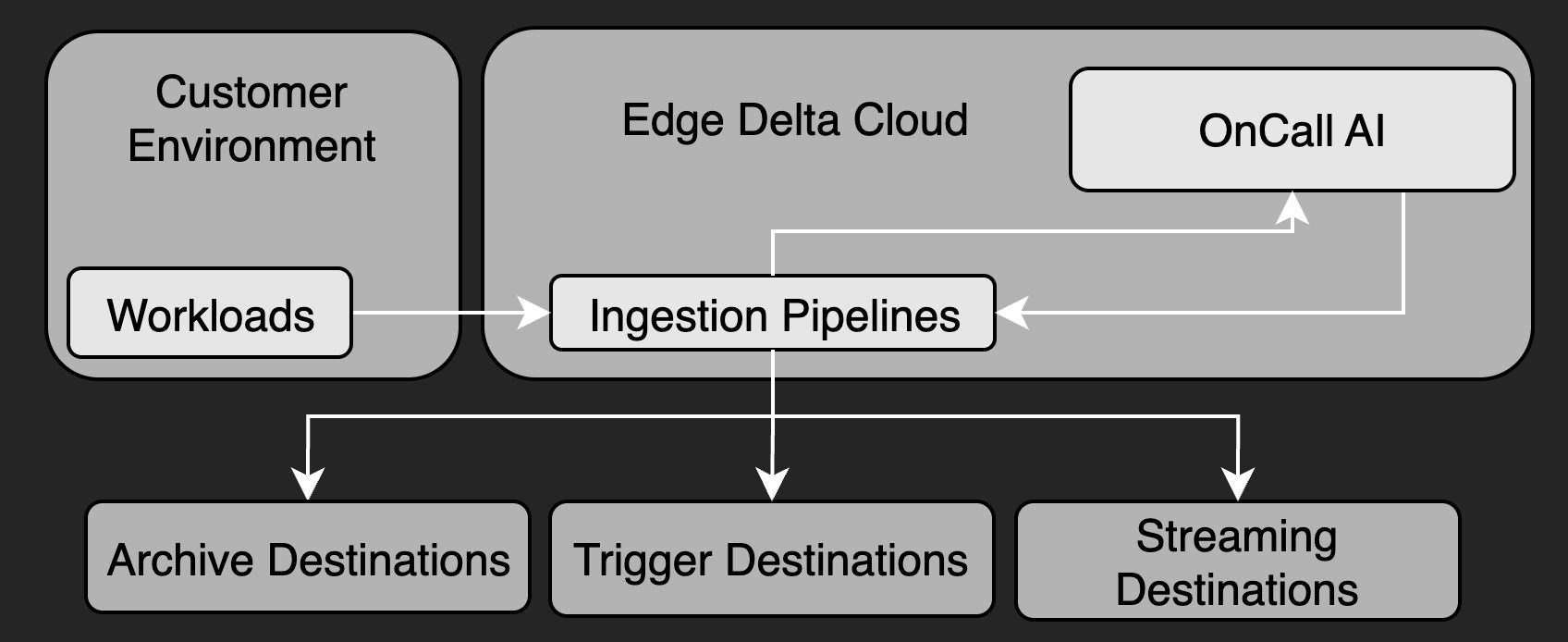
Ingestion pipelines are stateless pipelines that process data entirely on the Edge Delta backend without running agent instances. They are ideal for:
- AI Teammates event connectors (e.g., PagerDuty, GitHub webhooks)
- Quick proof-of-concept testing
- Lightweight event-driven integrations
Ingestion pipelines provide instant creation, automatic scaling, and require no compute resource provisioning. They support stateless processors (parsing, filtering, masking, transformation) but do not support lookups, aggregations, or other stateful operations.
For workloads requiring stateful processing or edge data reduction, use cloud pipelines or node pipelines.
OpenTelemetry and Third-Party Agent Support
Edge Delta integrates with OpenTelemetry (OTEL) to support both direct application instrumentation and intermediary collection via OTEL Collector. You can send OTEL-formatted telemetry to Edge Delta in the following ways:
- From instrumented applications directly to a local node pipeline agent or a cloud pipeline endpoint
- Via an OTEL Collector, configured to export data to Edge Delta’s agents or cloud pipeline endpoints
This flexibility allows organizations to adopt Edge Delta without re-instrumenting existing workloads and to consolidate telemetry from diverse ecosystems. You can also use other third-party agents or services to push data to Edge Delta cloud pipelines using supported protocols.
Choosing a Deployment Method
| Environment | Node Pipeline | Gateway | Coordinator | Cloud Pipeline | Ingestion Pipeline |
|---|---|---|---|---|---|
| Kubernetes | ✅ | ✅ | ✅ | Optional | Optional |
| Linux | ✅ | ❌ | ❌ | Optional | Optional |
| Docker | ✅ | ❌ | ❌ | Optional | Optional |
| Amazon ECS | ✅ | ❌ | ❌ | Optional | Optional |
| macOS | ✅ | ❌ | ❌ | Optional | Optional |
| Windows | ✅ | ❌ | ❌ | Optional | Optional |
| OpenShift | ✅ | ✅ (via Kubernetes) | ✅ (via Kubernetes) | Optional | Optional |
| SELinux Enforced | ✅ | ✅ | ✅ | Optional | Optional |
| Serverless / IoT | ❌ | ❌ | ❌ | ✅ | ✅ |
| AI Teammates Events | ❌ | ❌ | ❌ | ❌ | ✅ |
Next Steps
- Review the System Requirements
- Choose your installation method:
- Review Advanced Deployment Patterns for federation, scaling, and multi-tenant strategies.